Edit the details and sites for a trial plan

For each AI-generated trial plan, you can review and adjust the plan details and add or remove sites.

To edit the details and sites in a trial plan:
  1. Open the AI-generated trial plans.
  2. In the Plan Recommendation page, at the top right of the tile for the plan you want to adjust, select Adjust Plan from the vertical ellipsis menu as highlighted in the following example:
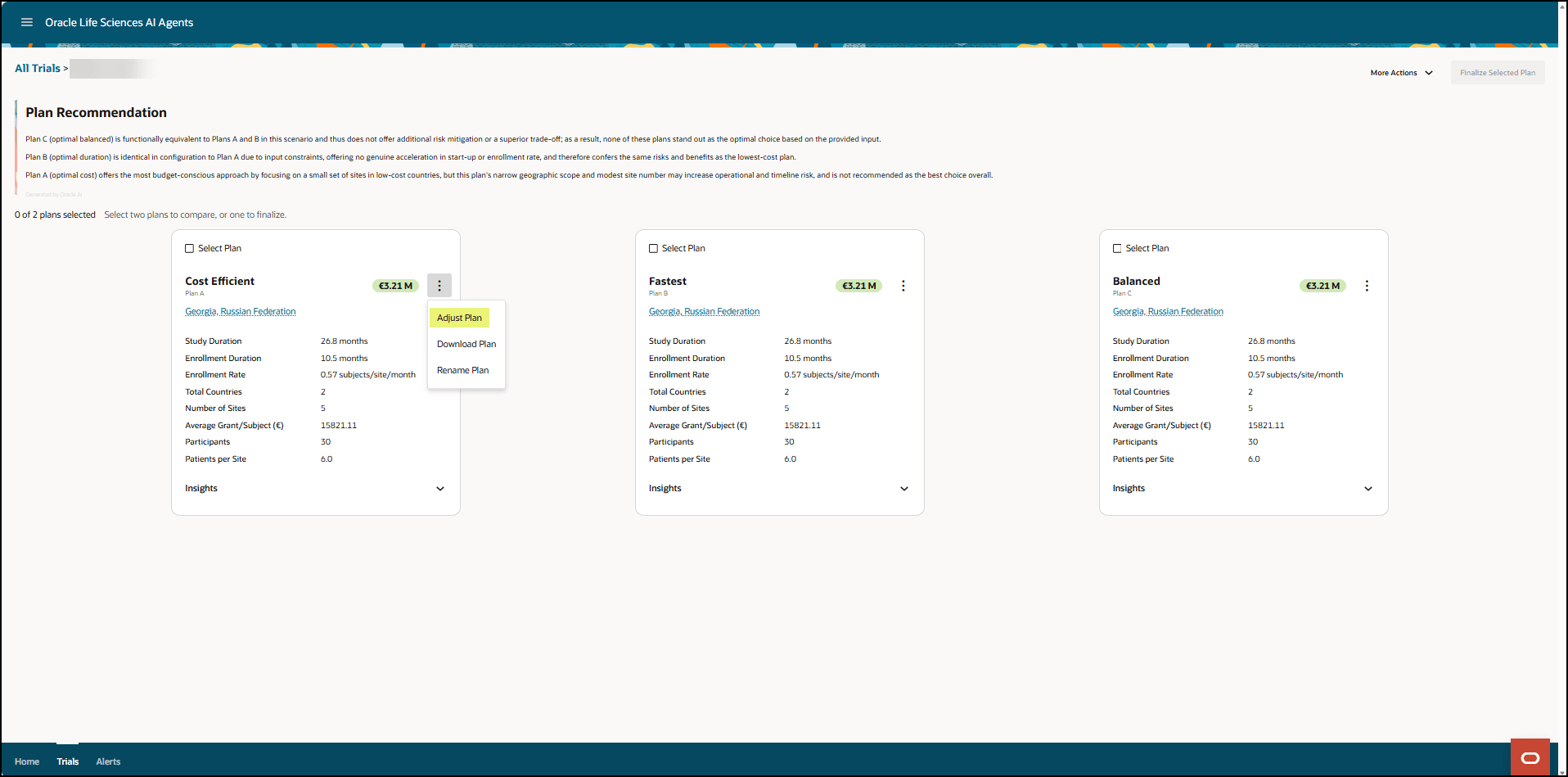

    Plan Recommendation page - Adjust Plan option highlighted

    The Adjust [Plan Name] panel opens. For example:
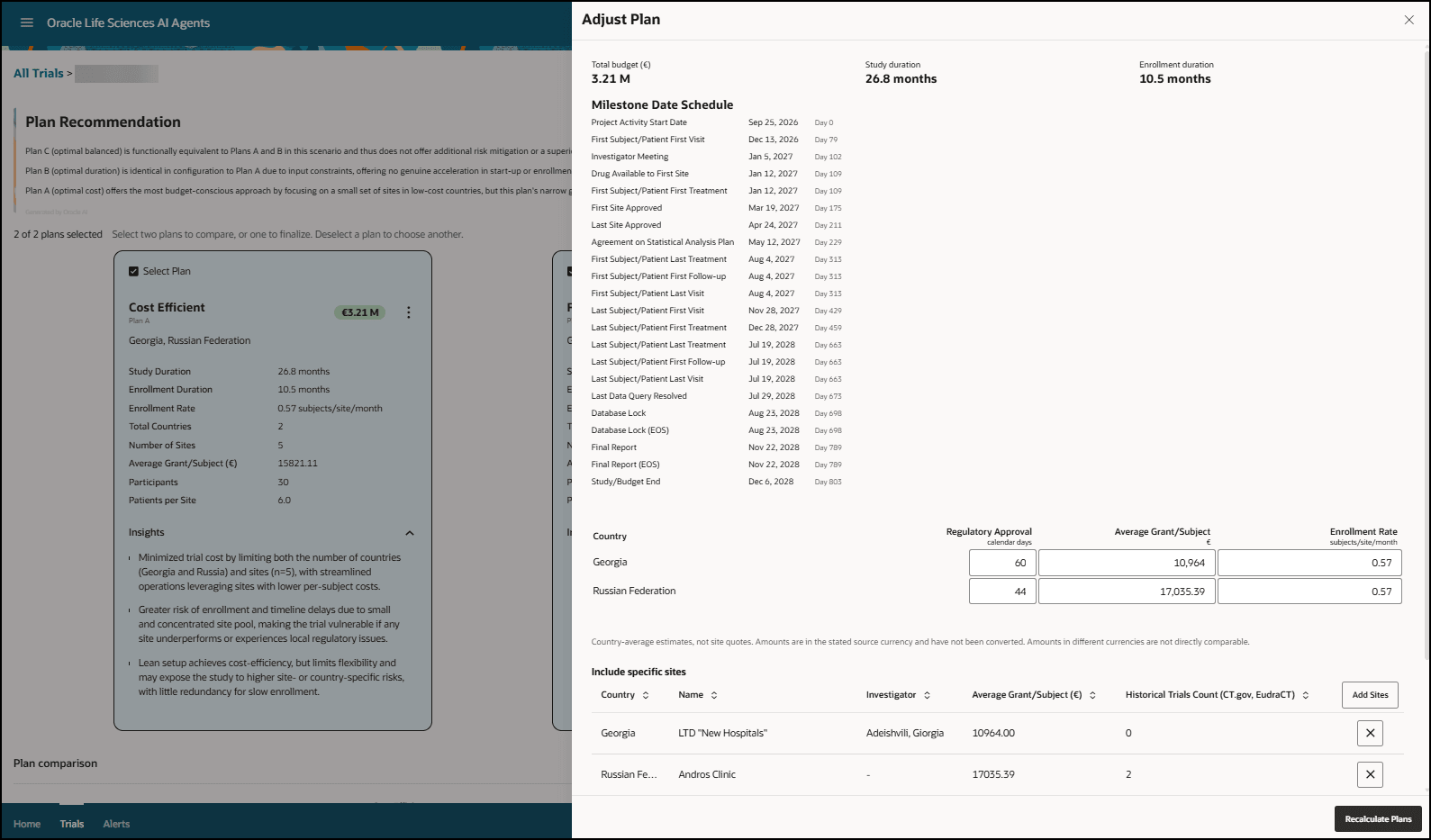

    Adjust Plan panel

  3. In the Adjust Plan panel, adjust any parameters as needed. Scroll down to see all the details and the Sites list. For example:
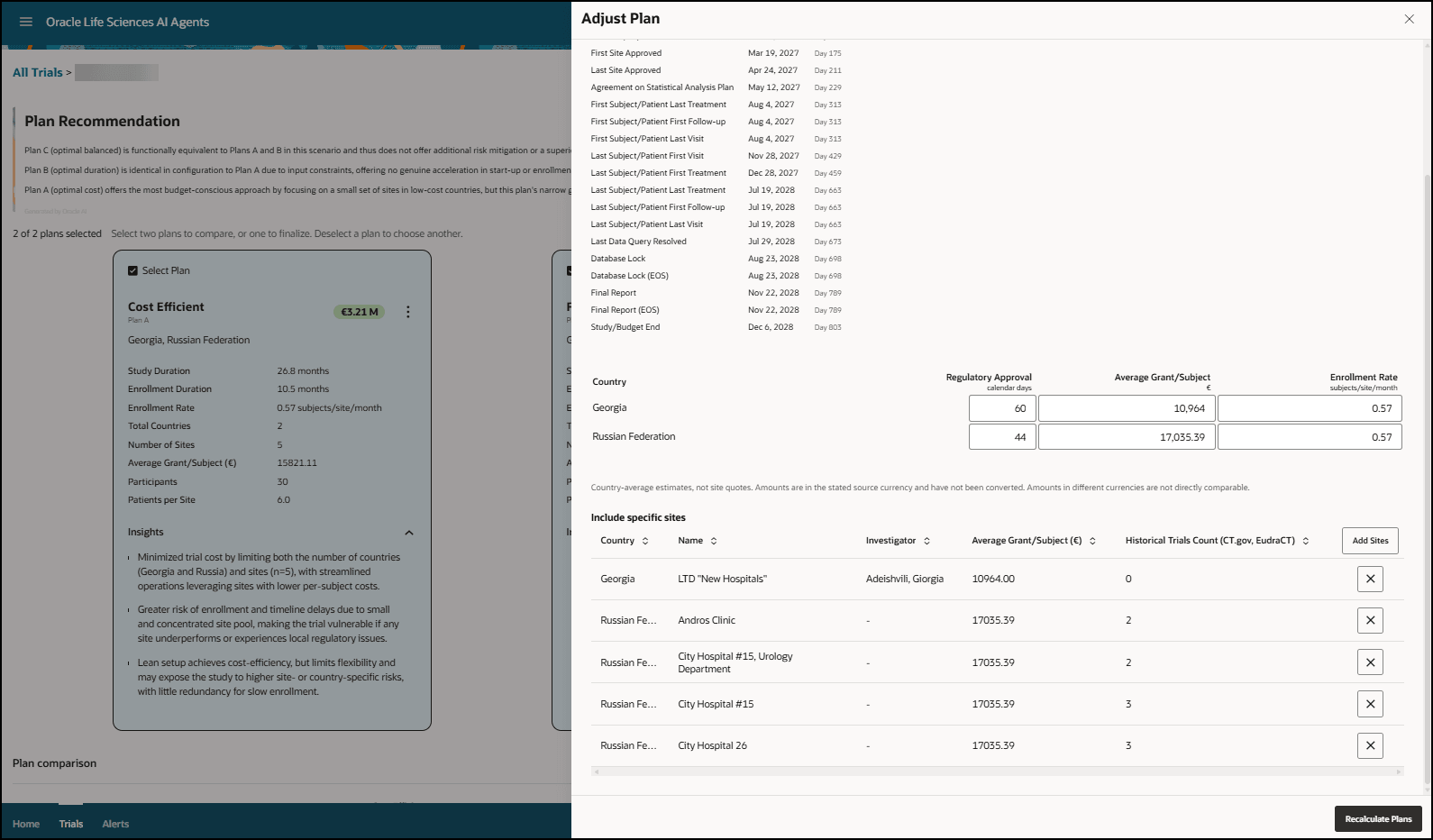

    Adjust Plan panel - Shows the Add Sites button and Sites list

  4. To add or update sites, select Add Sites on the right. The Add Sites panel opens. The available sites appear by country. For example:
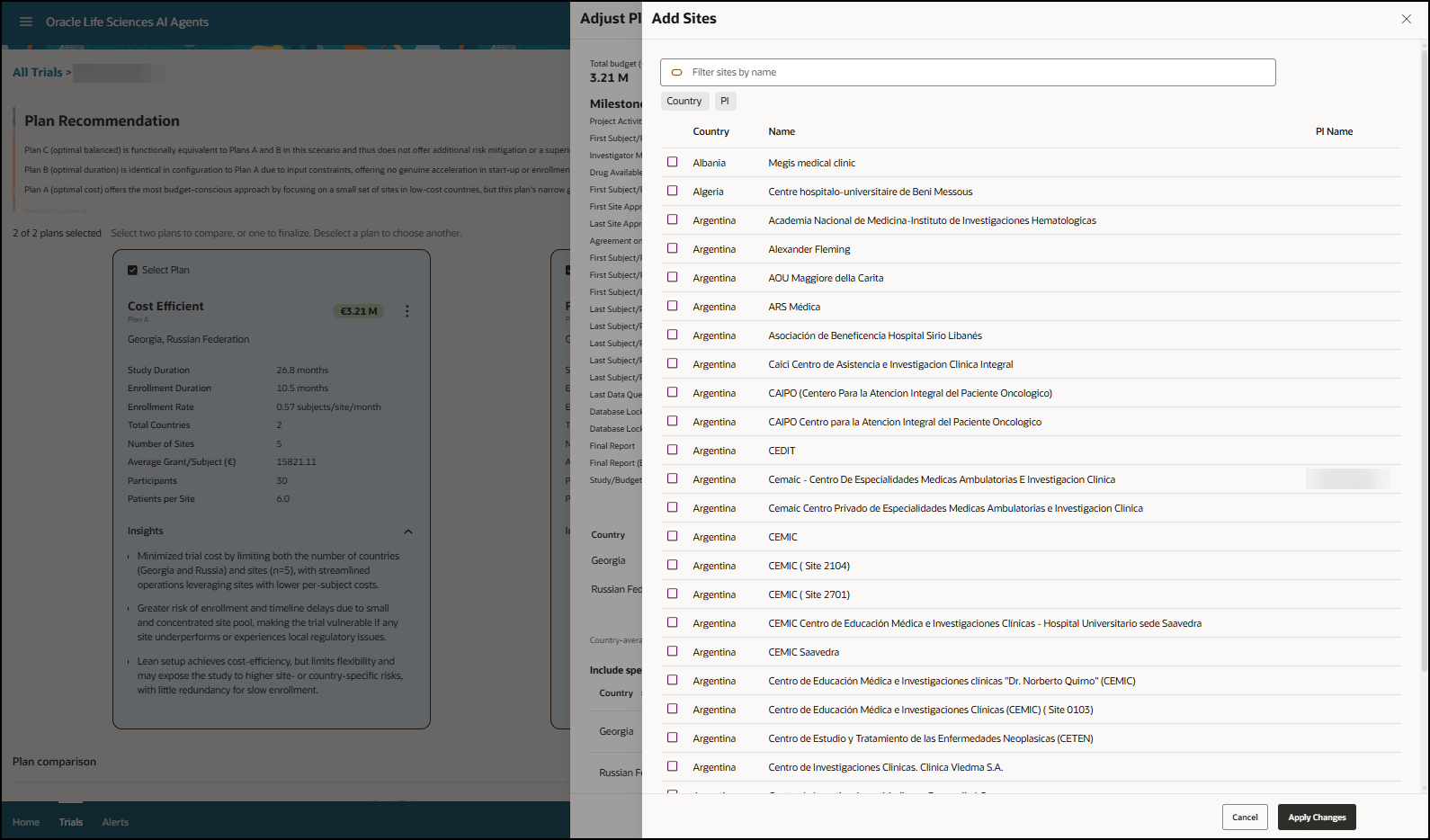
    Add Sites panel

  5. In the Add Sites panel:
    • Search for a site by entering the site name in the Search field. Scroll down the list to see all the available sites, and select Load More at the bottom of the panel as needed.
    • In the Country column, select or deselect sites as needed.
    • Select Apply Changes to save your changes and close the Add Sites panel. Or, select Cancel to close the Add Sites panel without saving your changes. The Adjust Plan panel becomes active again.
  6. At the bottom right of the Adjust Plan panel, select Recalculate plans.

    This option is only available if you made adjustments to the trial plan.

  7. Select the X at the top right to close the Adjust Plan panel.