Feature enhancements
Now you can Select/Deselect all countries in a list, you'll see new validation for artifact expiry settings, and we've improved display of inherited lifecycle details.
Artifact expiry dates
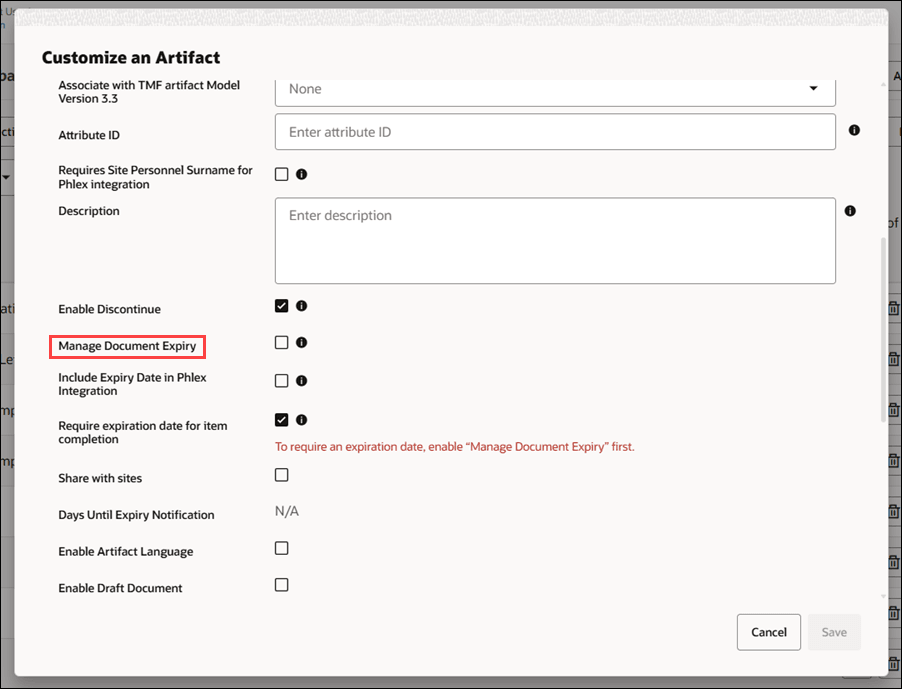
There is a new requirement that ensures correct application of expiry date settings. Now when editing an artifact, you must enable "Manage Expiry Date" before saving any related expiration date settings. If you try to check "Include Expiry Date in Phlex Integration" or "Require expiration date for item completion" without first enabling "Manage Expiry Date," you will see an error message prompting you to enable document expiry and your changes will not be saved.
Once you enable "Manage Expiry Date," you can then enable and save any dependent settings as needed.
Lifecycles
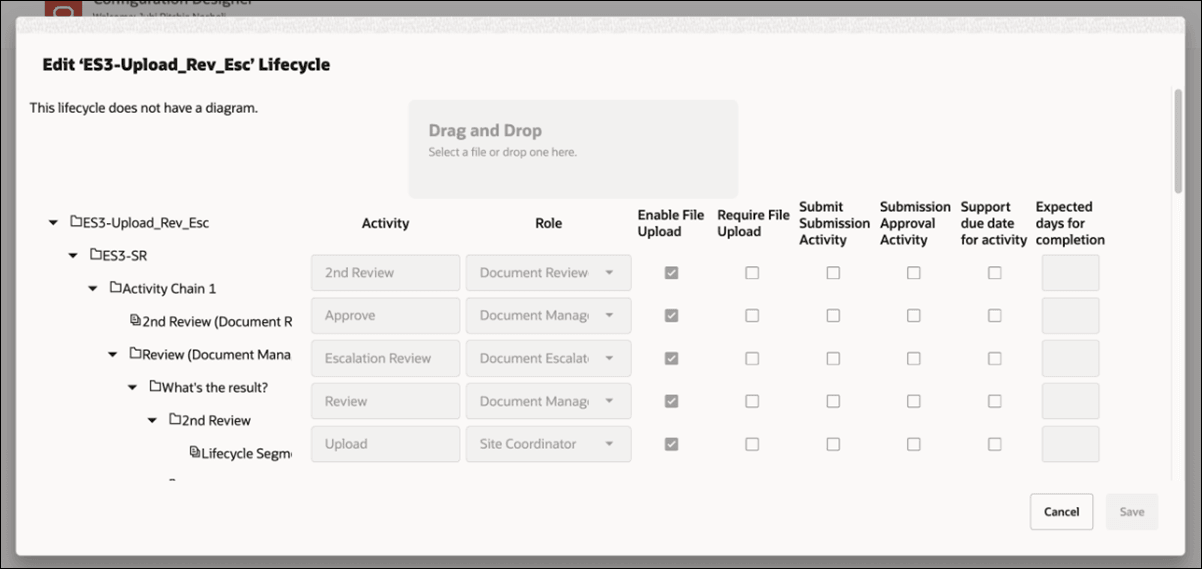
We enhanced the inherited Lifecycle view in this release. Now when you click the info icon to view an inherited Lifecycle in a child configuration, you'll see all details inherited from the parent configuration, including:
- Activity
- Role
- Enable File Upload
- Require File Upload
- Submit Submission
- Activity Submission
- Approval Activity
- Support due date for activity
- Expected days for completion
The details above display in the right pane as read-only, allowing you to verify that everything matches the parent Lifecycle without making changes.
Select/deselect all countries
We made two updates in this release that simplify country management and reduce unnecessary repetition in Configuration Designer, especially when handling multiple countries or large studies.
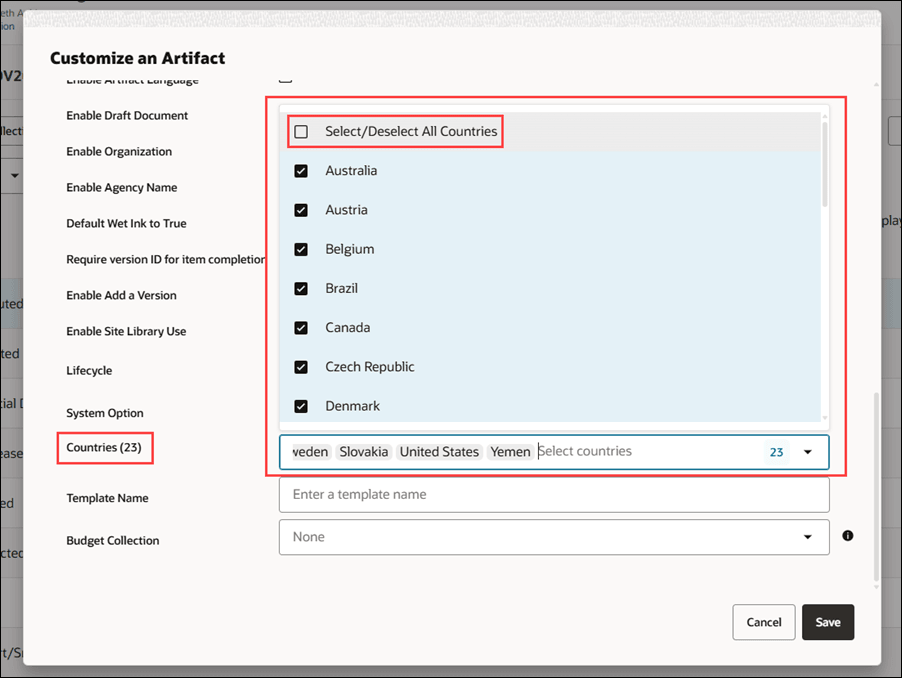
First, you can select or deselect all countries using a new Select All/Deselect All option. This option appears as the top selection option in the Artifacts tabs (at Study Country and Below, Country, Principal Investigator, and Staff levels), and it's also the top option in the Countries list when you're editing a configuration. This change helps you manage your configurations more efficiently.
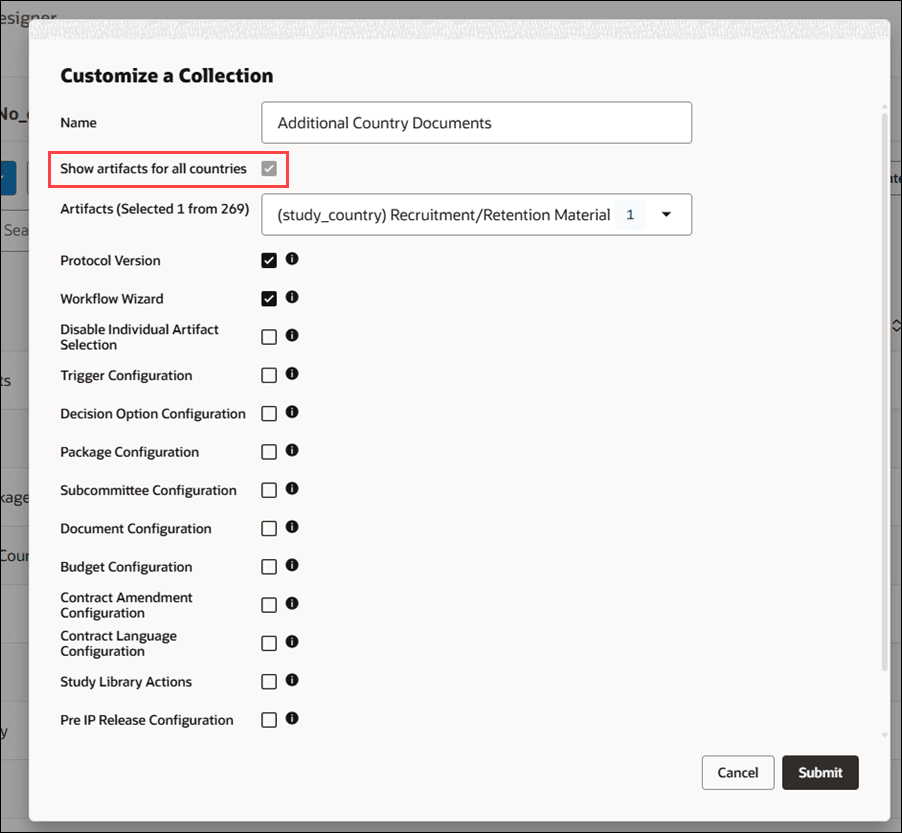
Then on the Collections tab, if you select all countries within a collection, the "Show artifacts for all countries" option is checked and disabled when you edit the collection, so you know all countries are included and you cannot change this setting. If a collection is country-specific, you'll see the name of the country displayed as read-only, and the 'Show artifacts for all countries' option will not appear, preventing changes to country selection for that collection.
Parent topic: What's new