Package planning
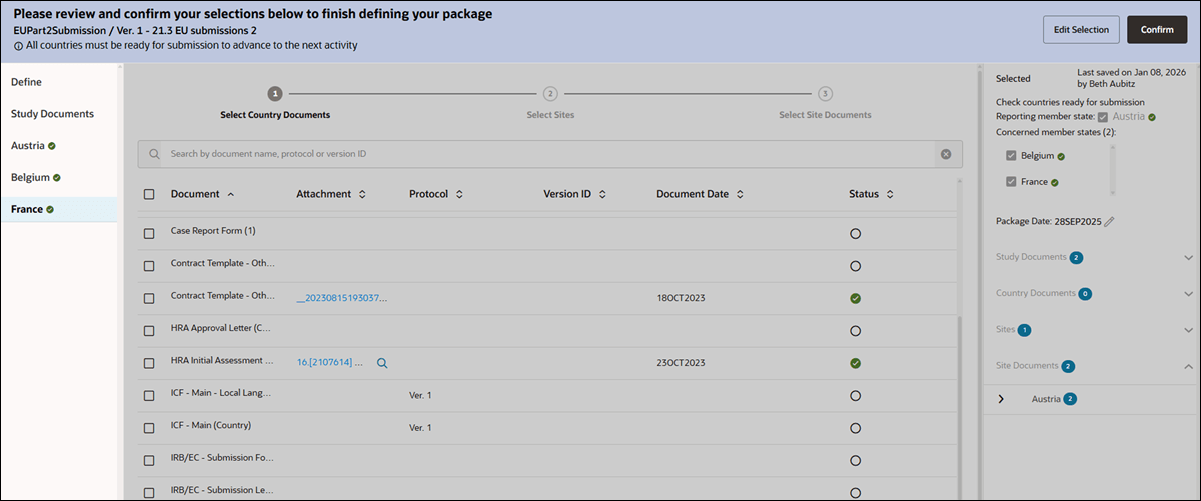
EU submission and IP package planning wizards allow you to use left navigation tabs on the Confirm step.
EU submission package and IP package planning
With this release, we updated left side navigation for the EU submission package and IP package planning wizards so that the tabs are enabled on the Confirm screen. This enhancement allows you to access the tabs and view selections in read-only mode. If necessary, click Edit Selection to return to edit mode and adjust the selected documents.
Depending upon your choice to enter back into the Edit mode, actions buttons displayed at the upper right will be in the following order: Cancel, Save, Back Continue, Done. Note that the Submission validation package does not have the Continue button, as the process ends at the Study Documents step. Additionally, an IP Package will have the following buttons: Cancel, Back, Continue OR Done.