Notes
Notes now indicate the study, country, and site as applicable; you can now save a note sub-type if enabled for your account; and notes now have a reportable Resolved at field.
Note for Study, Country, Site
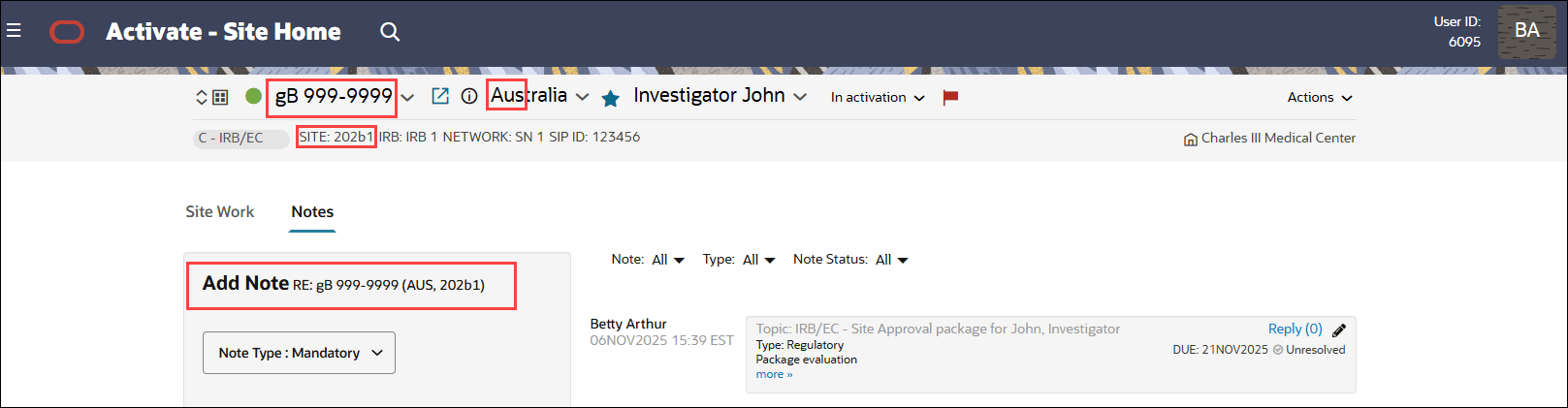
Now when you click the Notes tab on the study, country, or site home page, the top of the note shows what it is in regards to. Following the Add note title, the "Re:" text specifies the study, country, and site information depending where you launched the note from. The text follows this format:
- Study home: "Re: <study name>"
- Country home: "Re: <study name> (<countrycode>)"
- Site home: "Re: <study name> (<countrycode>, <sitenumber>)"
Note sub-type
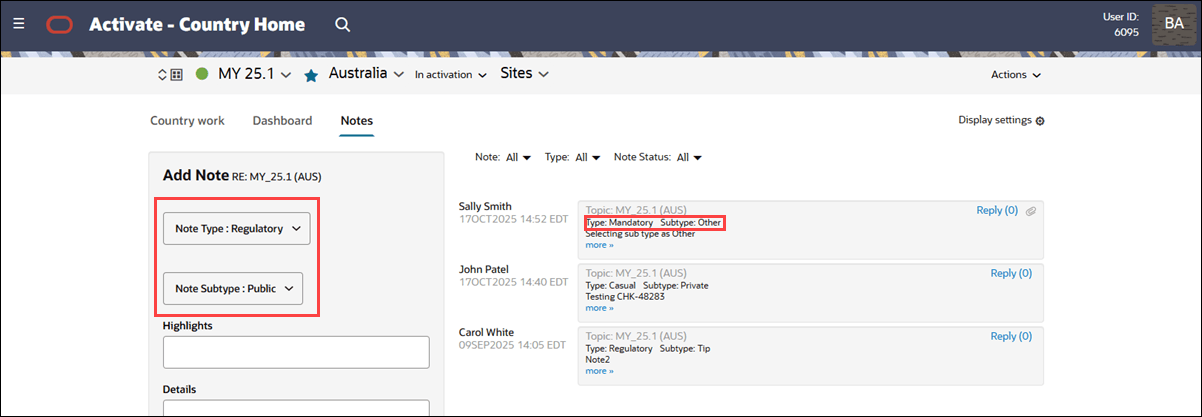
Now, when you choose a Note Type, you can also specify a Note Subtype if this option is enabled and configured for your organization’s account. When multiple Note Types share a similar theme, a subtype field can give you a more detailed way to categorize notes, making it easier to organize and search within the system.
Note Types can include “Other” as a selectable value if your organization enables this option. By design, the “Other” option does not provide a free text field.
When you view a note with a saved Subtype value, it will be listed to the right of the note Type.
Note:
Please contact your Oracle services representative to discuss enabling Note Subtypes for your account.
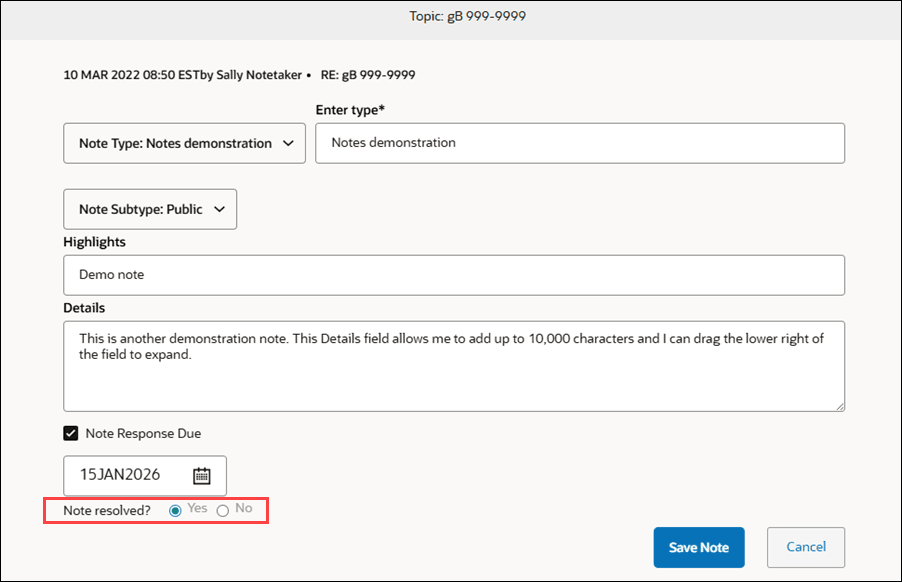
Resolved at
When you mark a note as resolved by changing the “Note resolved” setting from No to Yes and saving it, Oracle Site Activate now records the time in a new “resolved_at” field. If you change the setting back from Yes to No, the “resolved_at” field is cleared. This field is blank by default and only gets filled in when you first resolve the note.