Milestones
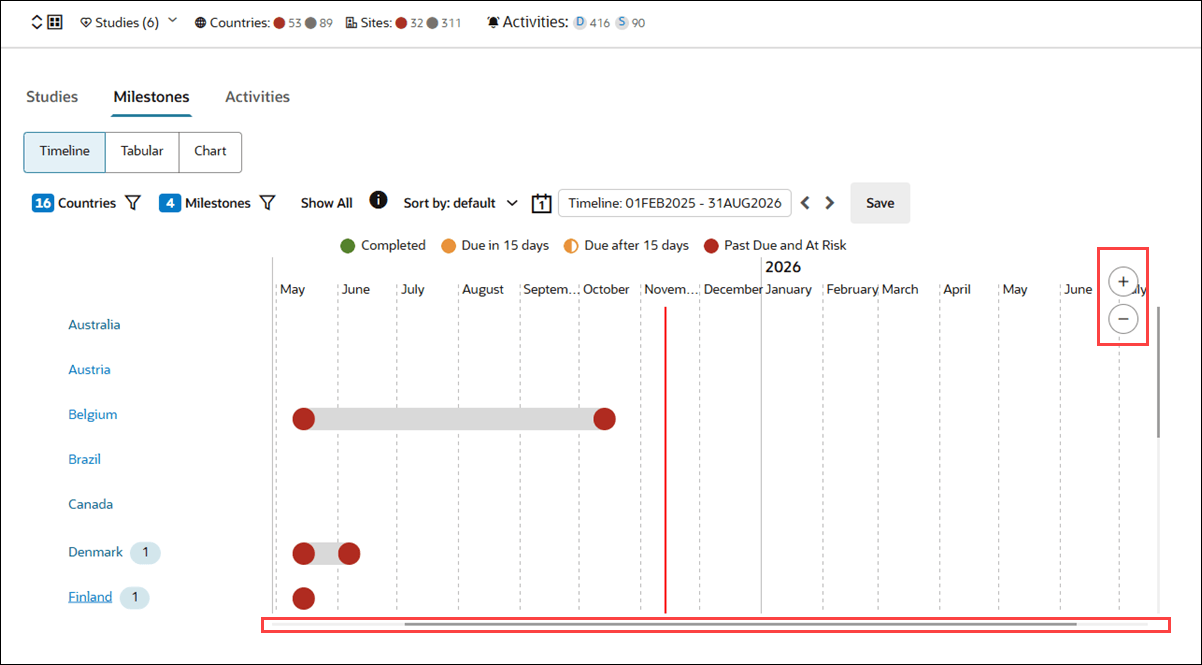
You can now easily adjust your view of the Milestones Timeline chart for better visibility and navigation using new zoom and scroll controls.
Milestones Timeline
When you view the Milestones Timeline chart on Account overview and home page > Dashboard you can now use a control at the upper right to zoom in or out as needed. To adjust the chart zoom to your preferred level, hover over the Timeline chart to display the control, and click the plus button to zoom in or the minus button to zoom out. When you zoom out, you can use the horizontal scroll bar below the chart to move the timeline left or right for easier navigation.