User interface
This release makes global search immediately available, adds save limits to keep the Study Dashboard Tabular view responsive, and updates the country Sites tab to use the common Oracle Site Activate styling.
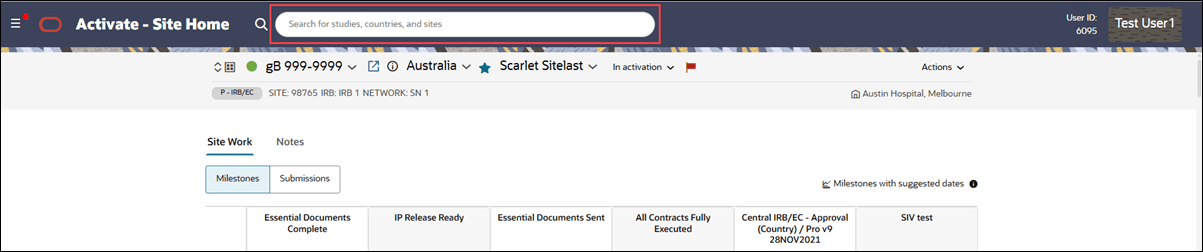
Global search always visible in header
Previously, you had to click the search icon to display the global search text field in the page header. The field is now always visible, so you can enter search terms immediately.
Epic: CHK-51233
Study Dashboard Tabular filter limits
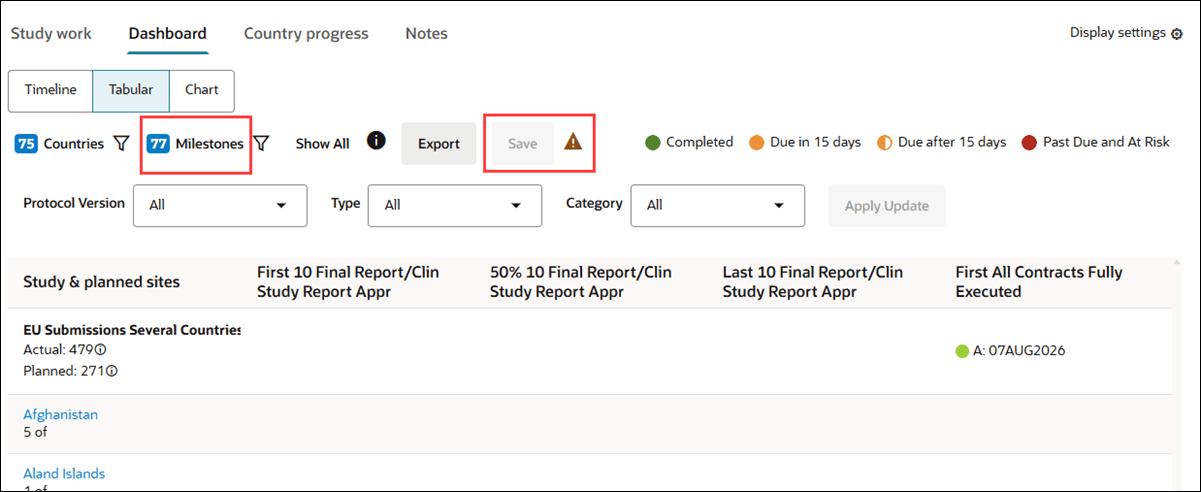
To help keep the Dashboard Tabular view responsive, we added limits on the number of filters you can save. Now, you can save selections of up to 75 countries and 75 milestones. When you open the view without a saved filter, the first 75 countries and the first 75 milestones are selected by default.
You can temporarily select and apply more than 75 countries or milestones, but you can’t save those selections. When you exceed either limit, the Save button is disabled, and an attention icon  displays the following message on hover over: “Filters with more than 75 countries or milestones cannot be saved.”
Epic: CHK-51233
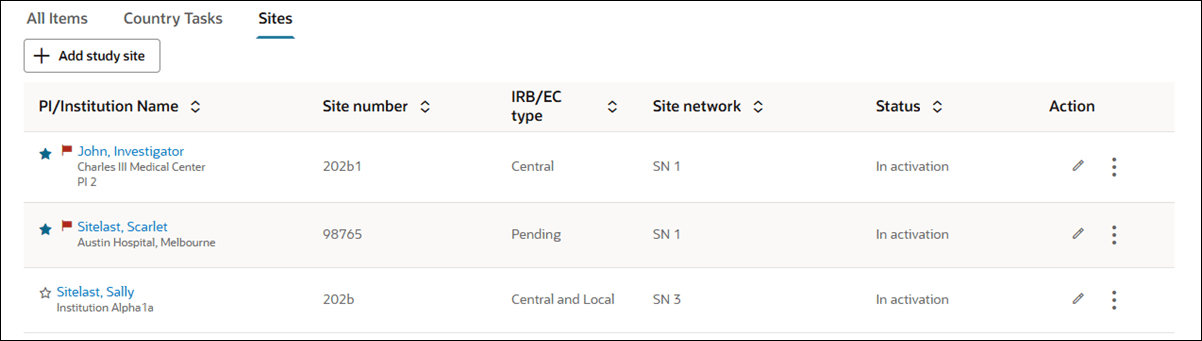
Sites tab uses standard styling
Previously, the Add study site button and Sites table on the country home page used legacy styling. You’ll now see the common styling used elsewhere in Oracle Site Activate, with all existing labels, data, actions, and behavior unchanged.
Epic: CHK-51233