Submissions
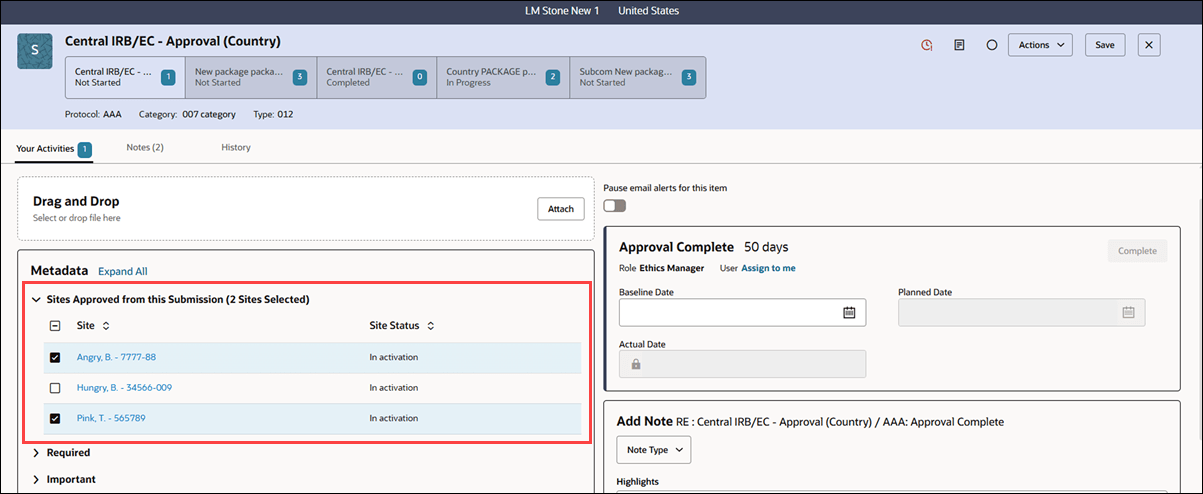
The submission artifact drawer again shows Sites Approved from this Submission, letting authorized Data Change users update approved sites for completed submissions while other users can view them.
Submission artifact drawer shows approved sites
With release 26.1, we returned the Sites Approved from this Submission section to the submission artifact drawer in the Metadata panel. If you are a Data Change user with the Enable data change users with this role to correct metadata permission, you can select/deselect the approved sites to include in a submission when the submission is complete. If you don’t have the correction permission, you’ll see the Sites Approved from this Submission section, but you can’t select or deselect sites.
Epic: CHK-51859