10 Survey Response Analysis
Workbook synopsis
The Oracle Site Analyze Survey Response Analysis workbook, intended for Oracle Site Select customers, provides a detailed dashboard of feasibility survey response data as well as two worksheets designed for data export to CSV.
Dashboards and sheets
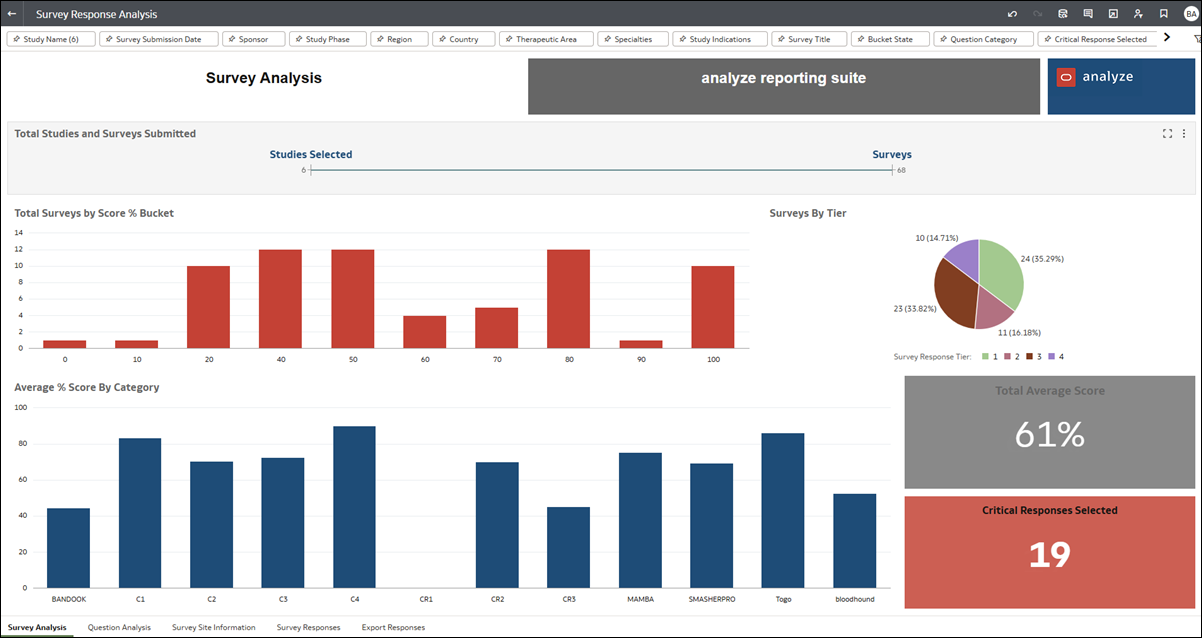
Survey Analysis dashboard
The Survey Analysis dashboard provides summary response information for feasibility surveys including: total surveys submitted, survey scores, tiers, and analysis on individual responses to questions. You can drill down into specific studies, surveys, and various other dimensions and export relevant data as needed.
Use the filter options along the top of the worksheet to limit the scope (e.g., choose a specific Study, Survey Submission Date, Therapeutic area, Site status, etc.) and tailor the available data to your preferred view.
Question Analysis dashboard
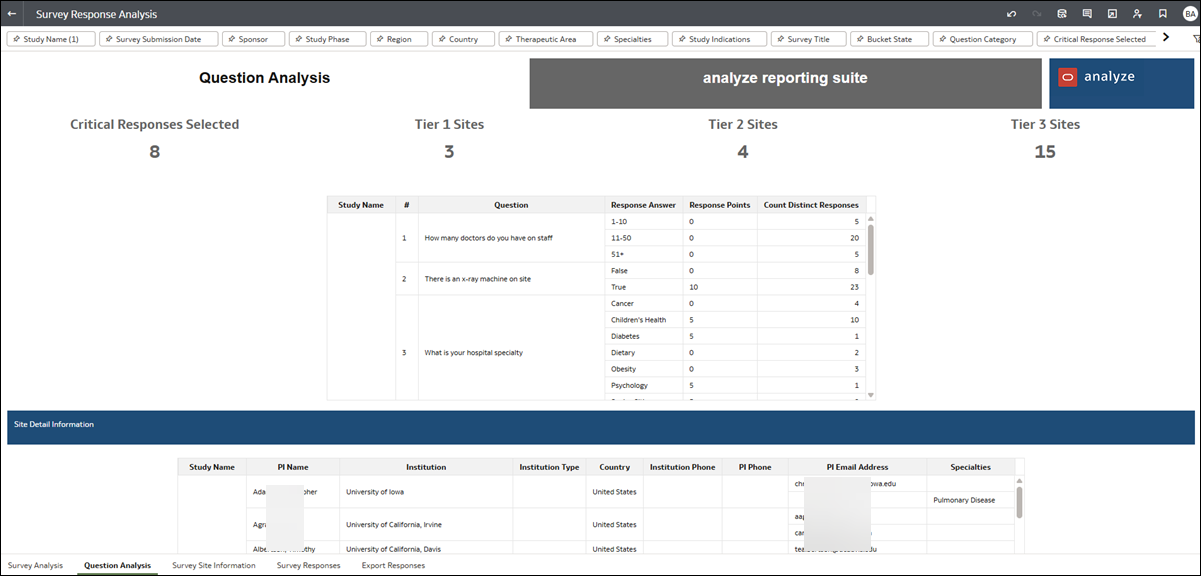
The Question Analysis dashboard view lets you easily filter down to those sites that selected a specific response to a specific feasibility survey question for site survey analysis. Use the filter options along the top of the worksheet to limit the scope (e.g., choose a specific Study, Survey Submission Date, Therapeutic area, Site status, etc.) and tailor the available data to your preferred view.
The Question Analysis dashboard has three components:
- Counts for Critical Responses Selected, Tier 1 Sites, Tier 2 Sites, and Tier 3 Sites.
- A table with question information, including a column with the count of distinct responses to each question.
- A Site Details table with the following columns:
- Study name
- PI name
- Institution
- Institution type
- Country
- Institution Phone
- PI Phone
- PI Email Address
- Specialties
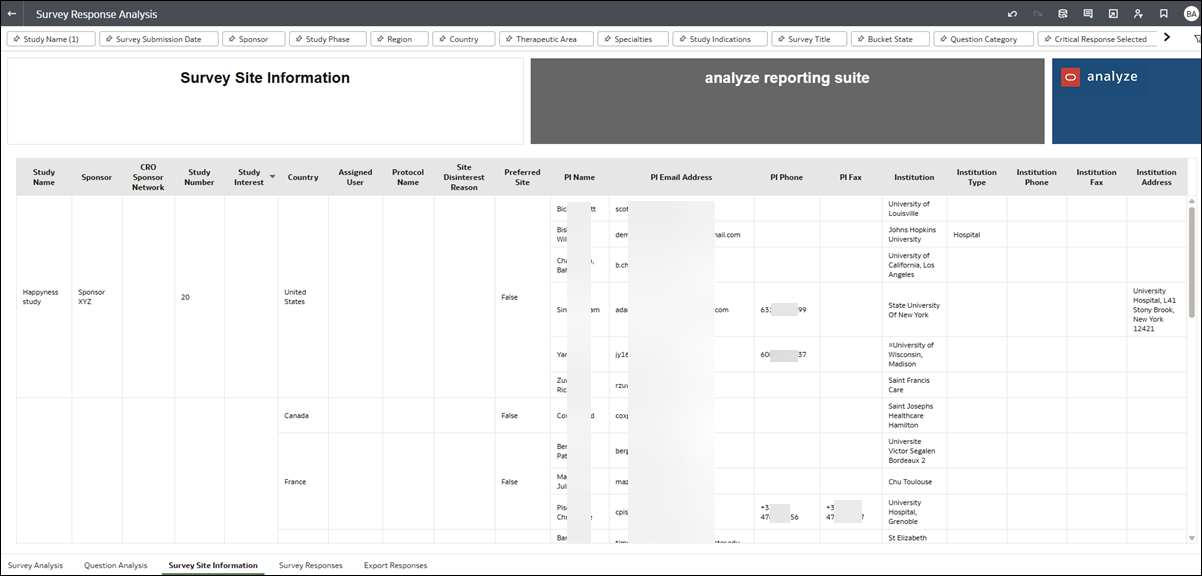
Survey Site Information export
The Survey Site Information export worksheet includes detailed PI and institution data. Use the filter options at the top of the worksheet to tailor the available data to your preferred view before export. To export, right-click anywhere on the worksheet and specify your preferred Export format option.
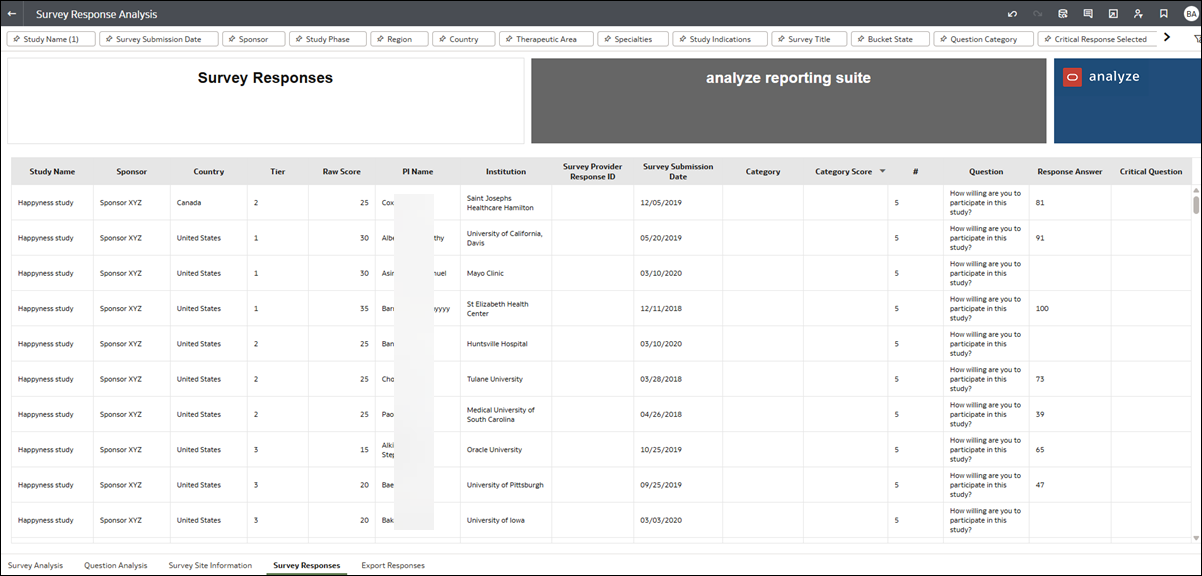
Survey Responses worksheet
The Survey Response worksheet provides an aggregated tabular view that relates to the lower portion of the Survey Response Analysis dashboard. Use the filter options at the top of the worksheet to tailor the available data to your preferred view.
Export Responses worksheet
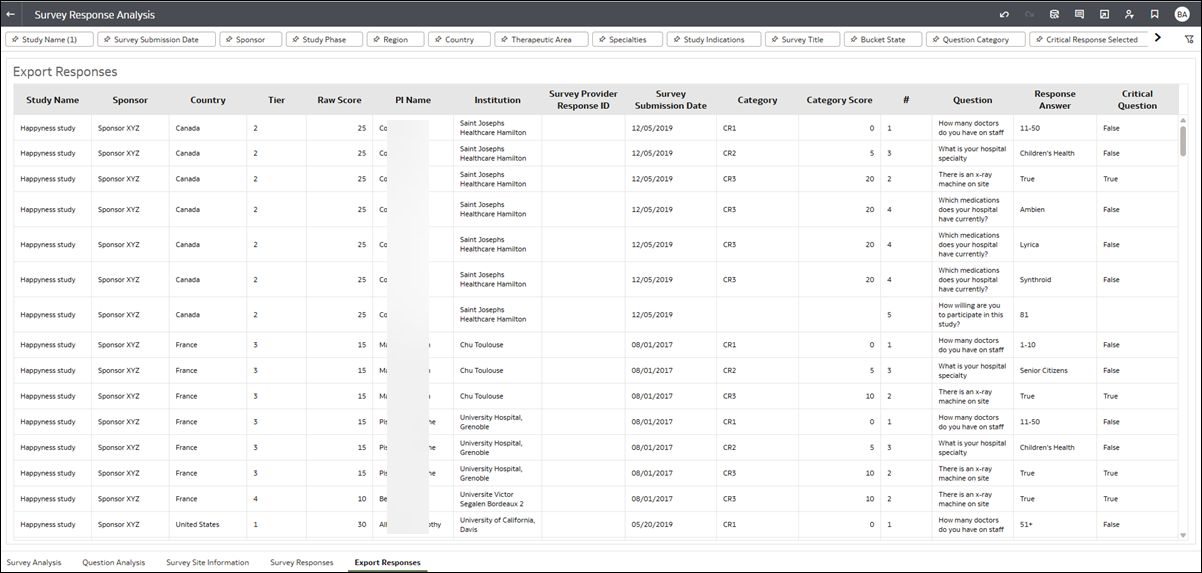
The Export Responses worksheet has been designed exclusively for export and reflects the filters you set on the Survey Responses worksheet (described above). To export, right-click anywhere on the worksheet and specify your preferred Export format option.