9 Site User Engagement
Workbook synopsis
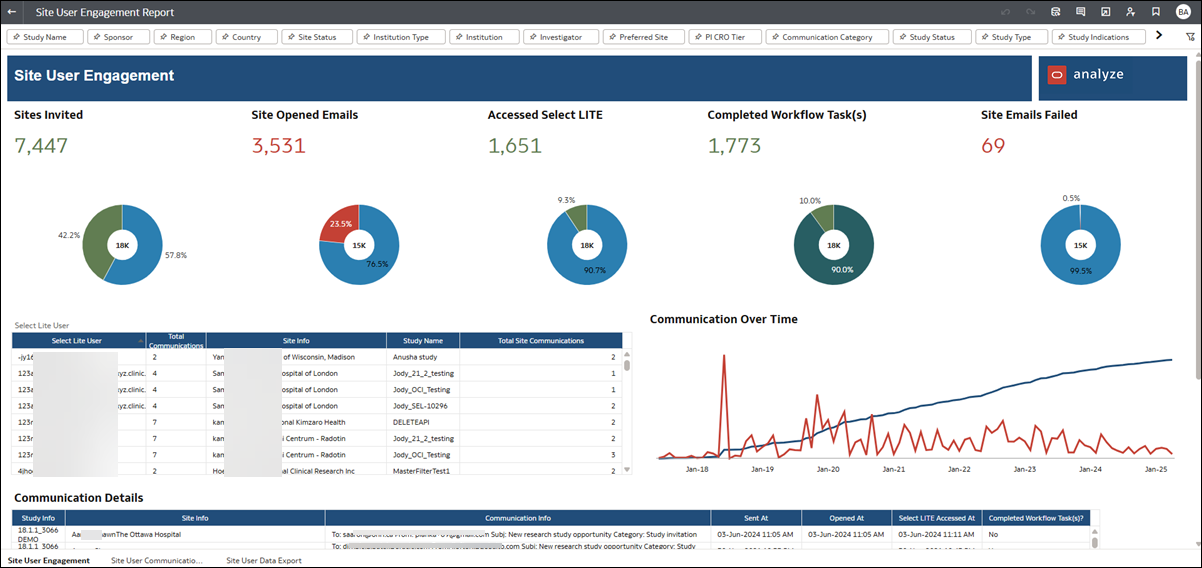
The Site User Engagement dashboard is designed to help you understand site interactions within Oracle Site Select. The dashboard allows you to view and analyze all site communications sent via email or through the Oracle Site Select site communications portal.
Dashboards and sheets
Site User Engagement
- Sites Invited – total invited sites
- Site Opened Emails – total emails opened by site users
- Accessed Select LITE – total times a user clicked on the Oracle Site Select LITE link in an email
- Completed Workflow Task(s) – total times a user clicked on the Oracle Site Select LITE link in an email and completed a workflow task
- Site Emails Failed – total emails sent that failed
The dashboard also contains a table that shows a summary of all communications by Select Lite User (aggregated by the communication recipient email address), as well as a trend graph that displays the number of site communications and emails per month with a cumulative total over time. Click on the numbers in the middle table to filter the bottom table and view the details of each site communication. Click one of the KPIs at the top of the report (e.g., invited sites, site opened emails, etc.) to control the data displayed in the middle and lower section of the report.
Like all Oracle Site Analyze reports, this dashboard provides multiple filtering options at the top of the worksheet. You can subset the reported data to your preference using filters like Study Name, Sponsor, Communication Category, and more.
Site User Communication Export
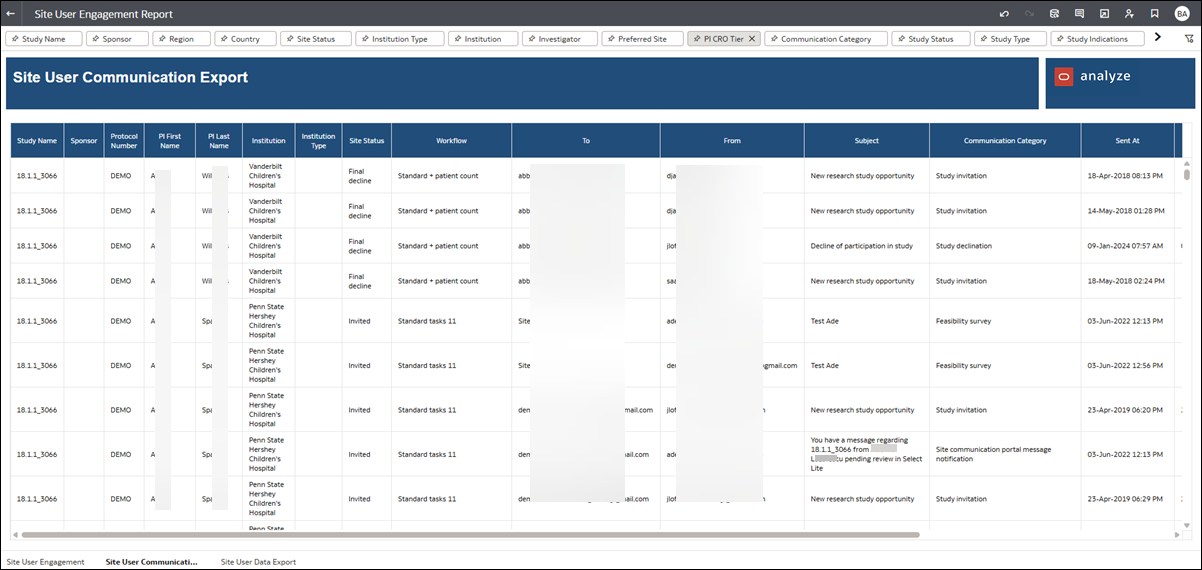
The Site User Communication export worksheet allows you to export site data grouped by site user email. This export helps you identify instances when the same email account is used for multiple users. In this export, you'll also see variances in recorded user names, and you can use that data to reconcile user profile information across sites (e.g., identify the CTC across three sites who has variances in name such as missing middle name, suffix, etc.).
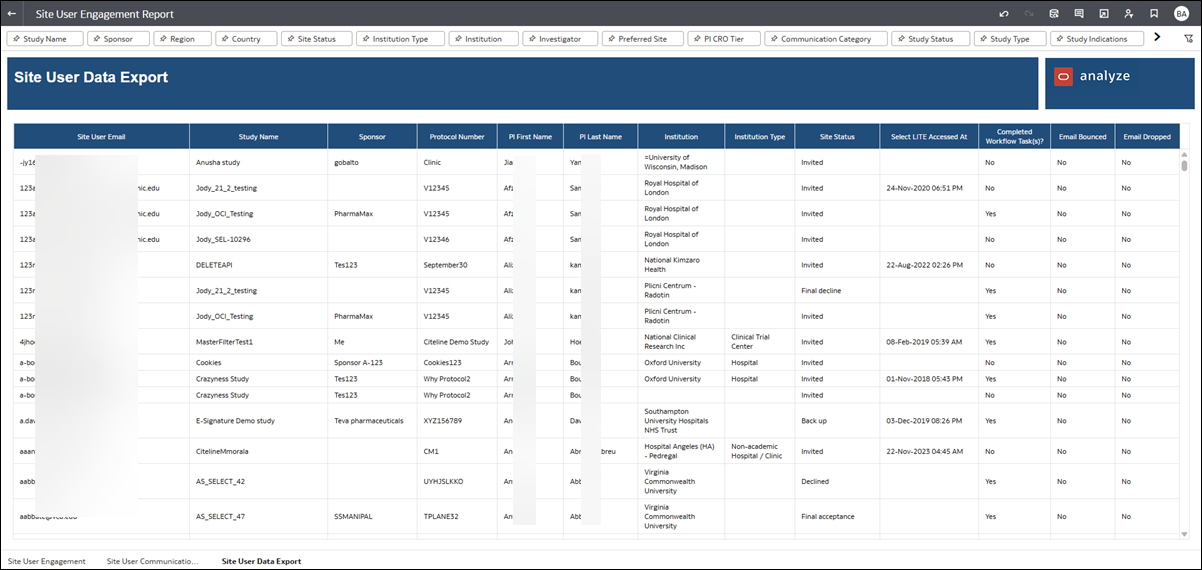
Site User Data Export
This worksheet, which we designed specifically for export, provides detailed email communications information. Use the filters at the top of the worksheet to adjust included data to your preference before exporting. To export, right click anywhere on the worksheet and specify your Export file preference.