8 Site Study Interest and Exclusion
Workbook synopsis
The Oracle Site Analyze Site Study Interest and Exclusion report, intended for Oracle Site Select customers, provides dashboard reports that visualize site invitation response state and reasons for site exclusion or study disinterest.
Dashboards and sheets
Site Invitation Responses
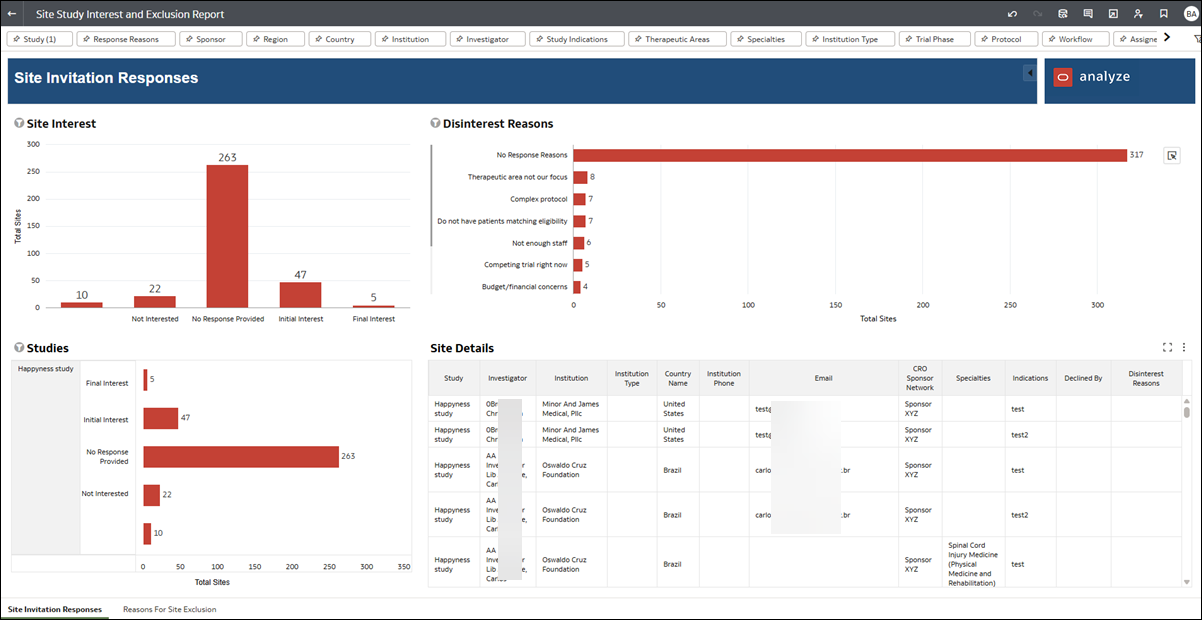
This dashboard provides you with details about invitation response metrics and site disinterest reasons. Interest bar graphs allow you to quickly see the distribution of site invitations by status (e.g., No response, Not interested, Initial Interest, and Final Interest). The dashboard also provides a bar graph to visualize the number of site disinterest reason instances (e.g., Competing trial, Complex protocol, etc.). The Studies and Site Details sections at the bottom of the worksheet show interest by study and investigator metadata (e.g., Name, Country, Specialties, etc.).
Use the filter options along the top of the worksheet to limit the scope (e.g., Study, Response Reasons, Investigator, etc.) and tailor the available data to your preferred view.
Reasons for Site Exclusion
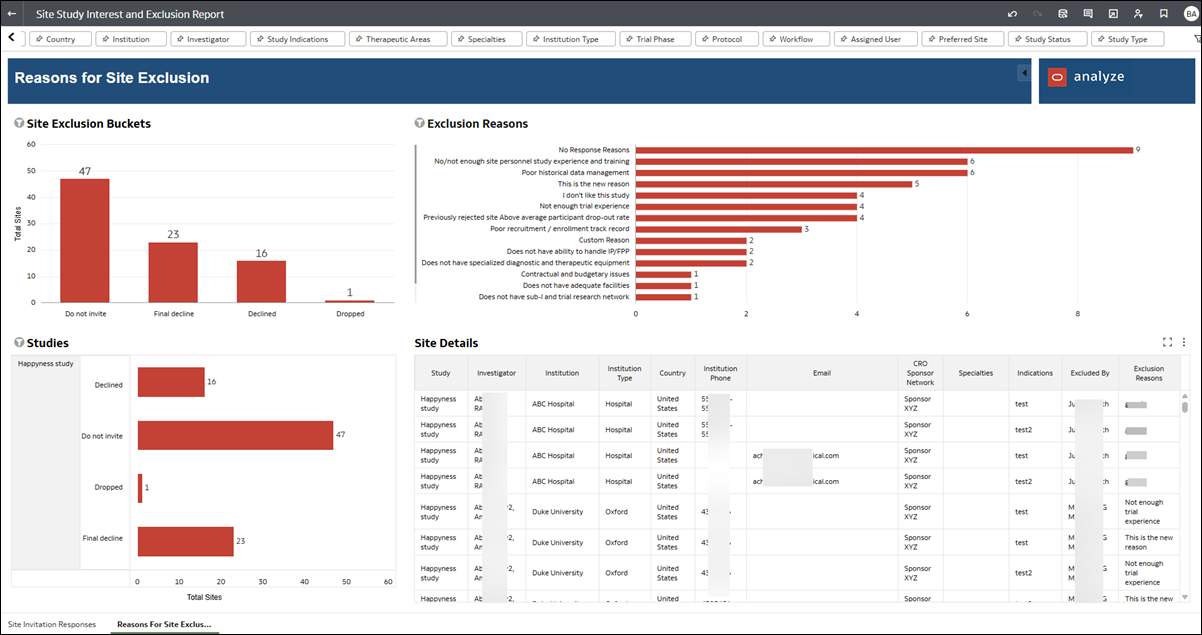
This dashboard provides site exclusion data in a similar format to the site invitation responses dashboard. Exclusion bar graphs allow you to quickly see the distribution of excluded sites by bucket status (e.g., Declined, Do Not Invite, Final Decline, and Not Interested). The dashboard also provides a bar graph to visualize the number of reason instances (e.g., Not enough personnel, Regulatory history, Does not have adequate facilities, etc.).
Use the filter options along the top of the worksheet to limit the scope (e.g., Study, Response Reasons, Investigator, etc.) and tailor the available data to your preferred view.