What's new for Oracle Life Sciences Site Select users
Release 26.1 includes enhancements to the Resource Allocation report to let you view Oracle users in an account and the report also has improved display logic for the Teams visualization on the Teams and Collaboration worksheet.
Resource Allocation includes Oracle Admin users and improved Teams visualization
Oracle users included in report
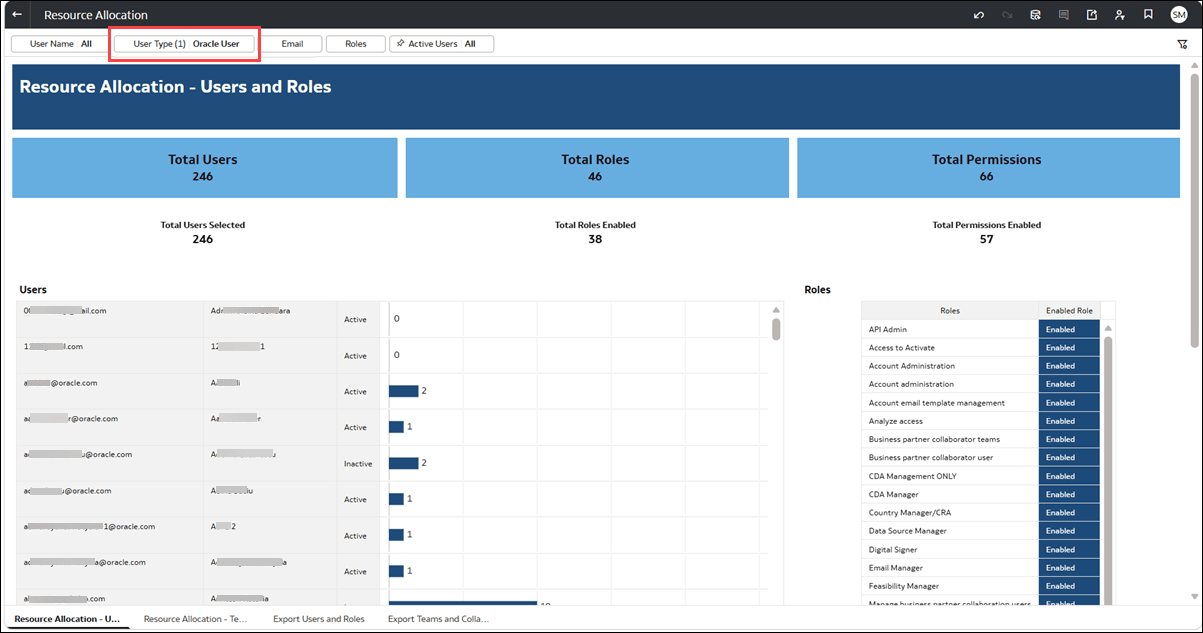
The Resource Allocation report now includes Oracle users from the Select Oracle Admin account associated with your Oracle Site Select environment, including users without assigned roles or permissions. You can view each user's name, email address, user type, status, and assigned roles and permissions, when applicable.
Use the new User Type filter to display Select users, Oracle users, or both. You can also export Oracle user information from the Export Users and Roles worksheet, including each user's creation date.
By default, the report displays active Select users. You can adjust the filters to include Oracle users, inactive users, or both.
Teams visualization usability improvements
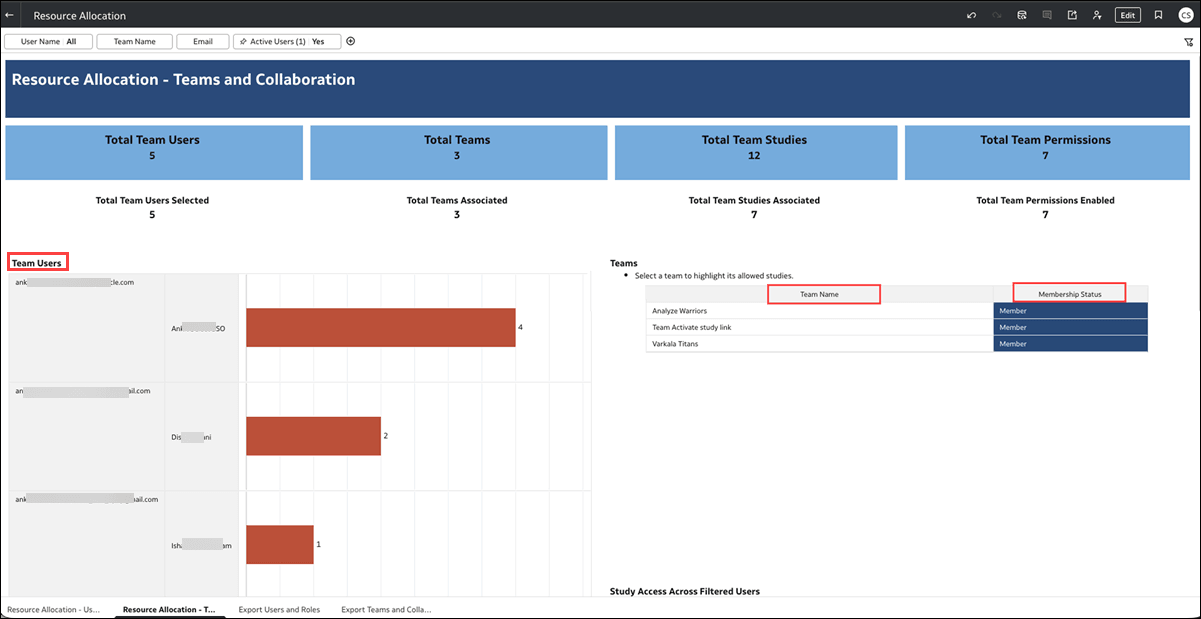
The Teams visualization on the Teams and Collaboration worksheet of the Resource Allocation report now displays Team Name and Membership Status as column headings. The Membership Status column displays Member when at least one user in the current filtered results has an enabled assignment to the team, regardless of study access.
When you select a user in the Team Users visualization, the user's associated teams are highlighted. The Membership Status values continue to reflect team assignments across the current filtered users rather than the selected user. Existing filtering, highlighting, and totals remain unchanged.