Nominate
View details about candidate sites, like site score or access the site profile. Refine the list by various criteria, such as study fit and experience. Select one or more sites, add them to the review or short list, or drop them if they do not meet the study criteria.
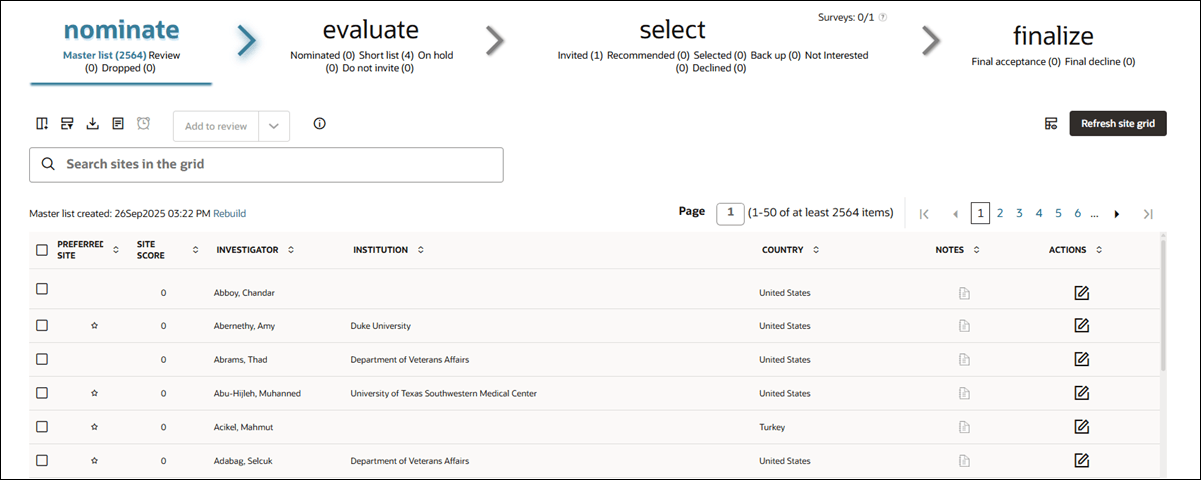
The bucket state view (i.e., Master list, Review, Dropped) will be underlined in blue. If sites have been moved to Review or Dropped, the number of sites will also display, such as "Dropped (3)."
- If the master list was created successfully, you’ll see: Master list created: <date and time>
- If the master list creation failed, you’ll see a red, bold message: Master list failed creation: <date and time>
- change the action, select row(s), then click the action button
- select row(s), change the action, then click the action button
Note:
The Deselect All check-box does not work in tables with pagination. This is an expected, known behavior. If you click the select all checkbox, you'll see a statement above the grid advising you to manually check/uncheck sites.
To manually deselect all rows in the site grid:
- Click any row. This will deselect all other rows and select only the one you clicked. It will also open the site drawer.
- Close the site drawer.
- Deselect the remaining selected row.
This process will leave all rows unselected.
- Nominate sites
Advance sites through the Nominate bucket state (e.g., from Master list to Review) or move sites you've already reviewed directly to the Evaluate bucket's Short list bucket state. - Undo site nomination or shortlisting
If you need to reverse nomination or shortlisting, you can do so with just a few clicks.
Parent topic: Site Selection