Performance enhancements
This release includes significant performance enhancements that improve application responsiveness.
List pagination
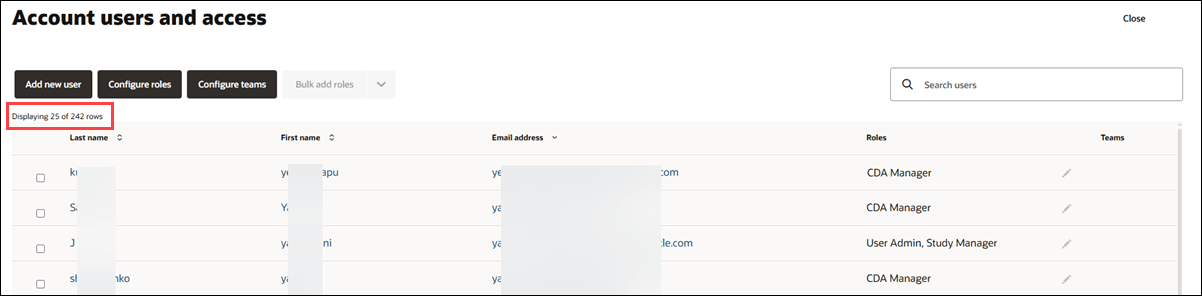
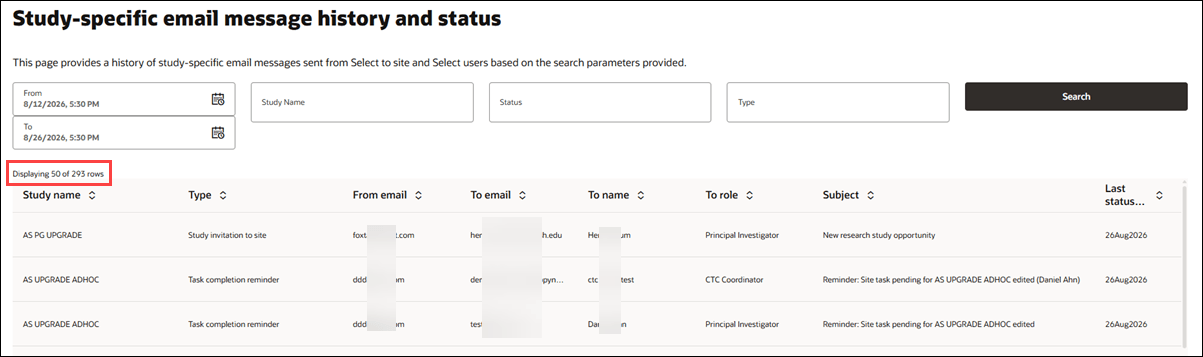
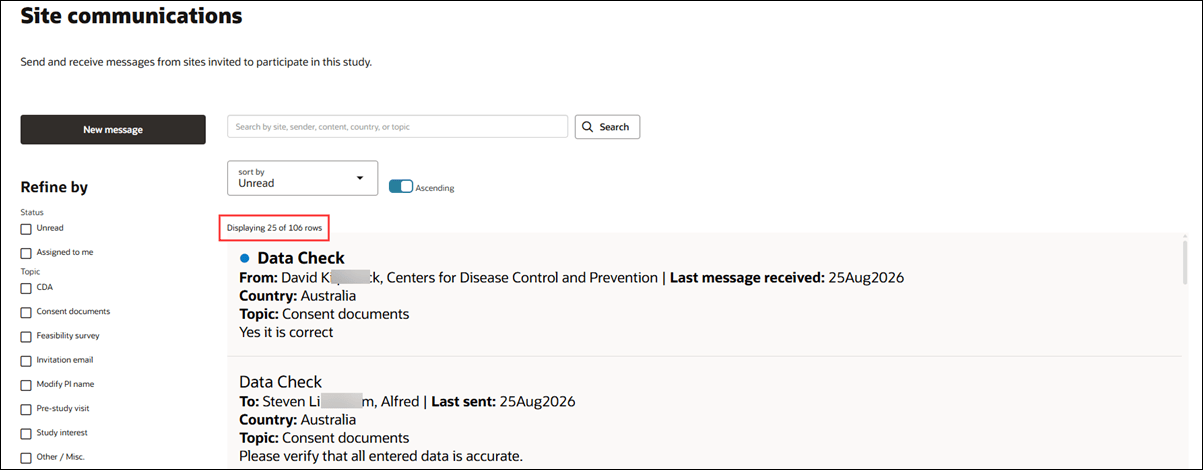
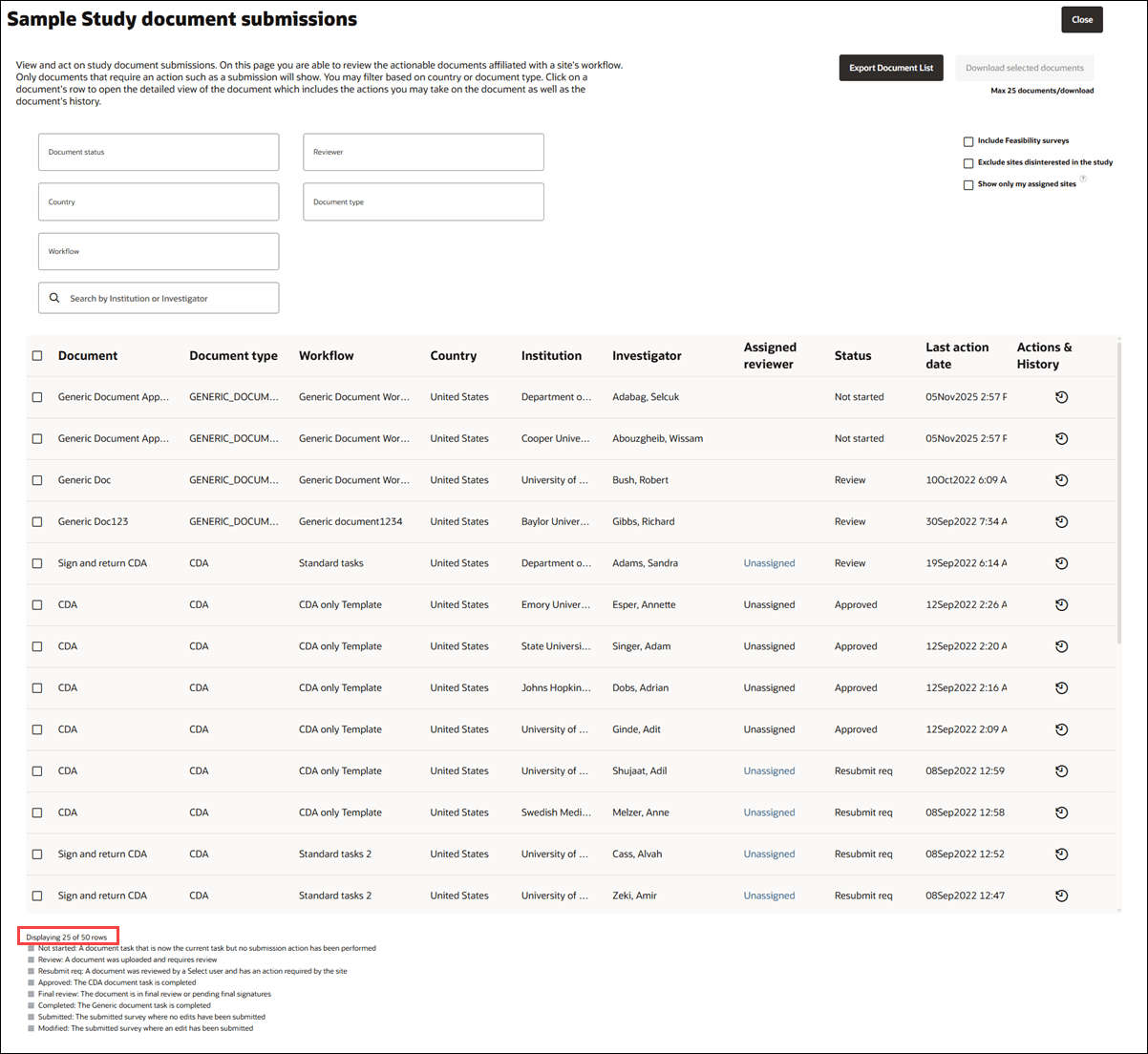
Several Select lists now use load-on-scroll to reduce initial data load time and improve responsiveness for large result sets. Instead of retrieving the full list at once, each page loads a smaller initial set and retrieves additional records as you scroll. A Displaying # of # rows counter shows how many records are currently visible and the total number available.
The initial result size varies by page. For example, the Account Users and access list initially loads one page (25 rows) of results, while Email History initially loads the first 50 records. Site communications and Document submissions also load smaller, paged result sets rather than the full collection. The row counter appears at the upper left for Users and access, Email history, and Site communications, and at the lower left for Document submissions.
Existing search, filtering, sorting, permissions, and other page-specific behavior remain available. Site Communications loads complete message history only when you open a thread, and Document Submissions loads additional document details, such as history and files, only when you open a submission.
Account users and access
Email history and status
Site communications
Document submissions
Epic: SEL-22680
Infrastructure performance and scalability updates
Across the Study picker, Site grid, Site details drawer, Network profiles, and Data source areas, data retrieval is more efficient through reduced and consolidated requests, server-side pagination and search, and smaller result sets. These changes reduce unnecessary processing and data loading while preserving existing access, filtering, sorting, and workflow behavior.
These are the infrastructure improvements in this release:
- Study picker: The study picker now performs more efficiently for accounts with a high number of studies. You can search for a specific study, access your favorite studies at the top of the list, or load and view all studies when needed.
- Site grid: Performance is improved by eliminating duplicate data requests when the grid first loads. The grid now reuses the initial page data where possible, reducing unnecessary backend processing and response data while maintaining existing sorting, filtering, pagination, bucket changes, and refresh behavior.
- Site grid bucket counts: Landing page and site grid performance is improved by consolidating multiple bucket count requests into a single request. This change reduces unnecessary backend processing while continuing to return accurate counts for nomination, screening, selection, finalization, and processing based on your access.
- Site grid data request:Site grid loading now reuses study information that has already been retrieved, rather than requesting it multiple times. This reduces unnecessary processing during initial load while keeping workflow configuration, selectable columns, country-specific behavior, and refreshed study data up to date.
- Site details drawer: Performance is improved by preventing duplicate activity requests and delaying workflow-specific requests until valid workflow information is available. Workflow changes and activity updates now refresh shared activity data once, while existing task, document, file, and status behavior remains unchanged.
- Network profiles: Network Profile management now retrieves profiles in server-paginated results, reducing the amount of data loaded at one time for accounts with large profile lists. Search and filtering run server-side, and complete profile details load only when you open or edit a profile. Existing create, edit, delete, status, validation, site assignment, and site-drawer selection behavior remains unchanged.
- Data source query: Investigator and Trial queries now use server-side pagination instead of fixed result limits, allowing you to access larger investigator, trial, and site result sets without loading excessive data at once. Search and filtering on the Data source query page continue to respect existing account, permission, and data-source constraints, and you can select records and create study sites from any results page.
- Data source matches: The Account data source management page now loads only the requested page of results for the active Matches tab instead of retrieving all match categories at once. Search, sorting, and match-category filtering are applied server-side, reducing unnecessary data loading while preserving the existing paired-match display and authorized visibility for global, admin, and non-admin users.
- Data source retrieval: Data-source catalogs now use server-side search and pagination to avoid loading the full list when you open Study data sources, Account study details, Account data sources, or Oracle data sources, reducing initial data retrieval and browser processing for accounts with large catalogs. This enhancement does not change the user interface; the existing page layout, controls, and workflows remain the same, including viewing, adding, removing, prioritizing, and saving data-source assignments.
Epic: SEL-22680
Parent topic: What's new