Scenario List
The Scenario List section contains one table with details about each segment. Here, you can evaluate KPIs and approve or reject a segment.
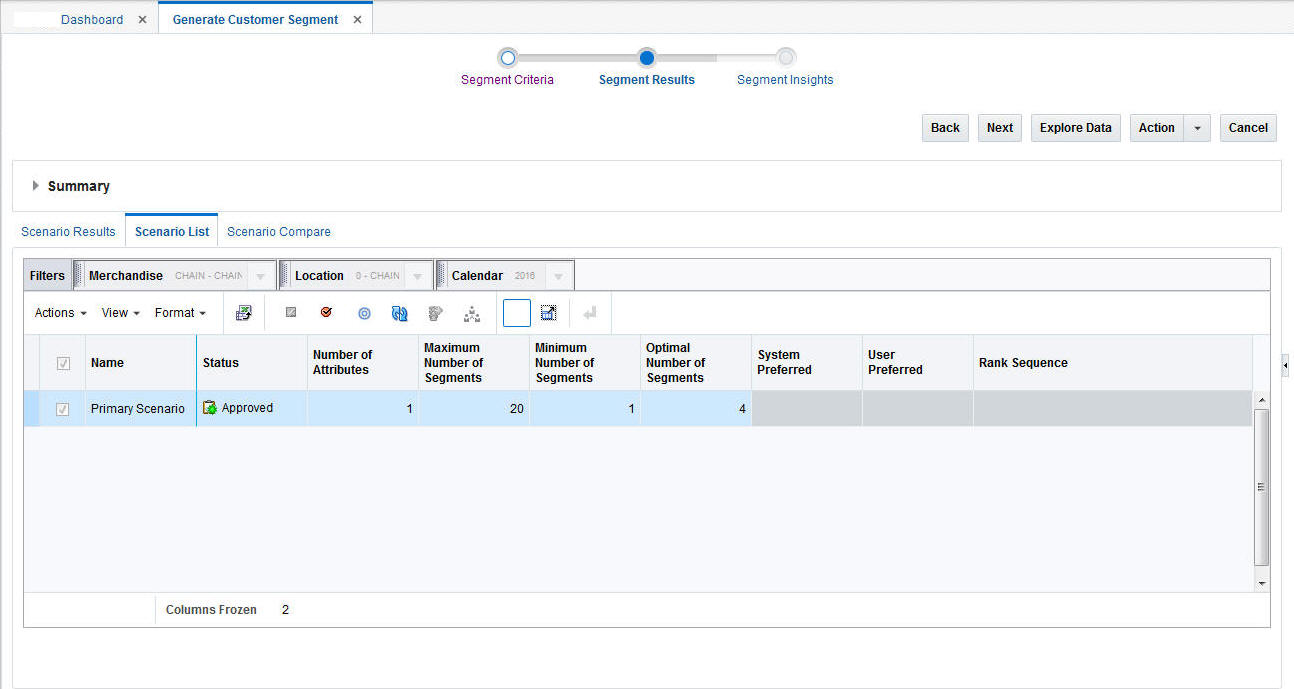
After a segment is approved, it is available for other applications.
Table 5-24 Scenario List
| Field | Description |
|---|---|
|
Name |
The name assigned to the scenario. |
|
Status |
Ready for Preview, Ready for Approval, Approved, Rejected. |
|
# of Attributes |
The total number of attributes used in the segmentation process. |
|
Max. # of Segments |
The value used for the maximum in the scenario execution, if this option used. |
|
Min. # of Segments |
The value used for the minimum in the scenario execution, if this option used. |
|
Optimal # of Segments |
The value used for the optimal number of segments in the scenario execution, if this option used. |
|
System Preferred |
Indicates whether the scenario is the one the application prefers. |
|
User Preferred |
Indicates whether the scenario is one the user prefers. |
|
Rank Sequence |
Indicates the ranking the scenario is given by the application. |