Define Location Rollup View
The Define Location Rollup view is used to select Location attributes to view in an alternate hierarchy. This is available in the tab to display the Store level. The Nested Location attribute rollup is provided with three levels. You can set up to three different combinations for nested rollup with a maximum of three levels in each combination. Nesting of dynamic attributes is a configurable option.
You can analyze, review, and edit the clustering decisions based on important attributes. You may select up to three attributes at a time for the dynamic rollup.
Figure 5-3 Define Location Rollup View
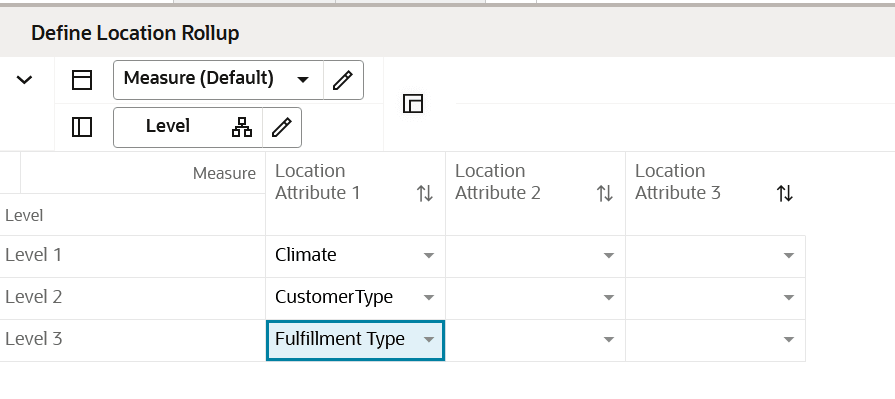
Figure 5-4 Edit View
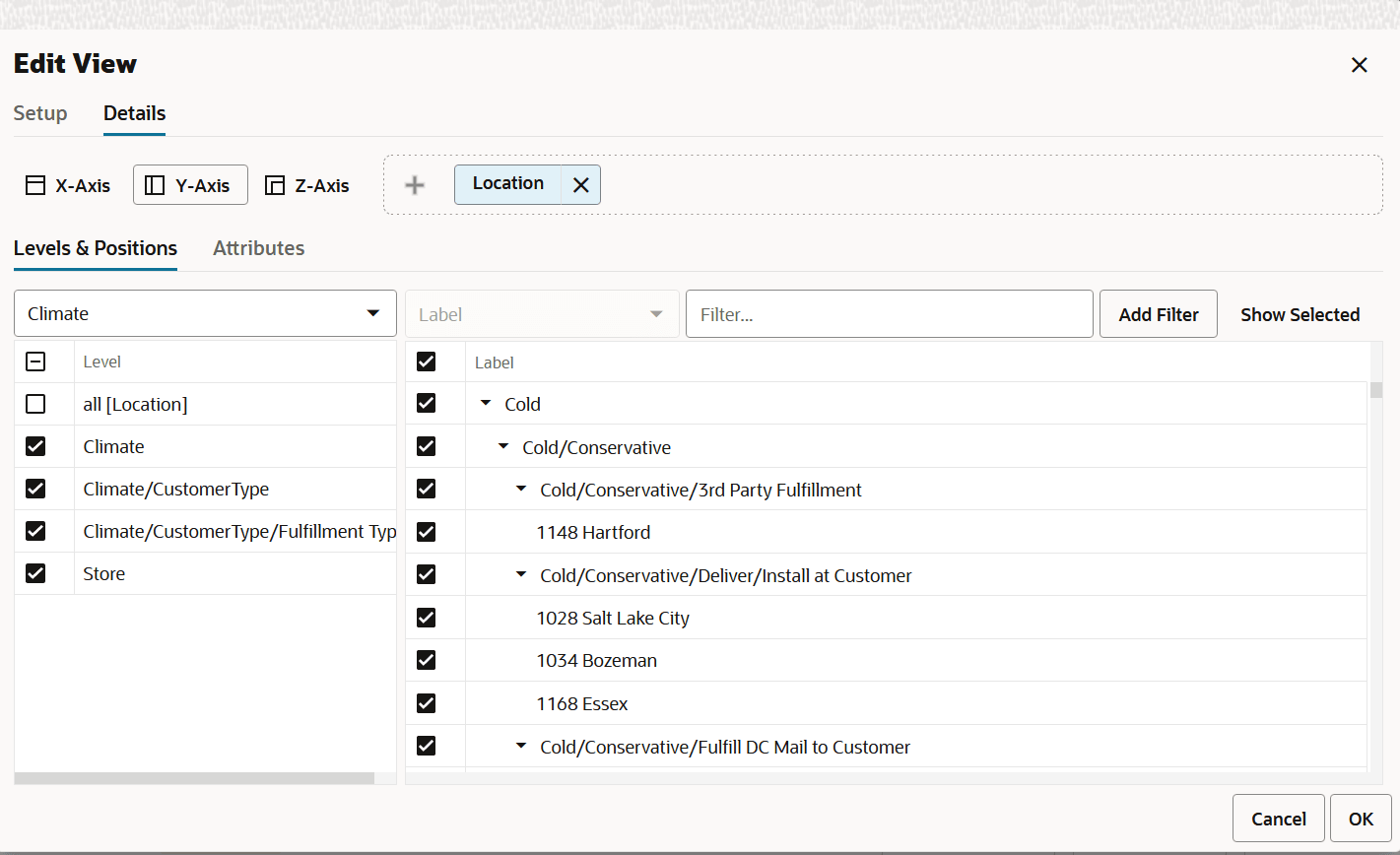
When selecting the alternate dynamic hierarchy defined in the Define Location Rollup View, you can see the subtotals at each nested level. For all the editable measures, you can edit these subtotals to spread the values to all the associated positions.