Regenerate a Translation
To regenerate a translation, follow the steps below.
-
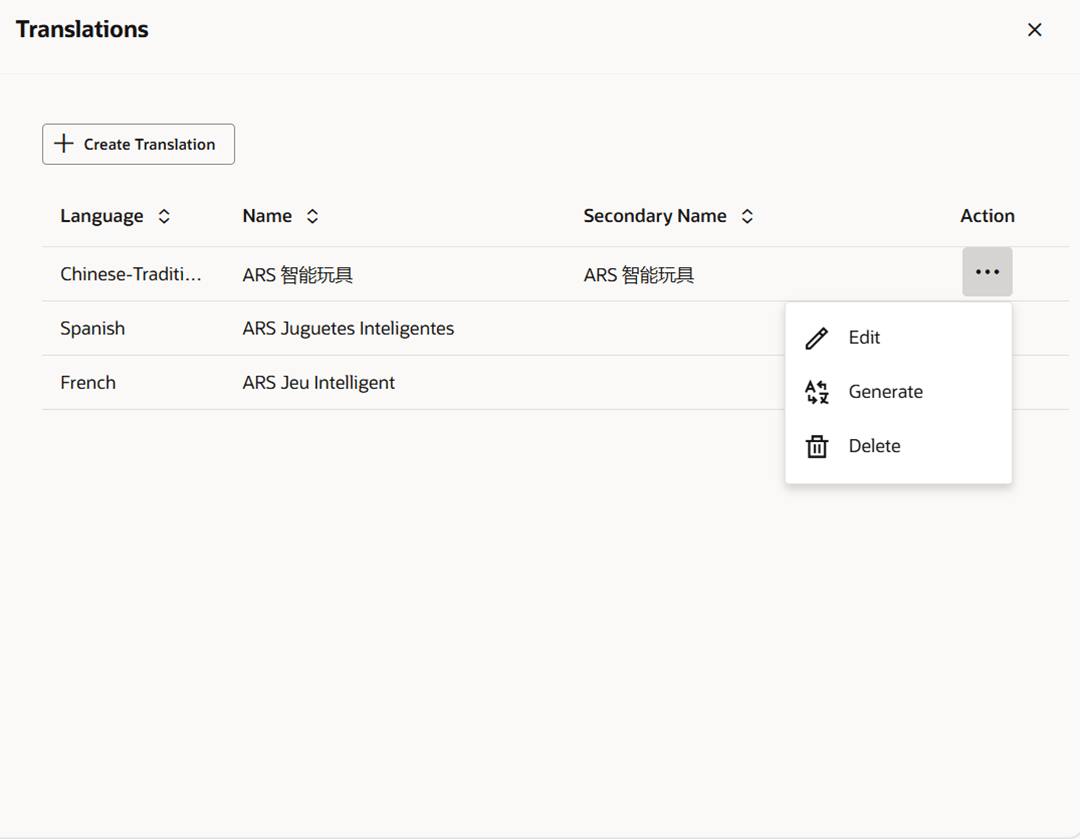
Select Actions > Translate or use the Translate button, if available. The Translations drawer appears.
Figure 3-5 Translations Drawer
-
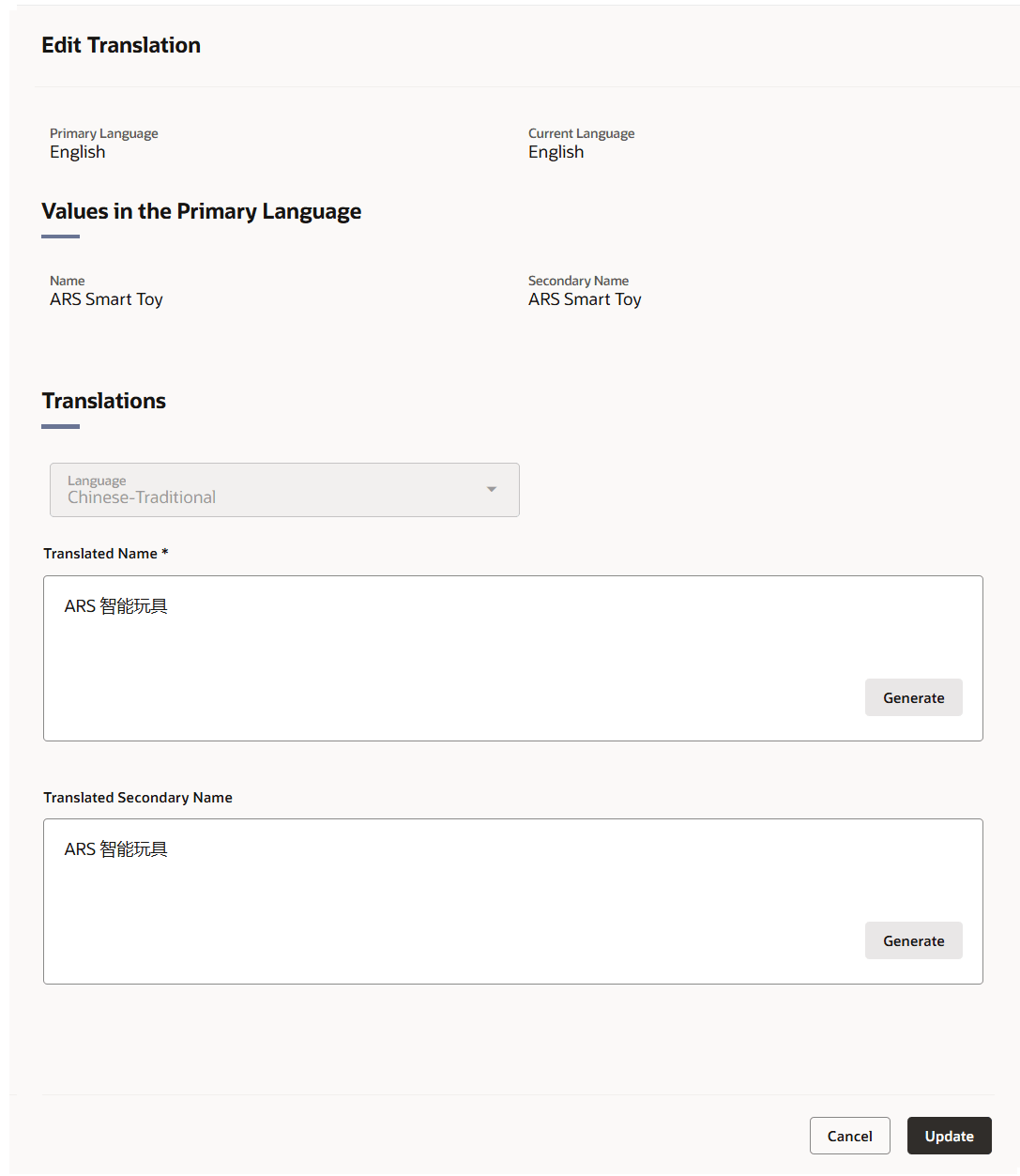
Select the Generate option from the Overflow Menu in the Action column. The Edit Translation drawer appears.
Figure 3-6 Edit Translation Drawer
-
The system’s primary language and your current language are displayed at the top of the page along with the primary language values for the fields that can be translated.
- The Language field shows the selected language. This field cannot be edited.
- To regenerate a previously translated value, click the Generate button to obtain an AI-generated translation.
- Review and refine the translation as desired.
- Then choose one of the following options.
- Click Update to save the changes and close the drawer.
- Click Cancel to reject all changes and close the drawer.
- To exit the Translations drawer, click the X at the top of the drawer.