Search Using Keyword Entry
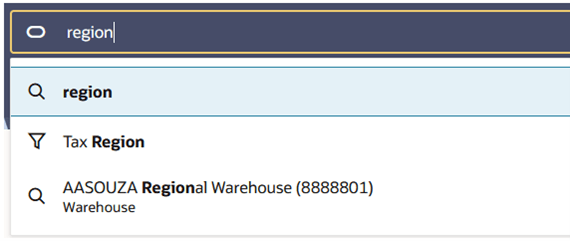
Enter a keyword in the Ask Oracle search bar to filter the data on the screen to records that contain values that match the keyed value. As you type, a suggestions list will display with suggested filters (with a filter icon next to it) that match the keyed value and/or records that match (with a magnifying glass icon next to it). You can choose from this list of suggestions, or you can press [Enter] and the data on the screen will be filtered by the keyed in value.
Figure 2-11 Ask Oracle – Suggestions List