Toggle Between Views
In the bottom center of the page is a pill-shaped toggle button that allows you to toggle back and forth between this Product Map view and the Suggestions view.
You are currently viewing the Product Map when the button shows a black circle (indicates the currently displayed view) followed by a list icon and the ‘Suggestions’ label:

Clicking the button when it is in this state toggles the screen to the Suggestions list view. When in the Suggestions view, the button shows a map icon, the ‘Product Map’ label and then a black circle (indicates the currently displayed view):
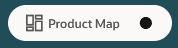
Clicking the button when it is in this state toggles the screen to the Product Map view.