Focused Card
As you select a particular chain, area, region, district or store, it will display as the focused card, with the details of what is contained within that level of the hierarchy displayed below.
Figure 3-2 Focused Card
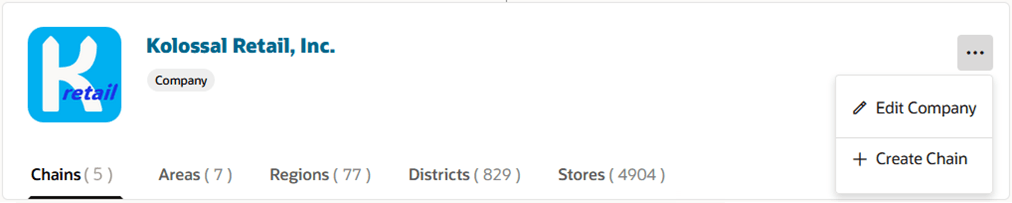
Table 3-1 Information on the Focused Card
| Information | Description |
|---|---|
| Logo Image | Company and chain cards can optionally display a logo for brand recognition. |
| Name | Displays the name of the organizational entity with its associated identifier in parentheses. If you have security privileges to view or maintain the hierarchy level, the name will appear as a hyperlink that when clicked will open a drawer where, depending on your security access you can view or edit details of the entity. |
| Details | Displays the currency and manager of the entity if defined. |
| Hierarchy Level | The gray badge displays the level of the hierarchy. |
| Level Tabs | DA tab is available for each level below the selected entity along with a count of the entities at that level. For example, if you have selected the company in the focused card, there will be a tab for all levels below company, Chain, Area, Region, District and Store, along with a count of how many of each exist under the company. Clicking the tab will display the full list. |
| Actions | The menu button on the right side of the focused card will have one or more actions you can perform on the entity selected in the focused card depending on your security access. You may have an action to view, edit and/or delete the selected entity, or to create an entity below the selected entity. |