Opening / Closing
Information related to the store’s opening and closing is displayed and entered in the Opening/Closing section. If information has already been entered in the section, it will display in a read-only format upon entering the page. To edit the information, click the Edit button in the upper right corner of the section. This will display the section in an input state where the fields are enabled for entry and edit. After changes are made to return to the read-only state, click the Update button to save changes or the Cancel button to discard all edits.
Figure 3-26 Opening/Closing
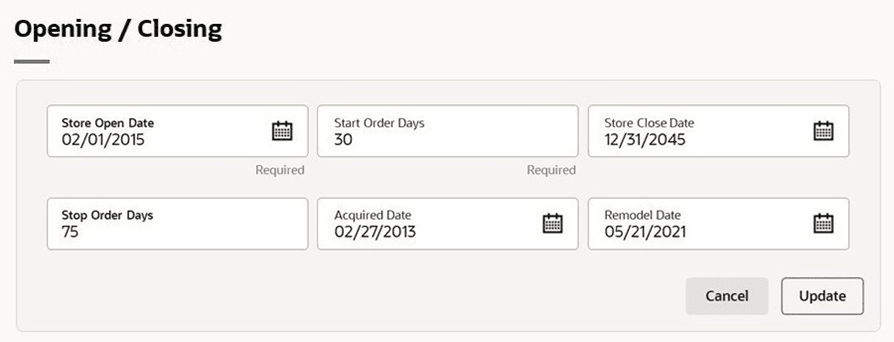
Table 3-6 Opening/Closing - Fields and Description
| Fields | Description |
|---|---|
| Store Open Date |
Enter the date when the store opens or use the Calendar icon to select a date. This field is a required field. |
| Start Order Days |
Enter the number of days before the store opens to start ordering merchandise. This is a required field. |
| Store Close Date | Enter the date when the store closes or use the Calendar icon to select a date. |
| Stop Order Days | Enter the number of days before the store closes to stop ordering merchandise. |
| Acquired Date | Enter the date when the store has been acquired or use the Calendar icon to select a date. |
| Remodel Date | Enter the date when the store has been remodeled or use the Calendar icon to select a date. |