Sales Processing
The store’s sales processing information is displayed and entered in the Sales Processing section. If information has already been entered in the section, it will display in a read-only format upon entering the page. To edit the information, click the Edit button in the upper right corner of the section. This will display the section in an input state where the fields are enabled for entry and edit. After changes are made to return to the read-only state, click the Update button to save changes or the Cancel button to discard all edits.
Figure 3-29 Sales Processing - Fields and Description
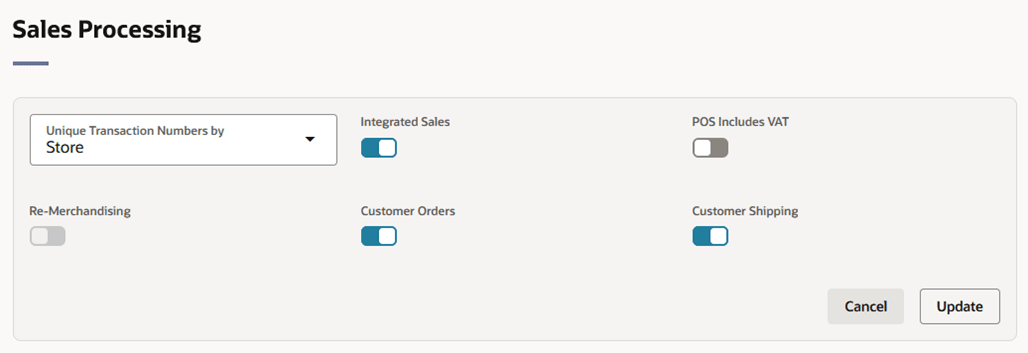
Table 3-9 Sales Processing - Fields and Description
| Fields | Description |
|---|---|
| Unique Transaction No. by |
Select the store or register for the Unique Transaction Number By from the list. This field indicates whether the transaction number in the store is generated uniquely across store or at each register. This field is a required field. |
| Integrated Sales |
The Integrated Sales checkbox is selected by default. You cannot load the sales for that store in ReSA if the Integrated Sales option is not selected. |
| POS Includes VAT | Indicates whether or not the POS system at the Store is integrated. |
| Remerchandising | Select the Remerchandising checkbox, if the store is undergoing a significant remerchandising effort as an indicator to Advanced Inventory Planning (AIP) application. |
| Customer Orders |
This option allows the retailer to specify whether the location supports the customer for customer orders. |
| Customer Shipping |
This option allows the retailer to specify whether the location supports shipping to the customer for customer orders. The Customer Shipping option is unselected by default and is only enabled if the Customer Orders option is selected. |