HVAC Adjustment Module
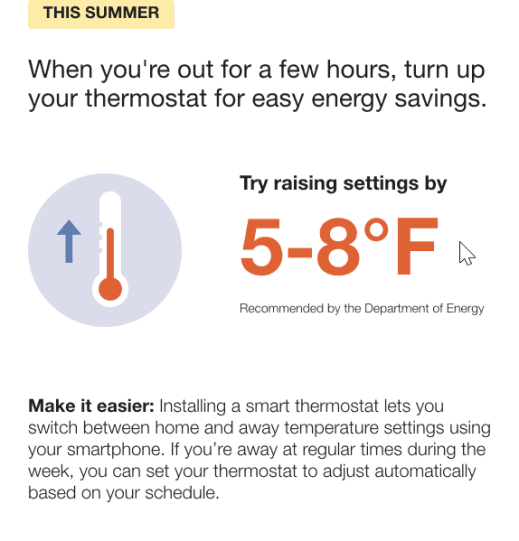
The HVAC Adjustment module provides customers with a recommended thermostat adjustment for the season in order to align their settings with the U.S. Department of Energy recommendations. It also encourages the customer to purchase a smart thermostat in order to automate savings on cooling.
Appears in: Seasonal Report
HVAC Adjustment Module Example
This image is an example of the HVAC Adjustment module design for the .Summer Seasonal Report
Configuration Options
For each element listed in the table, indicate the desired configuration in the Input Value column. If you do not provide an input for optional configurations, the default will be used.
| Configuration Option | Input Value |
|---|---|
|
Source This element can be configured to site an alternate source. Default: U.S. Department of Energy |
Optional Choose one of the following:
|
|
Details The details encourage the customer to make saving energy easier by purchasing a smart thermostat. Default: Smart thermostat |
Optional Choose one of the following:
|
User Experience Variations
The user experience of the feature may vary for customers and utilities depending on their service types (gas, electricity, dual fuel, and so on), available data, costs, locale, and other factors. For more information, see the HVAC Adjustment description in the Energy Efficiency Cloud Services Overview Guide and go to the User Experience Variations section.