Self-Comparison
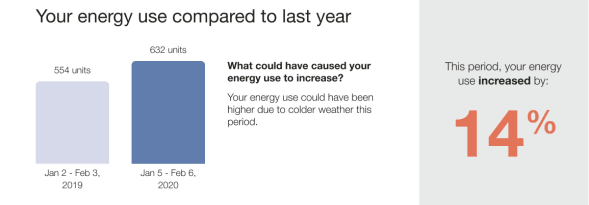
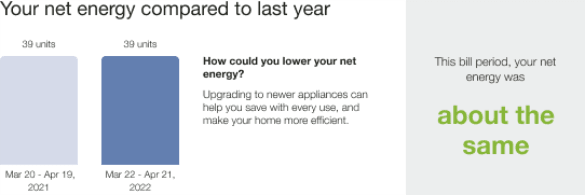
The Self-Comparison module offers customers a concise and personalized explanation for why a bill might be different or similar compared to a past bill. It includes a self-comparison that shows how the customer compares against their past energy use, rationale for the delta they might notice (for example, weather insights or bill period details), acknowledgment of improvement, and a moment of pride highlight. In the Solar Report, the Self-Comparison module includes solar-focused text and design variants of the comparison graph for the negative net energy and net zero energy states experienced by solar customers.
Appears in: Progress Report, Solar Progress Report
Self-Comparison Module Examples
This image is an example of the Self-Comparison module design for the .Progress Report
This image is an example of the Self-Comparison module design for the Solar Report .
Configuration Options
For each element listed in the table, indicate the desired configuration in the Input Value column. If you do not provide an input for optional configurations, the default will be used.
| Configuration Option | Input Value |
|---|---|
|
Progress Report Year Over Year Variant - Insight Opener It is recommended that the term 'energy' is used for all fuel types, but single fuel clients may configure this to 'electricity' or 'gas' Default:
|
Optional Choose one of the following:
|
|
Progress Report Bill Period Over Bill Period Variant - Insight Opener It is recommended that the term 'energy' is used for all fuel types, but single fuel clients may configure this to 'electricity' or 'gas' Report Default:
|
Optional Choose one of the following:
|
User Experience Variations
The user experience of the feature may vary for customers and utilities depending on their service types (gas, electricity, dual fuel, and so on), available data, costs, locale, and other factors. For more information, see the Self-Comparison description in the Energy Efficiency Cloud Services Overview Guide and go to the User Experience Variations section.