Tips Module
This module delivers energy savings tips to customers using dynamic personalized tips that are relevant to a customer's unique needs. The tips are automatically selected and prioritized based on each customer's attributes, continually refreshed with new information, and designed to cover a wide variety of energy-saving and financial investment categories. A Load Shifting tip library has been created with tips that help customers shift usage from peak to off-peak hours and reduce peak consumption.
Requirements
This table discusses customer requirements:
| Category | Description |
|---|---|
|
Data Coverage |
The default requirements are:
This product does not differentiate between estimated and non-estimated reads. Both types of reads are supported. |
User Experience
This module includes the following components:
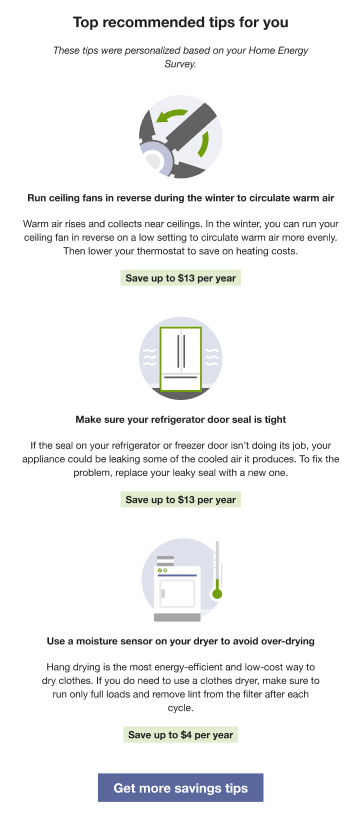
Recommendation Statement: At the top of the email, the recommendation statement tells the reader that these are the recommended tips and that they are personalized based on the answers they provided in their Home Energy Survey.
Tips: The module then lists up to three tips. Clicking on an individual tip takes the customer to the public-facing tip details page on the Digital Self Service - Energy Management Web Portal. Each tip includes:
- Tip image
- Tip title
- Tip summary
- Tip savings potential
Tip Image: This image is a visual representation of the action that the tip recommends. Customers can click on the title to view more detailed information about the tip.
Tip Title: The title is a short sentence that summarizes the recommended action. Customers can click on the title to view more detailed information about the tip.
Tip Summary: The summary elaborates on the tip with more explanation about why using the tip is beneficial.
Get more savings tips button: This button appears at the bottom of the module, after the tips. When clicked, this button directs users to the Digital Self Service - Energy Management Ways to Save. Customers can see the public-facing version of this page even if they have not signed in.
This image shows an example of the Tips module: