Digital Self Service - Energy Management Rebates v3
The Peak Time Rebate widget allows customers who are enrolled in Peak Time Rebates to view their historical peak event day rebate and energy saving information in a user-friendly graph.
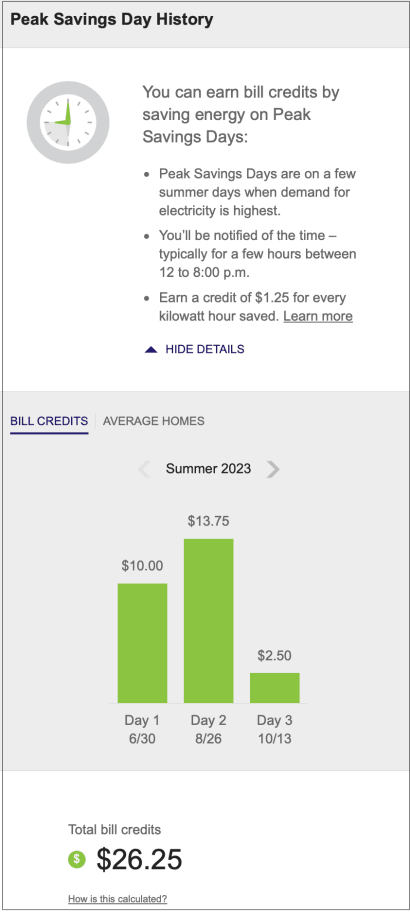
- Bill Credits: This graph displays how much money a customer has earned by saving energy on peak rebates event days.
- Average Homes: This graph displays how much money a customer has saved compared to homes within 100 miles of them and who saved energy on an energy savings day. Average homes data is only available for the money comparison and peak rewards experiences.
- Tool tip: When hovering over the Bill Credits or Average Homes graphs, pertinent information about the day is displayed including date and day of the week, specific event hours and average temperature during that period, how much energy the customer saved compared to their baseline, and the rebate amount is displayed.
- Total Bill Credits: This section calculates the customer’s cumulative rebate amount for the selected season.
See the Energy Management Cloud Service Overview for additional information about the Digital Self Service - Energy Management product requirements and features.