Creating Flow Test Data Sets
To create a flow test data set:
- Login to Oracle Utilities Testing Accelerator.
- On the Flows menu, navigate to the flow for which the test data set should be created.
- Click the edit icon next to the flow name.
- On the Flow Definition page, click Add under Flow Test Data Sets.
- Specify the data set name and click Add.
- Click Save As to save the test data of the flow.
- Specify the name of the test data set and click OK.
Note:
If a test data set with the same name already exists, the application asks for confirmation to overwrite the test data. - If the flow definition includes a subroutine, select the test data set for the subroutine. Right-click the subroutine and select Edit Test Data. Select the test data set from the Subroutine Flow Test Data Set drop-down list.
- To edit or add test data against a flow test data set, the corresponding flow test data set has to be selected on the flow structure definition pane.
- Navigate to the Edit Test Data page of each component in the flow and update/add the test data.
Figure 8-34 Flow test data set selection
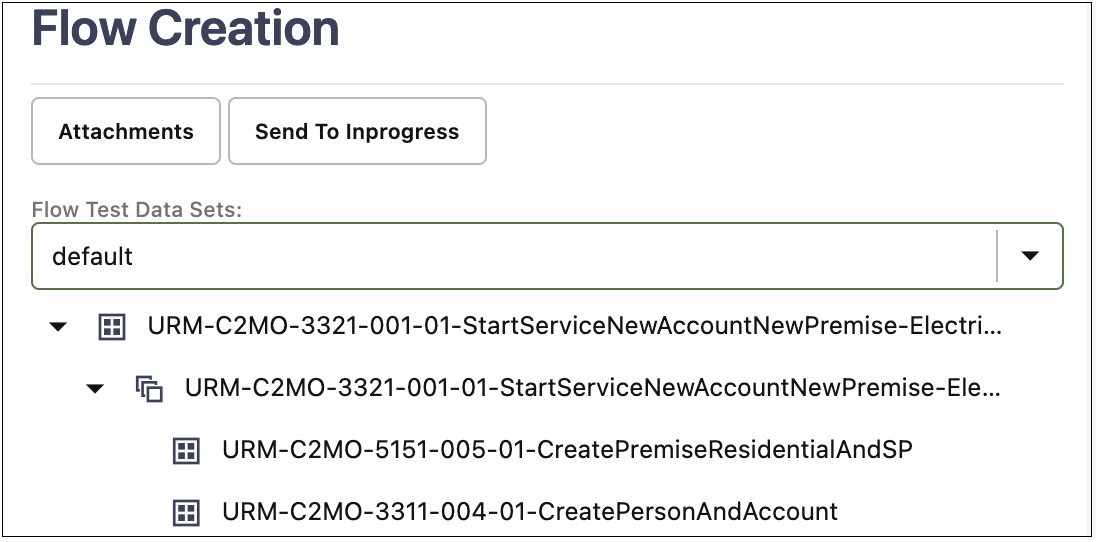
This figure shows flow test data sets option for the selected flow.