Defining Input-Output Parameters of a Subroutine
To define input and output parameters for a subroutine:
- Navigate to the Flows tab.
- Right-click the flow name in the product and navigate to module > flow tree structure in the left pane. Select More > Define Subroutine Interface.
- Specify the parameters the subroutine expects from the calling flow and the parameters the subroutine exposes to the calling flow.
Example: If the subroutine creates an Account, it expects a personId value to be provided for it to create an Account. After an account is created, it returns the accountId. The subroutine should be defined with one input variable “personId” and another output variable “accountId”.
- Add additional input/output variable.
- Click Add IN/OUT Variable.
- Enter the name and parameter type.
- Click Save.
Figure 8-27 Subroutine interface output variables
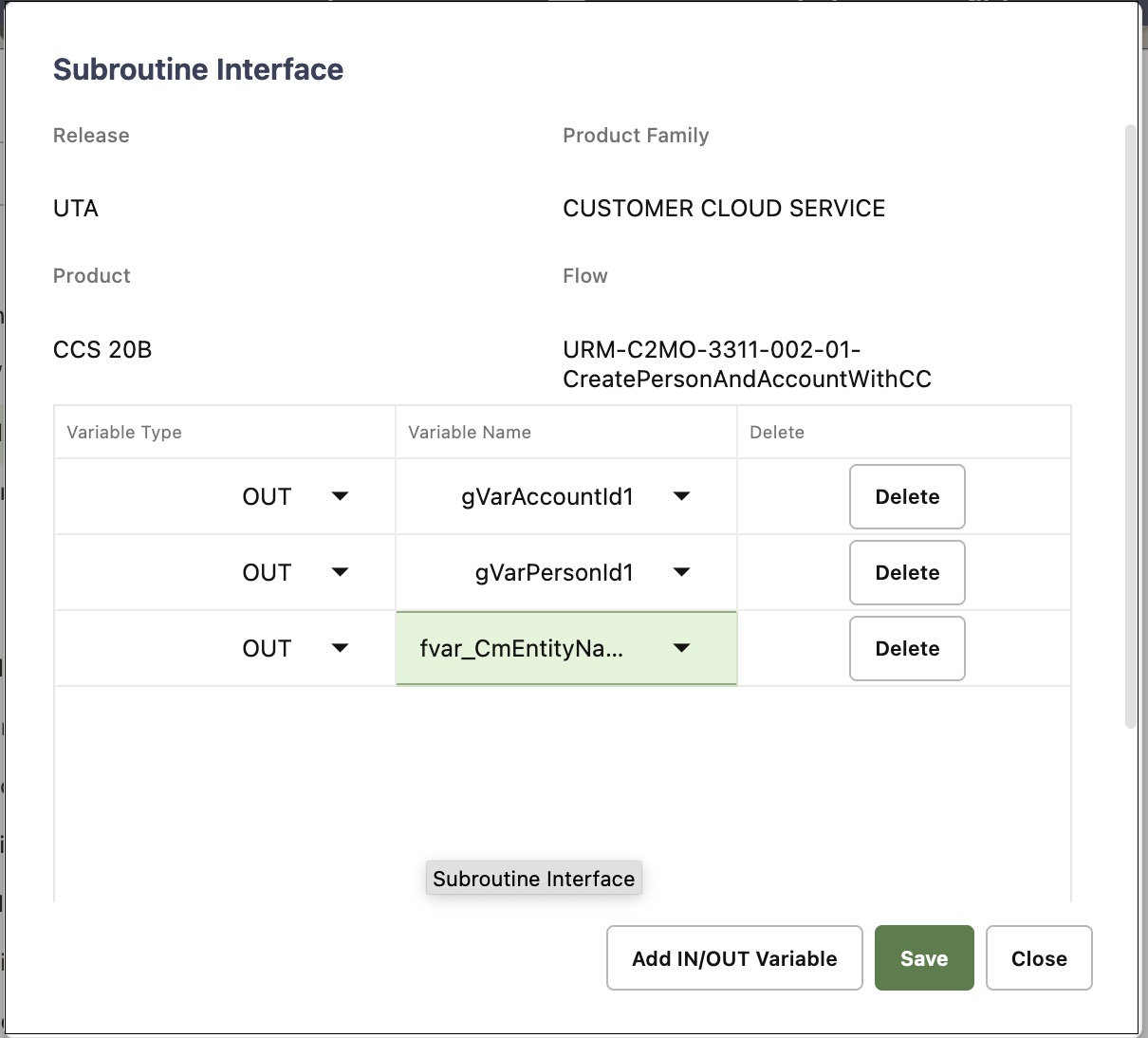
This figure shows a subroutine interface definition for a flow that creates both a person and account and exposes personId and accountId as outputs, so they can be used by the calling flow.
- After a subroutine is added to a flow calling a subroutine, map the input or output variable(s) of the subroutine.
- Right-click the subroutine in the flow tree structure of the calling flow and select Edit Test Data.
- The Test Data page for subroutine has the following test data related sections:
- Variable: To create new flow variables in the calling flow, so that the values exposed by the subroutine can be mapped to these flow variables and used in other components within the calling flow.
- IN: Shows the inputs needed by the subroutine, as defined in the subroutine interface. Input values need to be provided appropriately for the subroutine to run.
- OUT: Values exposed by the subroutine through its interface definition. In order to use the exposed values in the calling flow, these OUT values need to be mapped to the calling flow variables defined in the Variable section.
- Map the input/output variable of the subroutine to a variable in the calling flow. The variables defined inside the subroutine interface cannot be directly accessed by other components in the calling flow. The way to access the data exposed by the subroutine is to create variables in the calling flow and map the output from the subroutine to these flow variables.
Figure 8-28 Subroutine Test Data and Input Parameters
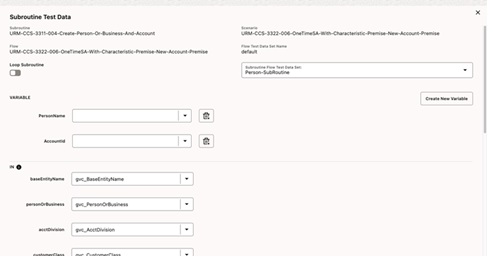
Figure 8-29 Subroutine Output Parameter Mappings
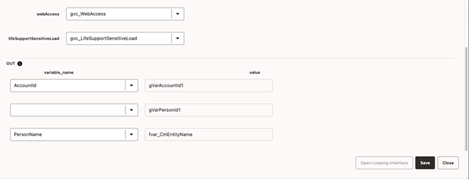
These figures show the Edit Test Data page for a subroutine that outputs a personName and accountId. New variables, personName and accountId are created and the outputs of the subroutine (gVarAccountId1 and gVarPersonId1) are mapped to the newly created variables.