Add Actions to Dashboard Pages with Action Links
Link a related report or a useful web site to your dashboard. For example, give sales consultants a direct link to an Opportunity web site from the Sales Performance dashboard so they can query opportunities by responding to a prompt for Opportunity Name or Opportunity ID.
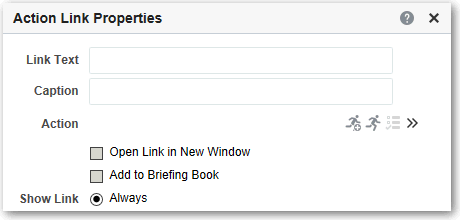
- Click Properties for the new link.