3.3.1 Attribute Mappings for the Target Application
The Schema page for a target application displays the default schema (provided by the connector) that maps Oracle Identity Governance attributes to target system attributes. The connector uses these mappings during reconciliation and provisioning operations.
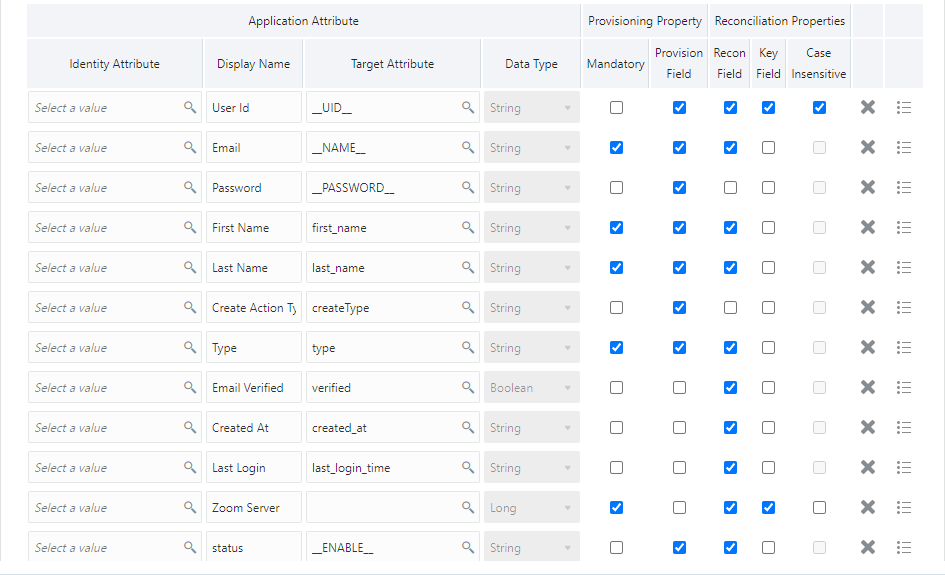
Table 3-3 lists the user-specific attribute mappings between the process form fields in Oracle Identity Governance and Zoom target application attributes. The table also lists whether a specific attribute is used during provisioning or reconciliation and whether it is a matching key field for fetching records during reconciliation.
If required, you can edit the default attribute mappings by adding new attributes or deleting existing attributes as described in Creating a Target Application Creating a Target Application in Oracle Fusion Middleware Performing Self Service Tasks with Oracle Identity Governance.Table 3-3 Default Attributes for Zoom Target Application
| Display Name | Target Attribute | Data Type | Mandatory Provisioning Property? | Provision Field? | Recon Field? | Key Field? | Case Insensitive? |
|---|---|---|---|---|---|---|---|
| User Id | __UID__ | String | No | Yes | Yes | Yes | Yes |
| __NAME__ | String | Yes | Yes | Yes | No | Not applicable | |
| Password | __PASSWORD__ | String | No | Yes | No | No | Not applicable |
| First Name | first_name | String | Yes | Yes | Yes | No | Not applicable |
| Last Name | last_name | String | Yes | Yes | Yes | No | Not applicable |
| Create Action Type | createType | String | No | Yes | No | No | Not applicable |
| Type | type | String | Yes | Yes | Yes | No | Not applicable |
| Email Verified | verified | Boolean | No | No | Yes | No | Not applicable |
| Created At | created_at | String | No | No | Yes | No | Not applicable |
| Last Login | last_login_time | String | No | No | Yes | No | Not applicable |
| Zoom Server | Long | Yes | No | Yes | Yes | No | |
| Status | __ENABLE__ | String | No | Yes | Yes | No | Not applicable |
Note:
The value Create Action Type must be selected during user provisioning as it is not a target attribute, we are just passing values through this attribute in payload.Figure 3-1 Default Attribute Mappings for Zoom User Account
Zoom Role Entitlement
Note:
Role is a single valued attribute, and default Role is member. You cannot add or delete users to member/owner roles.Default Attribute Mappings for Roles
Table 3-4 Default Attribute Mappings for Roles
| Display Name | Target Attribute | Data Type | Mandatory Provisioning Property? | Recon Field? | Key Field? | Case Insensitive? |
|---|---|---|---|---|---|---|
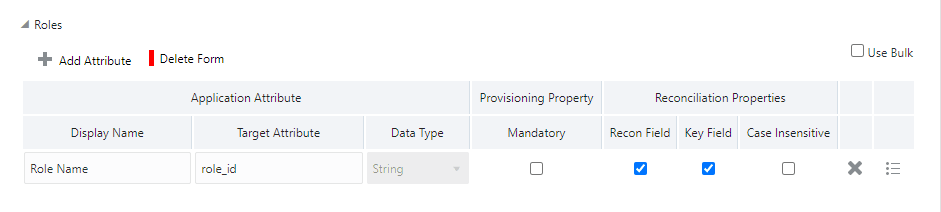
| Role Name | role_id | String | No | Yes | Yes | No |
Figure 3-2 shows the default Roles Entitlement mapping.
Figure 3-2 Default Attribute Mappings for Zoom Roles
Zoom Groups Entitlement
lists the group forms attribute mappings between the process form fields in Oracle Identity Governance and Zoom target application attributes. The table lists whether a given attribute is mandatory during provisioning. It also lists whether a given attribute is used during reconciliation and whether it is a matching key field for fetching records during reconciliation.
If required, you can edit the default attribute mappings by adding new attributes or deleting existing attributes as described in Creating a Target Application in Oracle Fusion Middleware Performing Self Service Tasks with Oracle Identity Governance.
Table 3-5 Default Attribute Mappings for Groups
| Display Name | Target Attribute | Data Type | Mandatory Provisioning Property? | Recon Field? | Key Field? | Case Insensitive? |
|---|---|---|---|---|---|---|
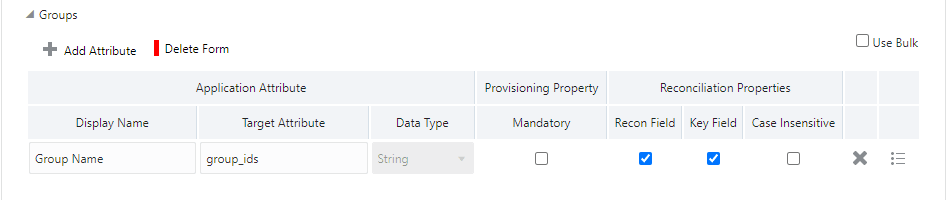
| Group Name | group_ids | String | No | Yes | Yes | No |
Zoom Groups Entitlement
Figure 3-3 shows the default Groups entitlement mapping.
Figure 3-3 Zoom Groups Entitlement