Accessing the System MBean Browser from the Main Page
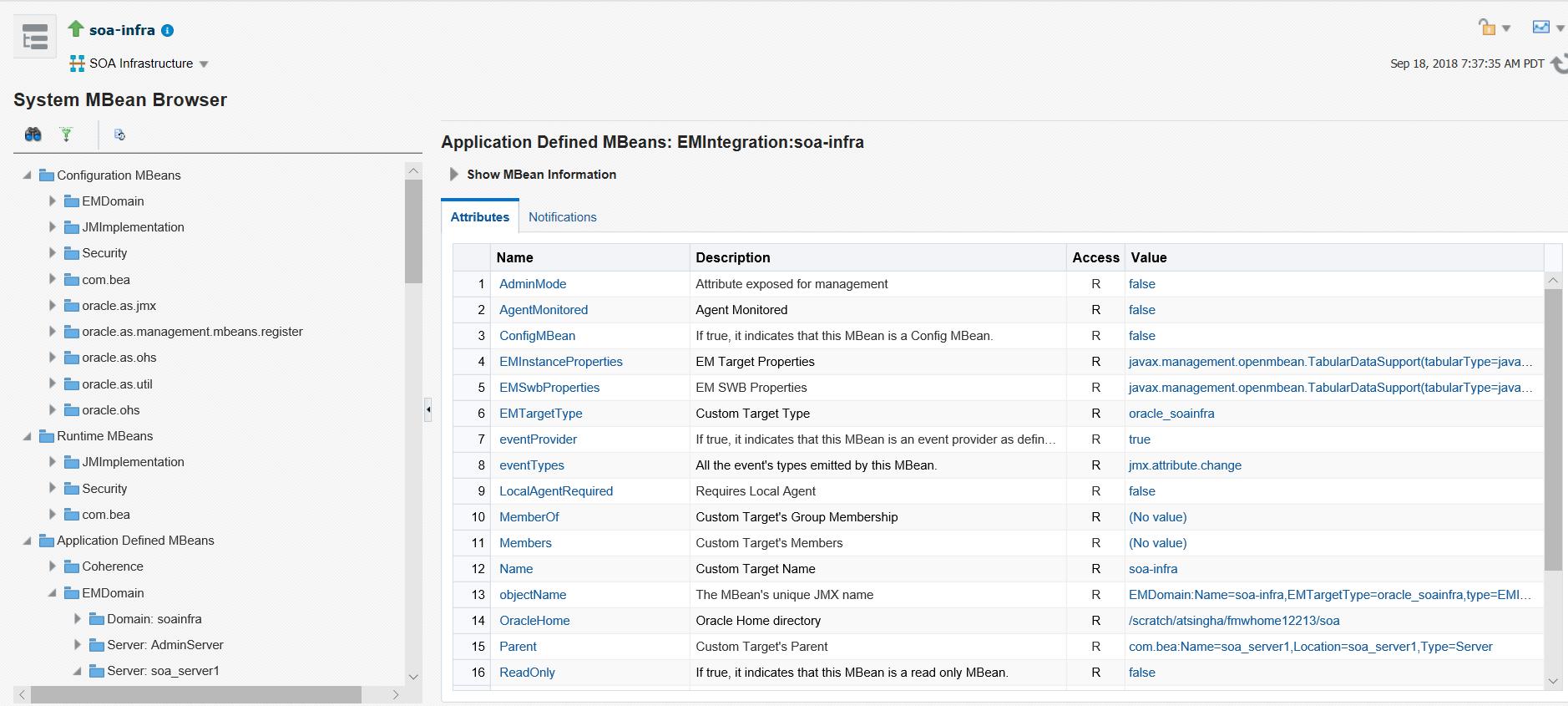
You can directly access the main System MBean Browser page. The main page provides you with access to all properties in the System MBean Browser. You must then traverse the navigational tree to the section that you want to manage.
To access the System MBean Browser from the main page:
- In the navigator, right-click soa-infra and select
SOA Administration, then System MBean
Browser.
The System MBean Browser is displayed.
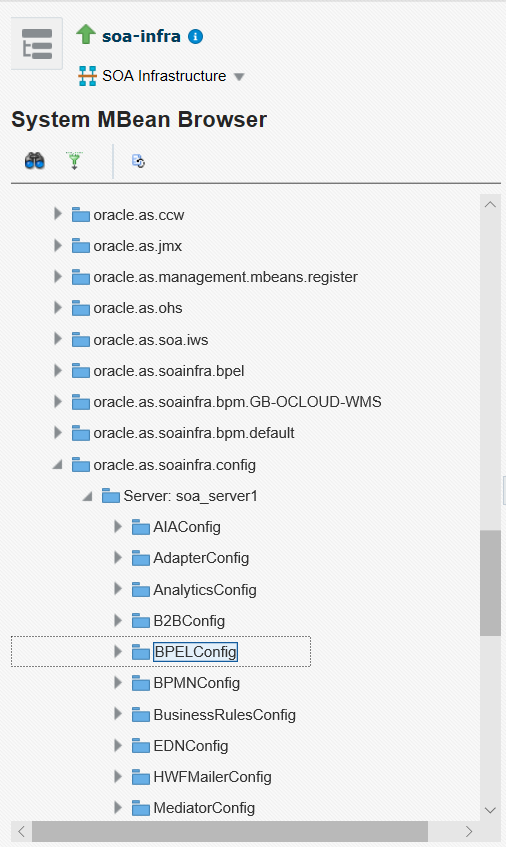
- Expand the Application Defined MBeans to access specific sections. You can also use the Search field at the top if you know the name (for example, BPELConfig).
This section contains properties for many Oracle SOA Suite components.
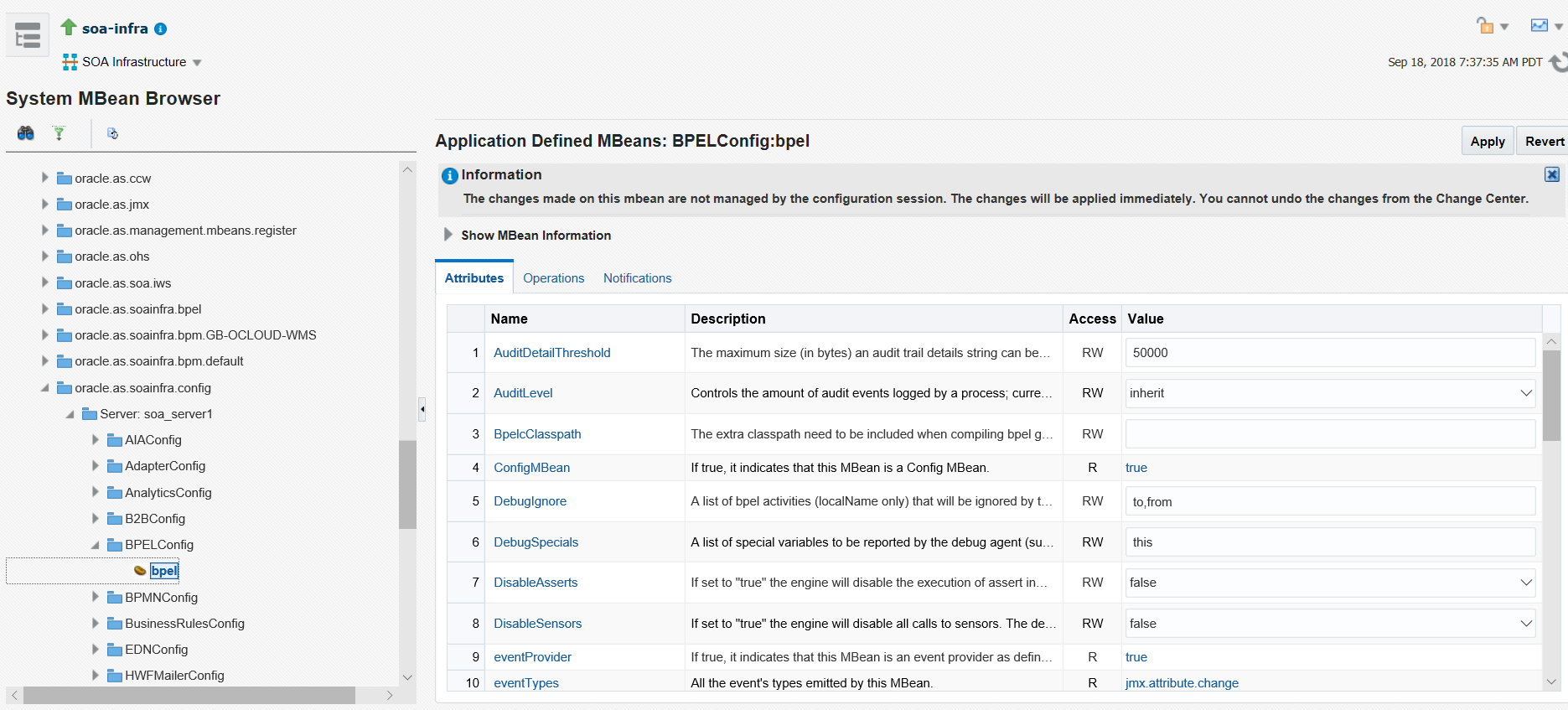
- Expand the component that includes the properties you want to configure. For example, expand oracle.as.soainfra.config > Server: server_name > BPELConfig > bpel. You can also access this location by clicking the More BPEL Configuration Properties short cut described in Step 2 of Accessing the System MBean Browser from the Component Property Pages.
This guide provides many examples of navigating the System MBean Browser from the main page to configure properties. Here are several examples:
-
For BPEL processes, see Setting the Audit Level at the BPEL Process Service Component Level.
-
For Oracle Mediator, see Configuring Oracle Mediator Service Engine Properties.
-
For human workflow, see Globally Disabling the Automatic Release Timers for Oracle BPM Worklist Tasks.
-
For BPMN processes, see Task 2: Enable Oracle BPM Data Publish to Oracle BAM 11g Monitor Express.
-