Configuring an Editable Component's Title Option
You can configure an editable component's title option to display a note window with advisory text (often called a tooltip) when the input component has focus.
The following image shows three ojInputText components configured to display text when the user sets focus in the input field. In the top example, the title definition is set on the HTML input element directly. In the middle example, the title definition is defined as an option for the ojInputText component. In the bottom example, the title definition is also defined as an option for the ojInputText component, with HTML formatting added to the advisory text.
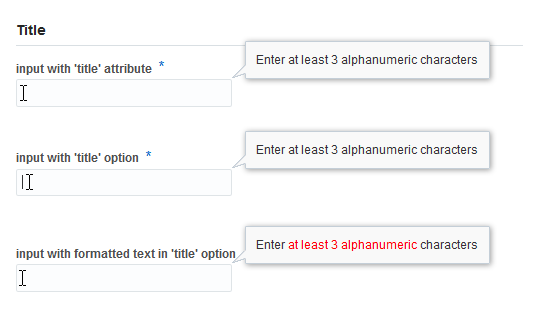
Both methods work if you don't care about the formatting of the advisory text. However, the HTML title element doesn't support text formatting, and you must use the component's title option or another mechanism if you want to format the text in the note window.
To configure an editable component's title option:
For the complete example, see Help and Title in the Oracle JET Cookbook. For additional detail about the ojInputText component, see the ojInputText API documentation.
For additional information about the regular expression validator, see About Oracle JET Validators and Converters.