
Confirming That the Server is Running
When the server has completed startup, this message appears: Domain domain1 is ready to receive client requests. Additional services are being started in the background.
To verify that the server is running on your system, click this URL: http://localhost:8080.
The URL has two parts:
-
The name localhost refers to the system the browser is currently running on. If the Application Server is running on another system, substitute the name of that system in the URL.
-
The default port number is 8080. If you changed the port number during installation, use that number in your browser’s address field instead.
You should see the server Welcome page, shown below.
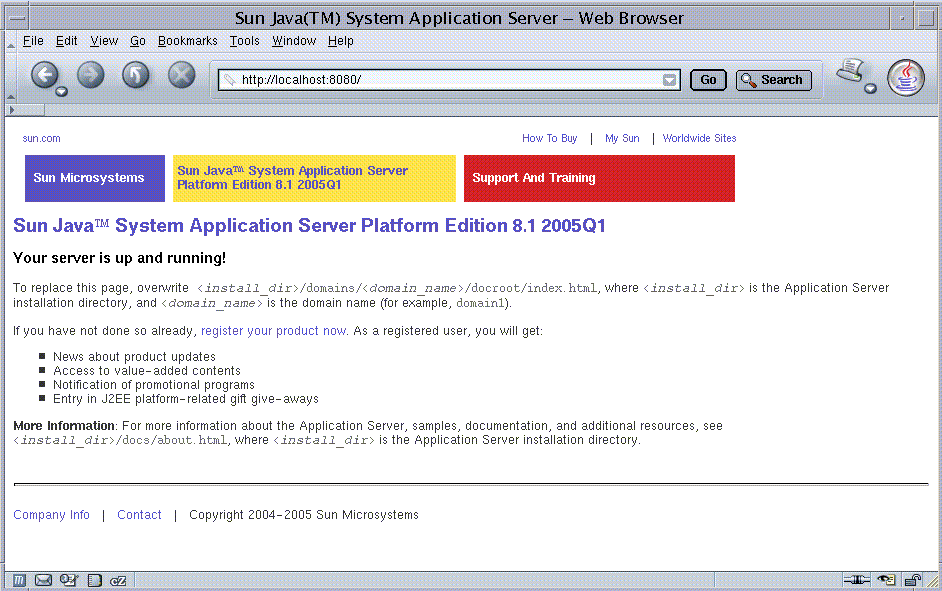
This might take a few seconds as the server completes initialization.
When you see this page, you know that the server is running. If the server is not running, but your system is operating normally, you get a server not found error. (In some browsers, that error automatically launches a search engine.) For other problems, you may need to check your server and browser settings, as described in the Sun Java System Application Server Platform Edition 8.1 2005Q2 Update 2 Troubleshooting Guide.
Later on, to stop the server, follow the steps below. Solaris and Linux steps are in the first column and Windows steps are in the second column:
|
Solaris/Linux |
Windows |
|---|---|
|
From the install_dir/bin directory, type this command: asadmin stop-domain |
From the Start menu, choose Programs ⇒ Sun Microsystems ⇒ Application Server PE ⇒ Stop Default Server. |
- © 2010, Oracle Corporation and/or its affiliates