
Deploying the hello Application
The server installation includes a pre-packaged application that says “Hello,” taken from The J2EE 1.4 Tutorial. To deploy it, you must give the Application Server software the information it needs to load the application, map a URL to it, and connect it to the resources it uses. That information is contained in deployment descriptors, which form part of the packaged application. The hello application is contained in a Web ARchive (WAR) file in the samples directory. Packaged applications can also be in the form of a Java ARchive (JAR) or Enterprise ARchive (EAR) file.
Dragging or copying to a domain’s autodeploy directory lets you put a pre-packaged application into use immediately, with minimal effort.
 To Deploy Using Autodeploy
Steps
-
Find install_dir /samples/quickstart/hello.war.
-
Copy it to install_dir /domains/domain1/autodeploy/.
Tip –On Windows, you can create a shortcut to the autodeploy directory on your desktop and then drag and drop the hello.war file onto the shortcut.
When the server has finished deploying the application, it creates a file named hello.war_deployed in the autodeploy directory. Depending on the speed of your system, the process can take a few seconds. Until that file appears, a 404-File Not Found error occurs when you try to visit the application page.
-
Click this URL to visit the application page: http://localhost:8080/hello.
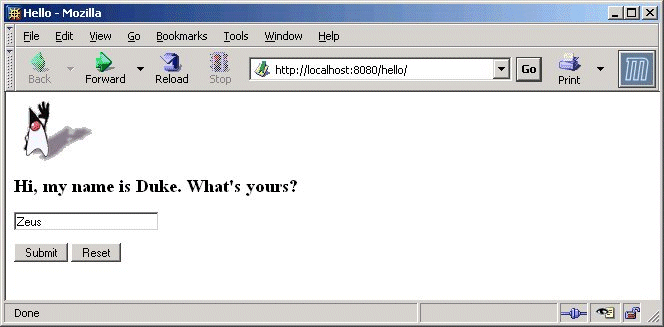
You should now see the application’s first page, which asks you to fill in your name:
-
Type your name, and click Submit.
You should now see the customized response, giving you a personal Hello.
Note –You can also use the asadmin command-line utility to deploy from the command line or in a shell script. The command is asadmin deploy.
- © 2010, Oracle Corporation and/or its affiliates