Reporting currency ledgers are representations of a primary or secondary ledger in another currency for reporting purposes. Reporting currencies share the same chart of accounts, accounting calendar, and accounting method as their related ledger. You can use reporting currencies for online inquires, reporting, and consolidation.
Topic:
· Currency Translation Process
The Currency Translation process is performed in the PMF page.
To design and execute the Currency Translation process, follow these steps:
NOTE:
You must set the Reporting Currency in the Legal Entity Settings.
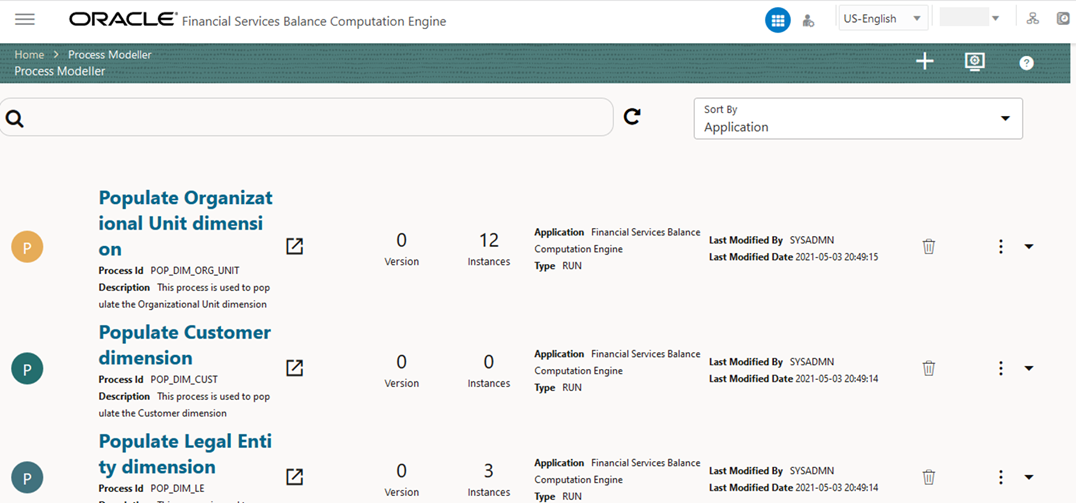
1. From OFSAA Home, select Financial Services Balance Computation Engine, select Orchestration, and then select Process Modeller. The Process Modeller page is displayed.
Figure 37: Process Modeller page
2. In the Process Modeller page, click .
.
3. The Process Details page is displayed.
Figure 38: Process Details page for the Currency Translation process
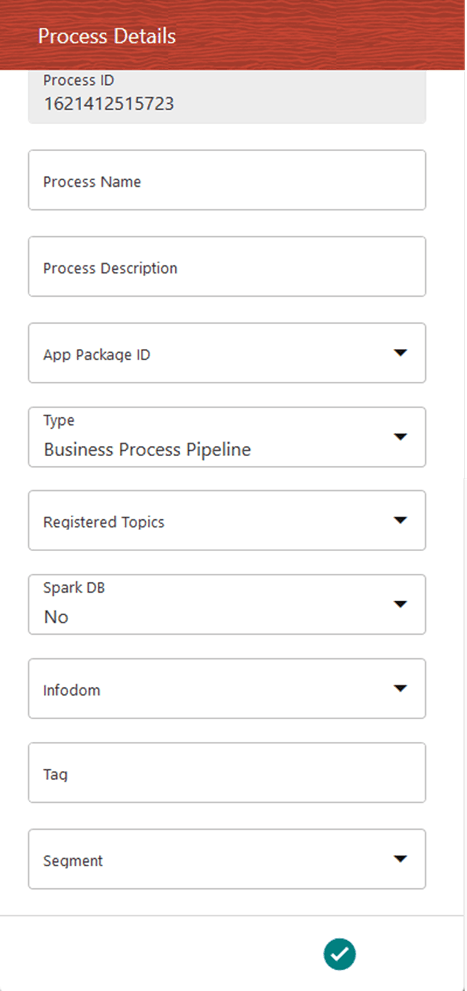
Enter/Select the required values for each field.
Field Name |
Description and instruction |
|---|---|
Process ID |
This value is automatically generated. |
Process Name |
Enter a unique and easily recognizable value in the Process Name field. |
Process Description |
Enter a unique and easily recognizable value in the Process Description field. |
App Package ID |
Select the required application package in which the process must be created from the drop-down list. |
Type |
Select the required process type from the Type drop-down list. The options are as follows: · Sub Run Process · Run Pipeline · Workflow Pipeline |
Registered Topics |
Note: This functionality is currently not applicable to OFSBCE. |
Spark DB |
Enable the Spark DB option if you are executing the Run for Hive metadata. |
Infodom |
Select the information domain from the Infodom drop-down list in which the Run Pipeline must be created. The list displays all the infodoms mapped to the applications configured in your OFSAA instance. |
Tag |
Enter the text that can be used as search keywords or helpful in defining a relationship between two or more Pipelines. |
Segment |
Select the application segment. The options are as follows: · BCESEG: OFSBCE segment |
4. To save the details, click . The Process Flow canvas is displayed.
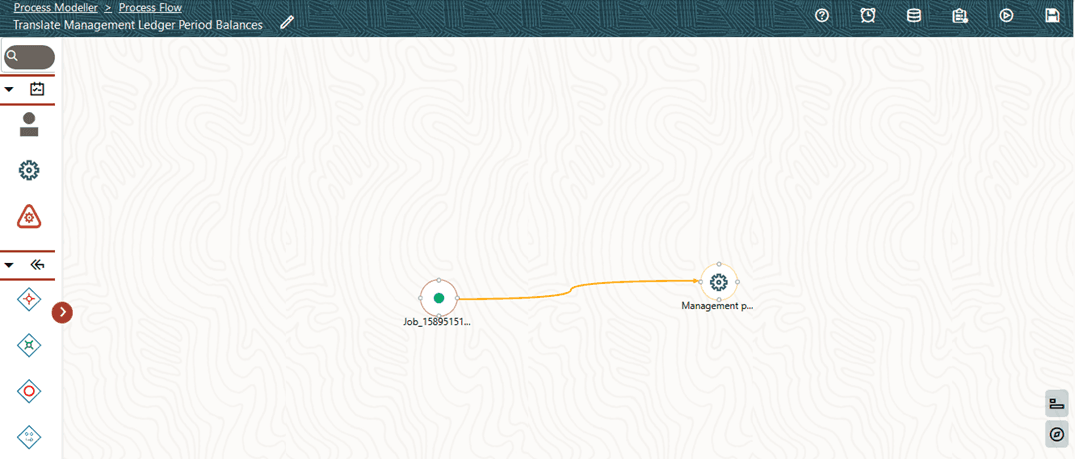
5. In the Process Flow canvas page, design a Revaluation Process flow Run pipeline. By default, START  from the toolbar appears. This Start activity indicates the beginning of the process. The Process Flow tab contains a floating toolbar and a drawing canvas. Use the drawing canvas to design the process flow with the Activity, Transition, and Widget components available in the floating toolbar with Service Task as the base. In the illustration, the Service Task represents GL type for Management Period Balance Currency Conversion set in the Currency Conversion Settings section.
NOTE:
To create an Application Rule, see the Application Rules section, and to create a Data Field, see the Data Fields section in the Oracle Financial Services Analytical Applications Infrastructure Process Modelling Framework Orchestration Guide Release 8.1.1.0.0.
Figure 39: Creation of Translate Management Ledger Period Balances process flow
For more information, see the Service Tasks section in the Oracle Financial Services Analytical Applications Infrastructure Process Modelling Framework Orchestration Guide Release 8.1.1.0.0.
6. Click to save the Currency Translation Process Flow.
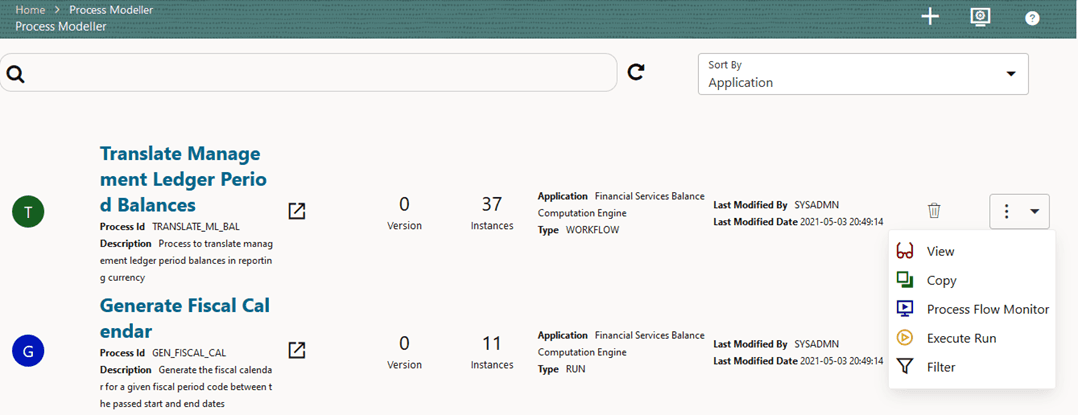
7. The Currency Translation Process is listed in the Process Modeller page. To select the Run parameters and execute the Run, follow these steps:
a. In the Process Modeller page, click  corresponding to the Translation Process Run Pipeline that needs to be executed.
Figure 40: Translate Management Ledger Period Balances process - Select Execute Run
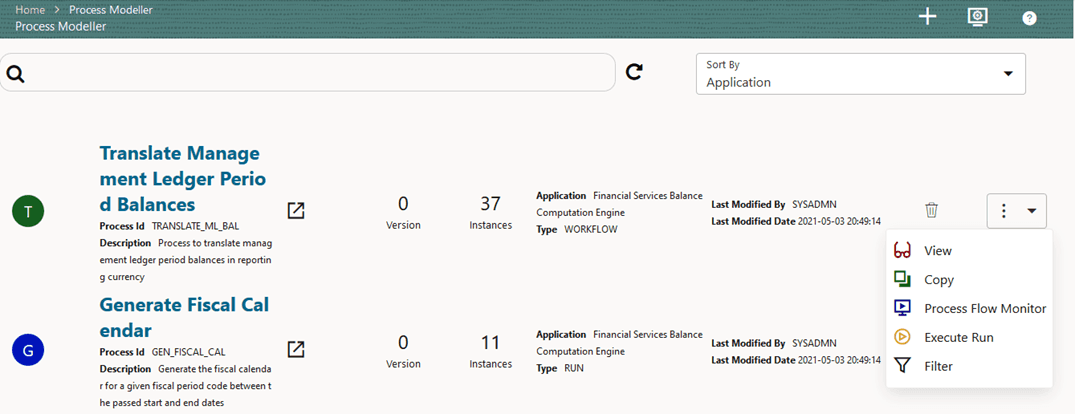
b. When you click Execute Run, the Execution page is displayed.
Figure 41: Translate Management Ledger Period Balances Process without Execution Parameters
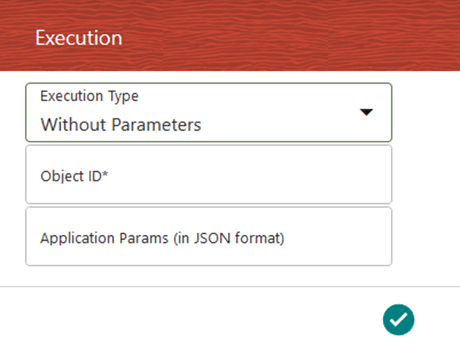
Enter and select the required details to execute the Run without parameters.
To execute with parameters, select With Parameters in the Execution Type list.
Figure 42: Translate Management Ledger Period Balances Process with Execution Parameters
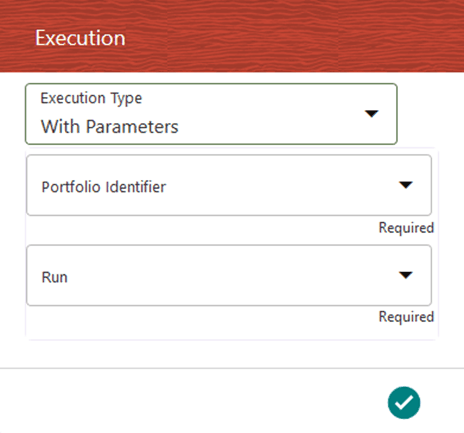
Field Name |
Description or Instruction |
|---|---|
Portfolio Identifier |
Select the reqiured Portfolio definition and the filter applies on the dataset with the members selected for this Portfolio. |
Run |
Select the defined Run. |
8. To save the details, click. The Run execution begins.
9. In the Process Flow canvas, click to save the process flow.
NOTE:
The execution of the Run Pipeline is triggered using the selected FIC MIS DATE. The Run SKey is generated and inserted into the “DIM_RUN” table. For the Run SKey generated, the corresponding user-selected Run parameters are inserted into the “RUN_EXE_PARAMETERS” table.
NOTE:
See the Oracle Financial Services Analytical Applications Infrastructure Process Modelling Framework Orchestration Guide Release 8.1.1.0.0 for information about the following topics:
· To verify the Run Execution, see the Process Monitor section.
· To abort, resume, or rerun the Run Pipeline Process, see the Abort Run Pipeline, Resume Run Pipeline, and Re-run Run Pipeline sections respectively.
· To verify the execution logs, see the Viewing Activity Execution Logs and Viewing Execution Log for Widgets sections.
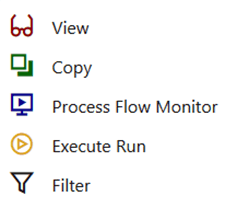
10. To open the Process Monitor page, in the Process Modeller page, click or select Process Flow Monitor from the Process Modeller menu
 .
.
11. The Process Monitor page opens displaying all the Run instances corresponding to the Translate Management Ledger Period Balances process. Or, in the Process Monitor page, search by Job ID, or by the Process Name Translate Management Ledger Period Balances, and select the process instance for the required Run pipeline (process) that was executed to verify the status and logs.
Figure 43: Translate Management Ledger Period Balances process - Process Monitor page - select Job ID
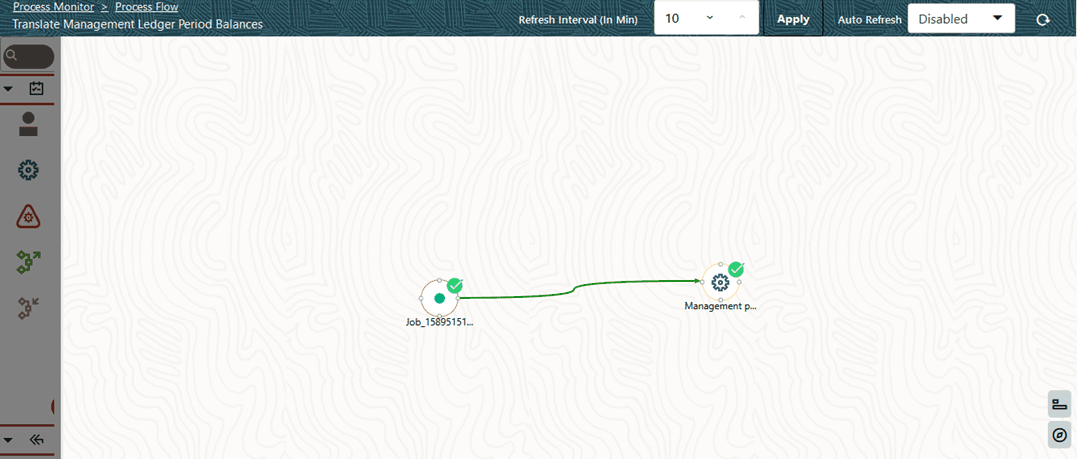
12. In the illustration, the Run pipeline is successfully executed. Therefore, the Currency Translation process is successfully complete and all the balances selected for the Translation are converted into the set Reporting Currency.
Figure 44: Translate Management Ledger Period Balances process - Run Execution status
For detailed information about the complete functioning of the PMF, see the Oracle Financial Services Analytical Applications Infrastructure Process Modelling Framework Orchestration Guide Release 8.1.1.0.0.
13. You can also check the details of execution status in the Execution Summary page.