ルールを作成するユーザー要求
次の例は、10個のルールを作成し、それらを"Alternative SVC Allocations"というモデルおよび"IT Service Chargeout"というルール・セットに追加するユーザー要求を示しています。ルールの「シーケンス」は1行に設定され、「使用可能」は1回指定されます。
Create rules in Model 'Alternative SVC Allocations' Ruleset 'IT Service Chargeout'
'End User Services'
'Infrastructure Services'
'Network Services'
'Cloud Services'
'Application Support and Maintenance'
'IT Security Services'
'Telephony and Unified Communications'
'IT Project Services'
'Data and Analytics Services'
'IT Governance and Compliance'
Sequence 10,20,30,40,50,60,70,80,90,100
Enabled 'Yes'
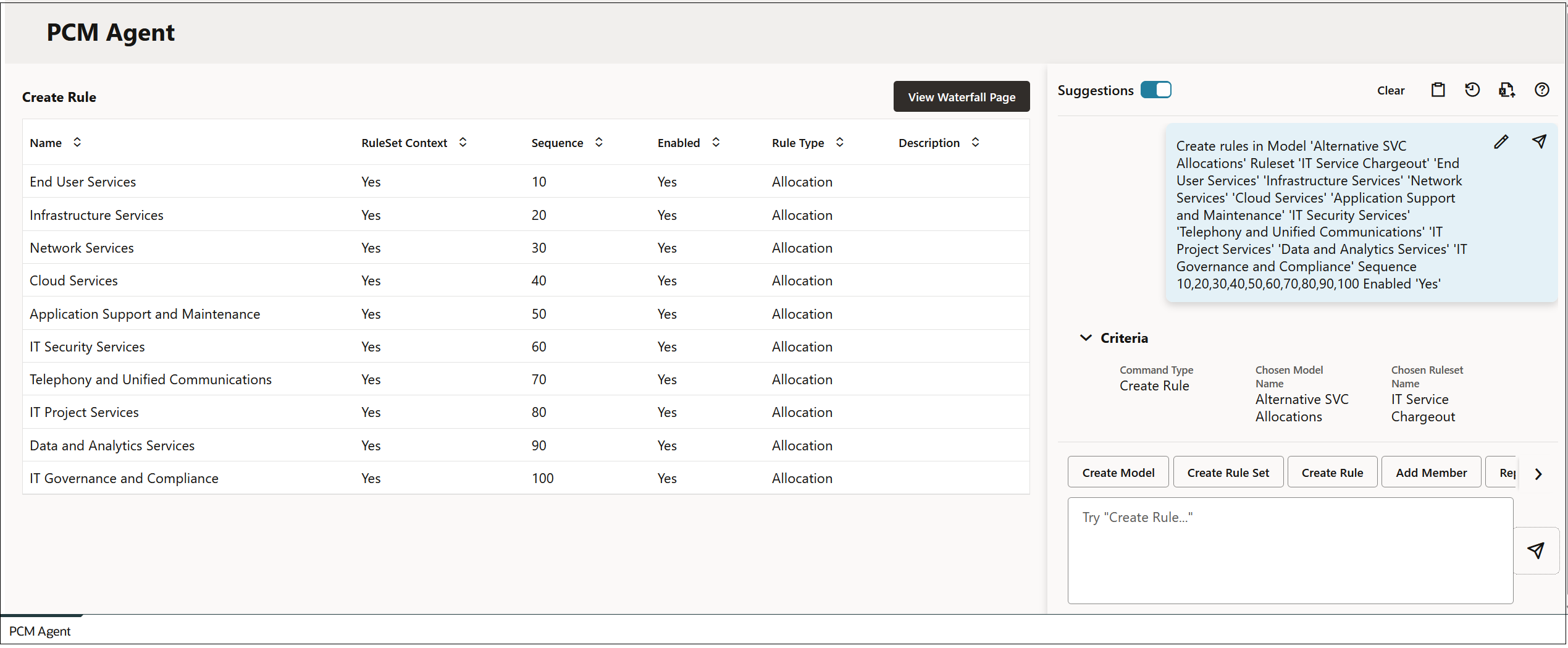
ユーザー要求を入力して (「送信」)をクリックすると、PCMエージェント・ページが要求の情報で更新されます。
Figure 14-8 ルールのプレビュー
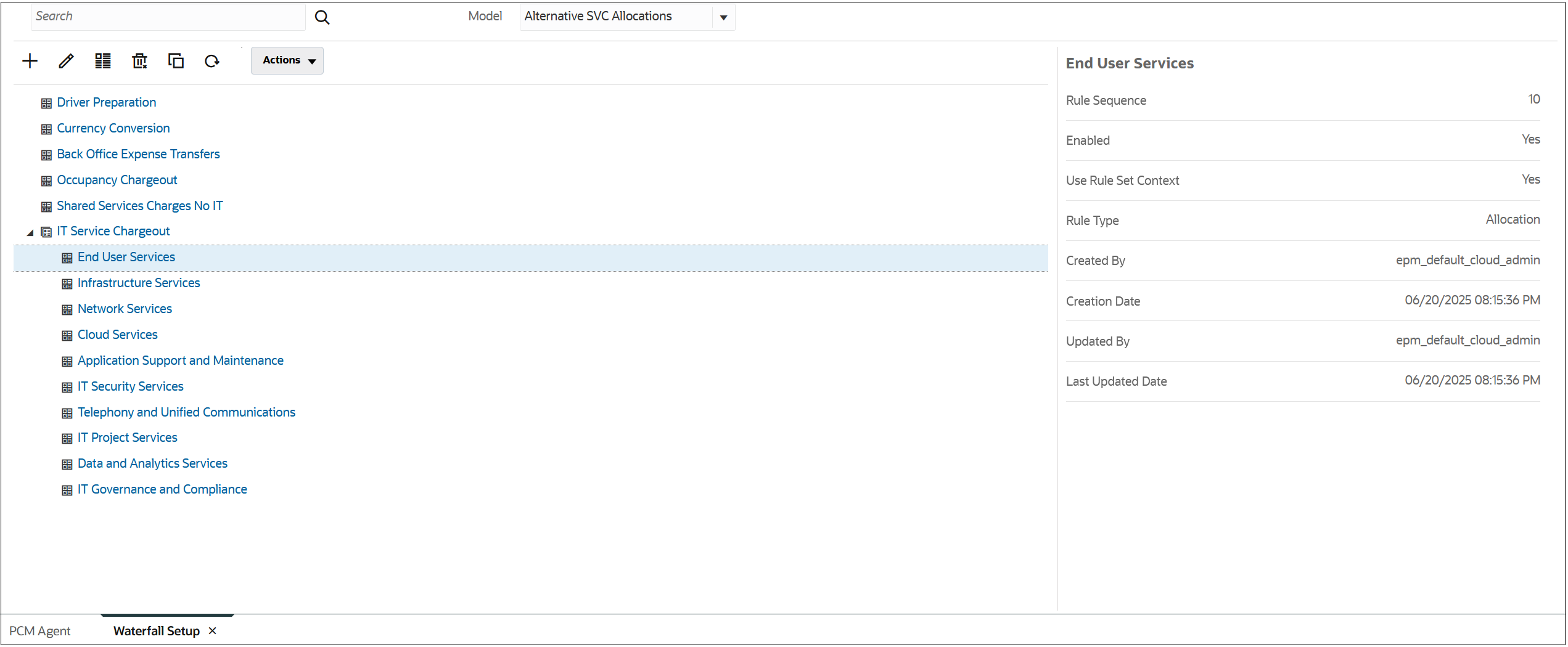
「コマンドの実行」をクリックし、「ウォーターフォール・ページの表示」をクリックして、新しいルールを表示します。
Figure 14-9 ルールの結果