View Primary and Supporting Data Using Above the Fold Layout
This layout enhances the user experience by organizing the dashboard into two panels (70%-30% of the dashboard's width) with the option to collapse and expand the 30% section as needed. This layout simplifies navigation, making it easier for users to compare primary data with complementary or supporting data.
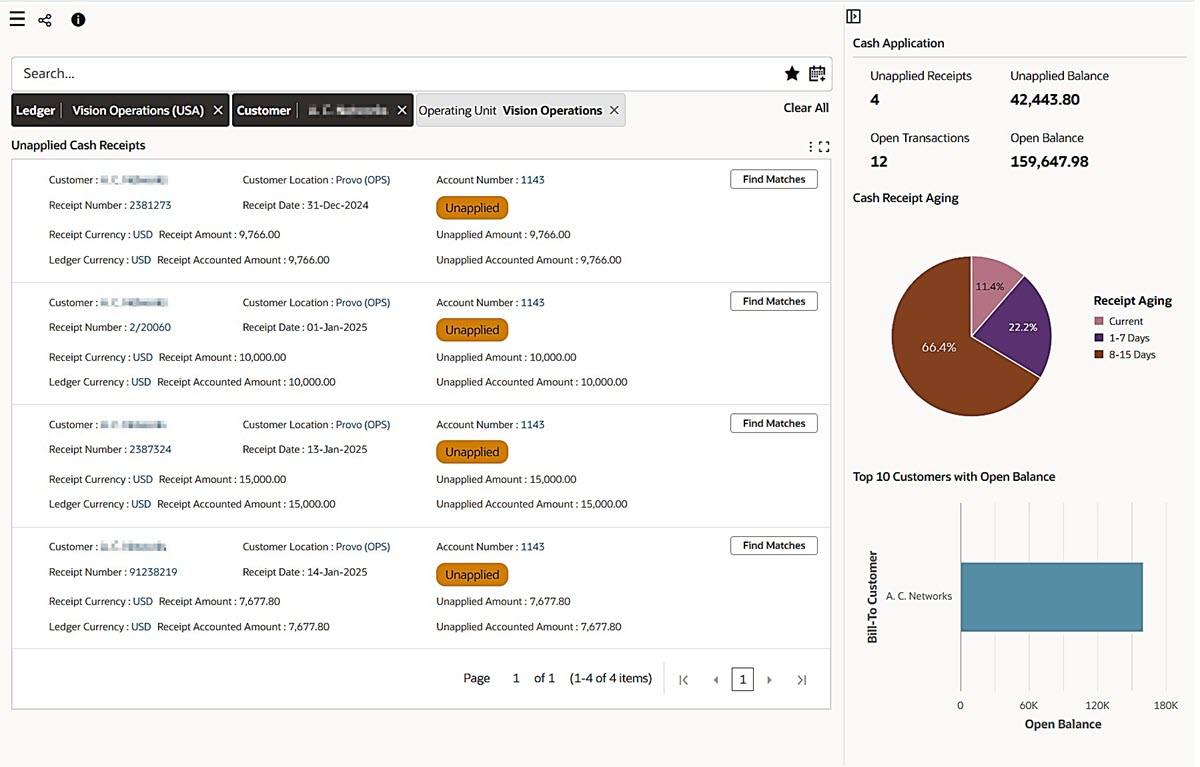
Above the Fold Layout
Steps to enable and configure
Enable the Above the Fold layout from the Component Control Panel. For more information, see Page Layout, Oracle E-Business Suite User's Guide, and Page, Oracle E-Business Suite Extending Enterprise Command Centers.
Key resources
- Page Layout, Oracle E-Business Suite User's Guide
- Page, Oracle E-Business Suite Extending Enterprise Command Centers