Copy Field Values from Dashboard Components
Oracle Enterprise Command Center Framework V16 introduces a streamlined way to extract data directly from your dashboard. Users can now copy individual field values from various visualization components with a single click, eliminating the need for manual typing or complex exports.
When users interact with a dashboard, hovering over a specific field value reveals a Copy icon. Clicking this icon immediately saves the selected value to your clipboard. This lightweight interaction is designed to be intuitive and non-intrusive.
The feature is currently supported in the following components:
- Selected Refinements
- Summarization Bar Items
- Aggregate Table/Pivot
- Grid/Aggregate Grid
- Results Table
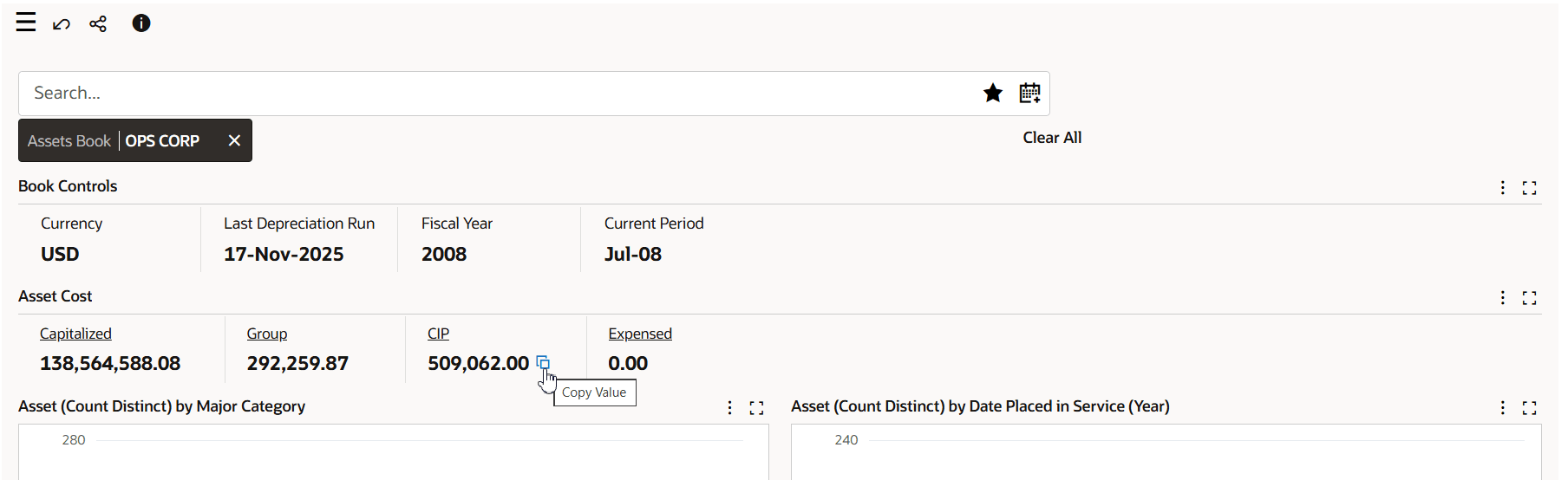
Copy Value
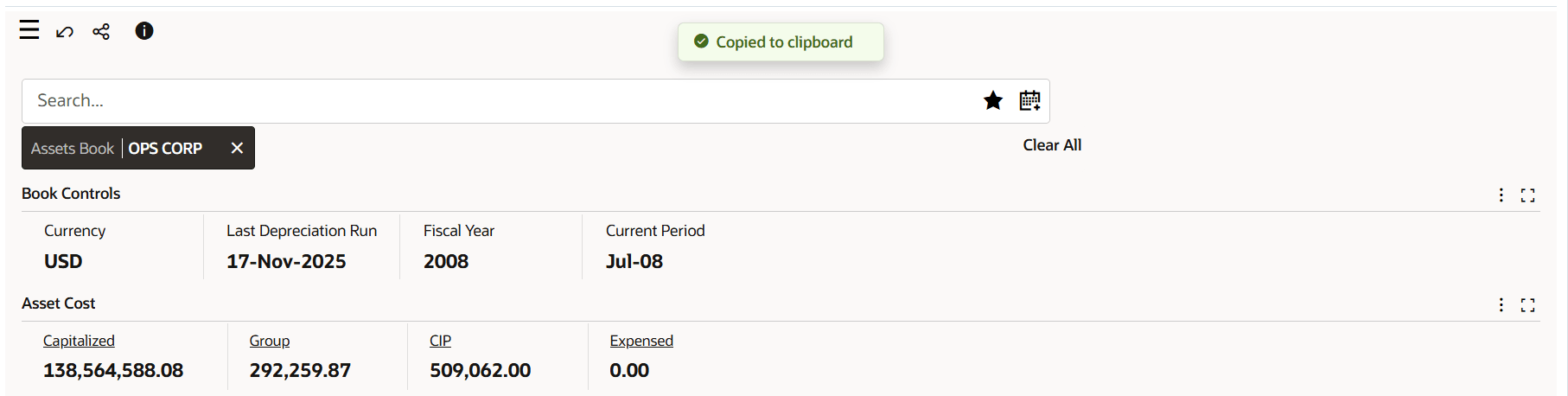
Copied Value
Business Benefits
-
Streamlined Workflows: Facilitates faster communication and collaboration by allowing users to "clip" insights and share them across business applications.
-
Enhanced User Experience: Provides a modern interaction that makes the data more accessible.
Steps to enable and configure
You don't need to do anything to enable this feature.
Key resources
- Copy Value, Oracle E-Business Suite User’s Guide