Upload Text Attachments in Online Mode
Mobile users can upload text attachments while in online mode. This feature enables technicians to add structured notes or supporting text directly to the work item from the mobile device. Online text attachments can supplement completion comments by allowing additional contextual information to be stored as an attachment.
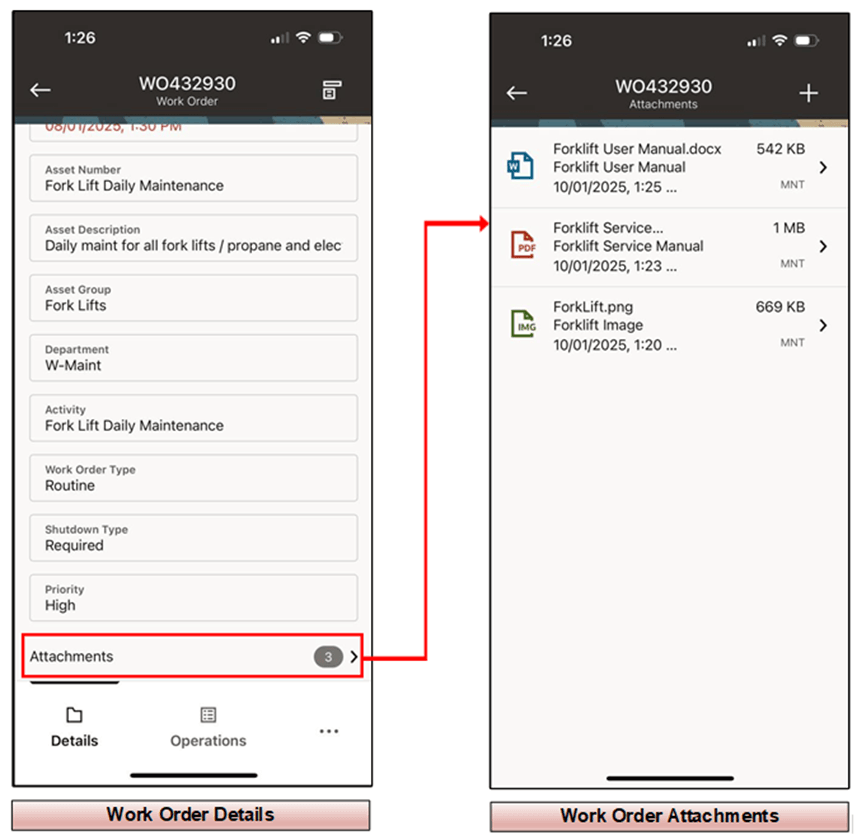
Upload Text Attachments in Online Mode
Steps to enable and configure
- Confirm that attachment functionality is enabled for the maintenance objects used by the mobile process.
- Open the applicable work order, operation, asset, or work request in online mode.
- Add a text attachment from the mobile app and enter the supporting information.
- Upload the attachment and verify that it is visible from Oracle E-Business Suite.
Tips and considerations
- Use text attachments for supporting details that should remain separate from completion comments.
- Create naming or content conventions for text attachments used in compliance processes.
- Confirm attachment security and visibility with the roles that review mobile work.
Key resources
- My Oracle Support Knowledge Document KB858915, Oracle Mobile Maintenance for Oracle E-Business Suite Release Notes
- Oracle E-Business Suite Mobile Apps Administrator's Guide
- Oracle Enterprise Asset Management Implementation Guide
- Setting Up (chapter)
- Oracle Enterprise Asset Management User's Guide