Send Enrollment Page URL to Learners
Learning administrators can generate a URL for a learning certification or learning path and send it to learners. The URL takes learners directly to the enrollment page.
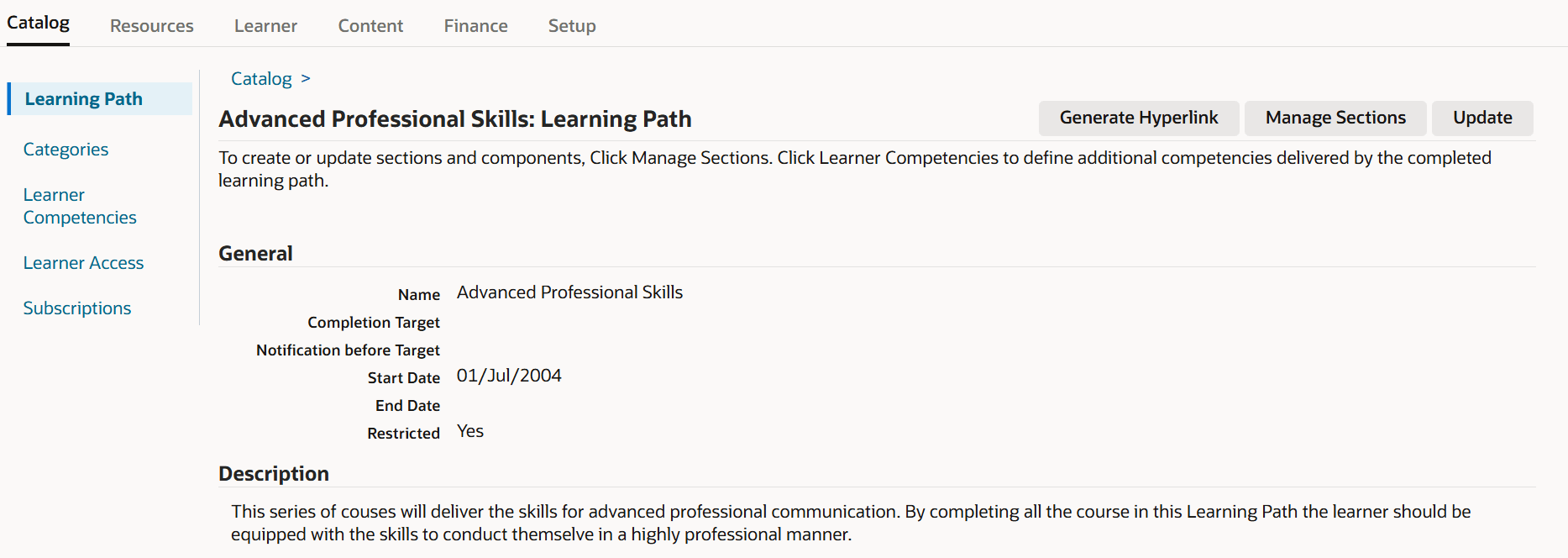
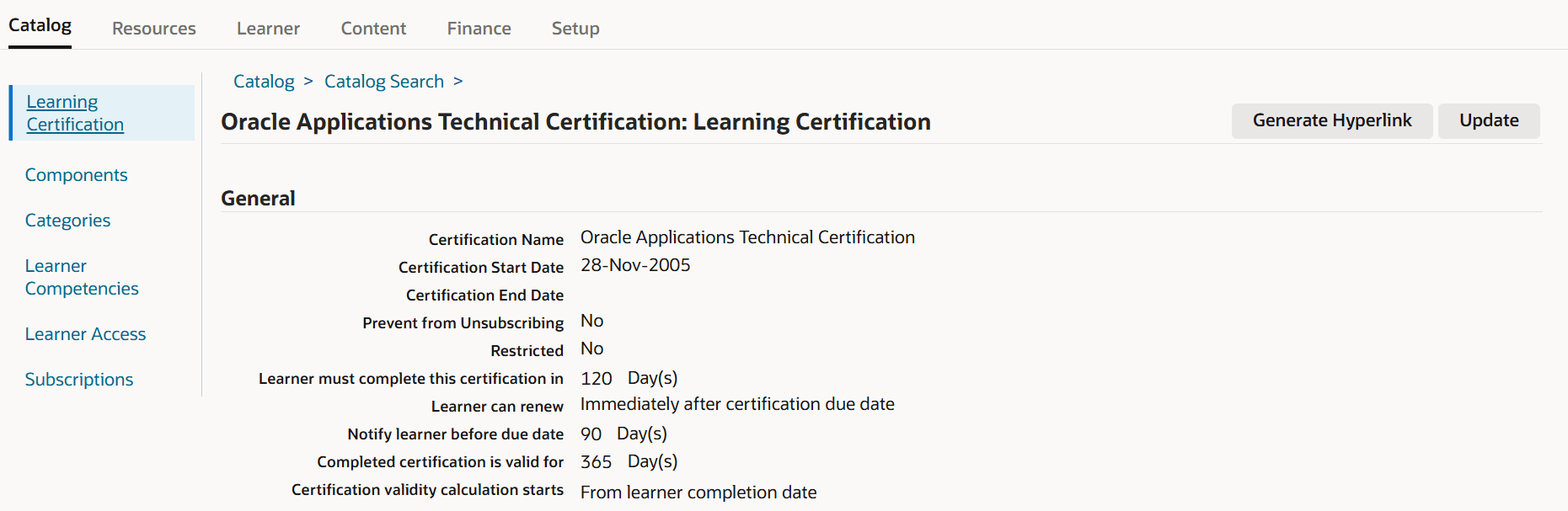
A new Generate Hyperlink button is added to these pages:
- Learning Certification
- Learning Path
This reduces navigation effort for targeted campaigns, compliance assignments, or manager-directed learning. Instead of asking learners to search the catalog, administrators can send a direct path to the correct enrollment page.
This enhancement improves learner engagement by providing direct and convenient access to enrollment pages, helping users quickly register for training and development programs. For organizations, it streamlines communication, increases course enrollment efficiency, and supports timely workforce upskilling by simplifying the learning enrollment process.
The feature is particularly useful when the learning item must be promoted through email, intranet pages, service requests, or manager communications.
Learning Path – Generate Hyperlink
Learning Certification – Generate Hyperlink
Steps to enable and configure
You don't need to do anything to enable this feature.
Tips and considerations
- Always test the link using a learner account, not only an administrator account.
- Confirm learner eligibility and security before sending direct enrollment links broadly.
- Use clear communication text around the URL so learners understand what they are enrolling in and by when.
Key resources
Oracle Learning Management User's Guide
- Chapter: Catalog
- Topic: Learning Paths
- Topic: Learning Certifications