Enable Serial Tagging for Project Manufacturing Organizations
For release 12.2.13 and later, the serial tagging functionality is supported for Project Manufacturing enabled organizations. If you set up an item for serial tagging and the organization is enabled for Project Manufacturing, then during supported WIP transactions, you are prompted to provide the serial tagging assignment that you defined at the item level. This ability to use serial tagging simplifies serial management and enables you to save time.
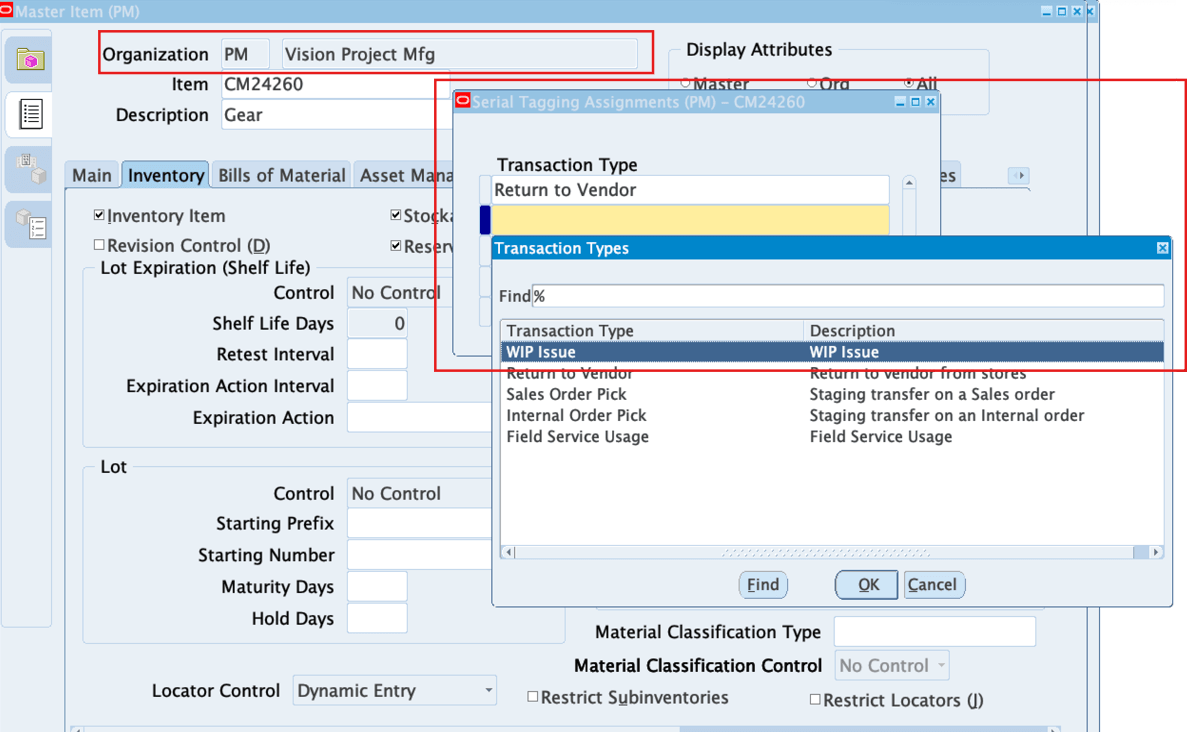
Serial tagging enables serials to be identified and tracked at the time of transactions or shipping. In the Master Item window, setup an item for serial tagging for a transaction type for a project manufacturing enabled organization.
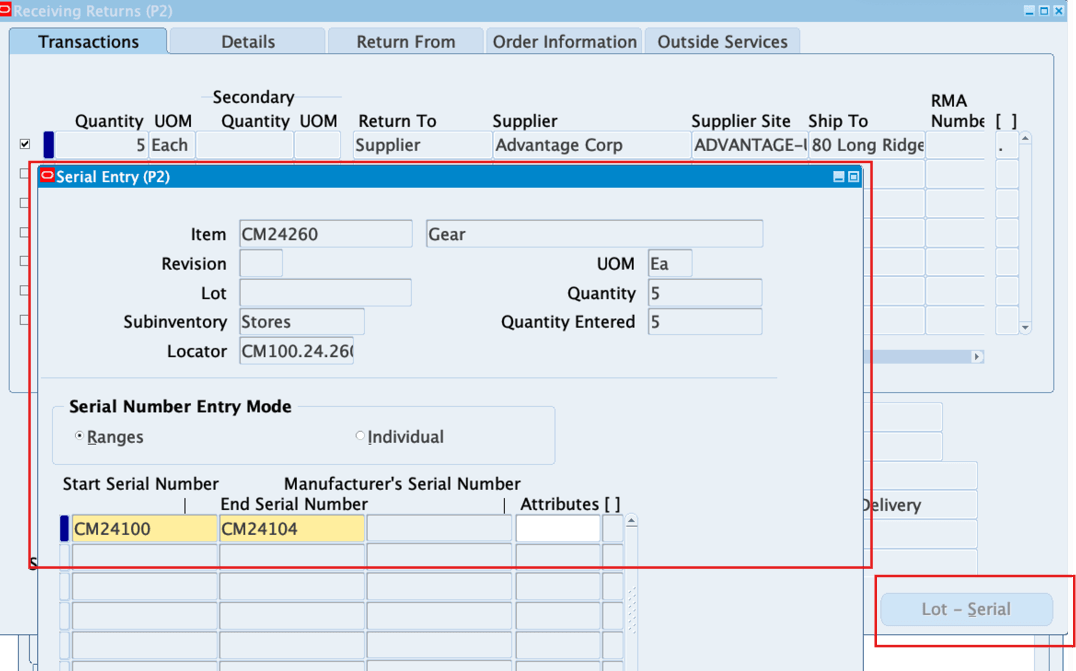
During specific transactions for Project Manufacturing organizations, such as receiving returns, the Lot/Serial button is now enabled and you can select it to open the Serial Entry window to add serial information.
Prior to this release, serial tagging was not available for Oracle Project Manufacturing organizations, limiting the ability to track individual items within project contexts.
This feature is improves traceability, inventory accuracy, enhanced compliance with regulatory requirements, and better management of serialized assets across projects, reducing the risk of errors or loss.
Steps to enable and configure
You don't need to do anything to enable this feature.
Tips and considerations
- Configure items for serial tagging in the Oracle Inventory to ensure seamless tracking within project manufacturing organizations.
- Establish protocols for serial tagging to ensure consistency across projects and compliance with industry standards.
- Monitor serialized inventory data to identify and resolve discrepancies that could impact project tracking or regulatory reporting.
Key resources
- Oracle Project Manufacturing User's Guide:
- Chapter: Project Manufacturing
- Topic: Project Manufacturing Execution
- Chapter: Project Manufacturing
- R12.2.13 TOI: Implement and Use Discrete Manufacturing - Project Manufacturing