Manage Inventory of Sample Kits for Testing
In Oracle Process Manufacturing for Quality Management, you can now:
- Define sample test kit items with test methods.
- Capture test kit item quantity and sharing requirement across tests and test method while defining specifications.
- Record the actual usage of the test kit quantity in the samples when you enter test results.
Note that you can only specify the test kit item quantity for lot and lot-serial based items. Serial items and non-lot items are restricted.
To manage inventory of sample kits for testing:
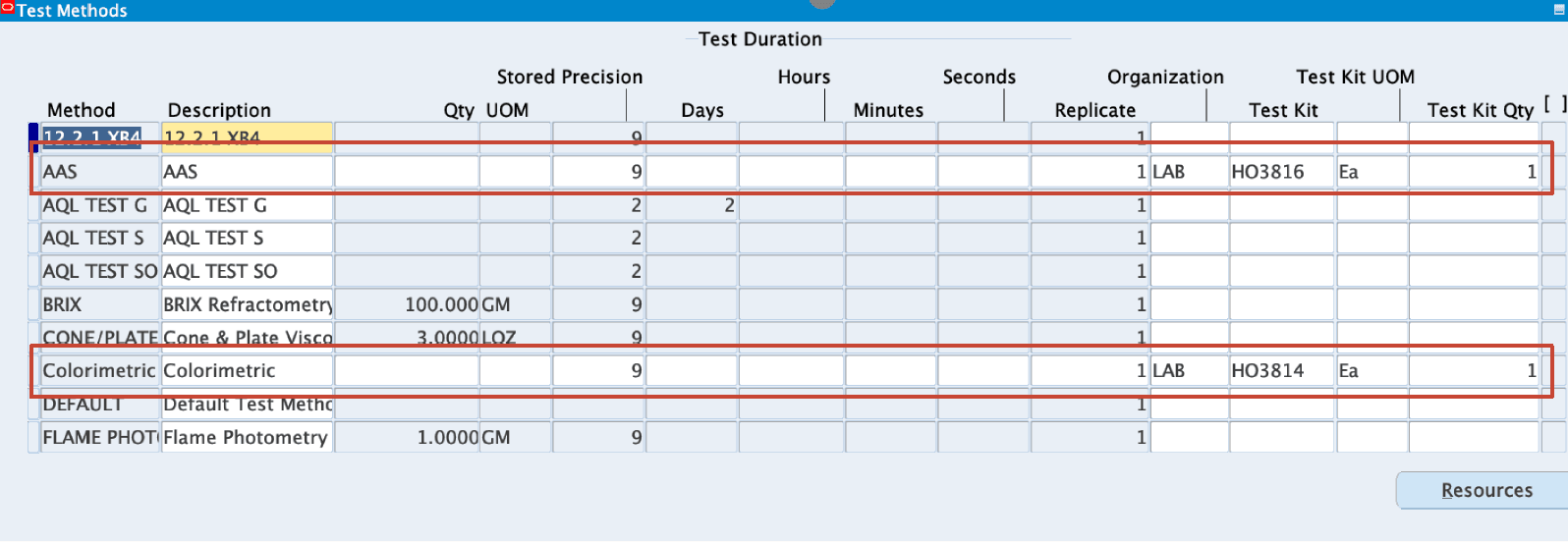
- In the Test Methods window, map a test kit to a test method. Navigate to the Test Methods window, enter the require information for a test method and then enter the following:
- Test Kit UOM - to associate a unit of measure to track the test kit material and storage.
- Test Kit Qty - to default the test kit quantity to the quality specification that you create.
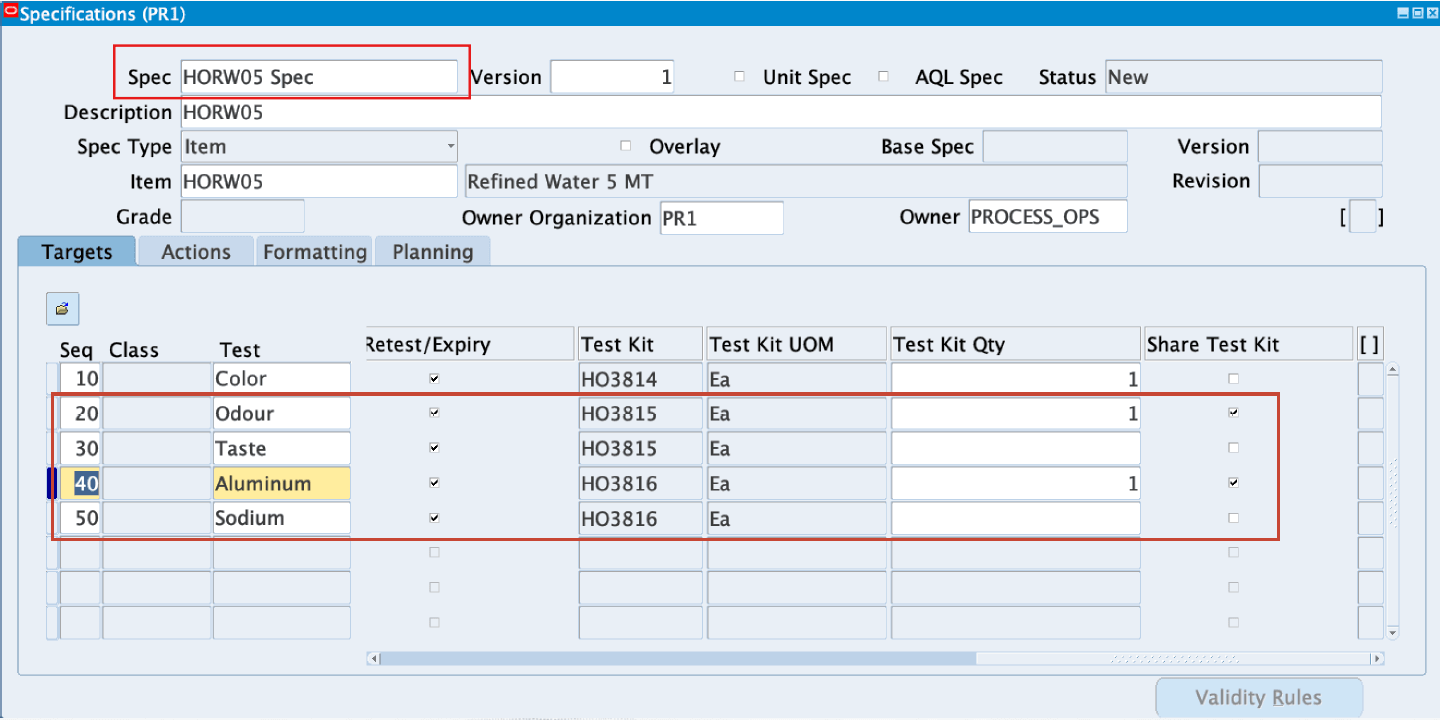
- In the Specifications window enter information to define a specification and select a test method. This window is now enhanced to include the Test Kit and Test Kit UOM fields. If the selected test method is associated to a test kit, then the Test Kit and Test Kit UOM fields default from the information you that you enter in the Test Method window. You do have the option to override the defaulted Test Kit Qty and specify a different quantity. You also have the option to share the test kit with one or multiple tests. In the Specifications window:
- Use the Test Kit Qty field to override defaults and specify a different quantity if needed.
- Select the Share Test Kit check box to share test kits. For example, if you have multiple tests that use the same test kit item, you can select to share one test kit quantity for other tests.
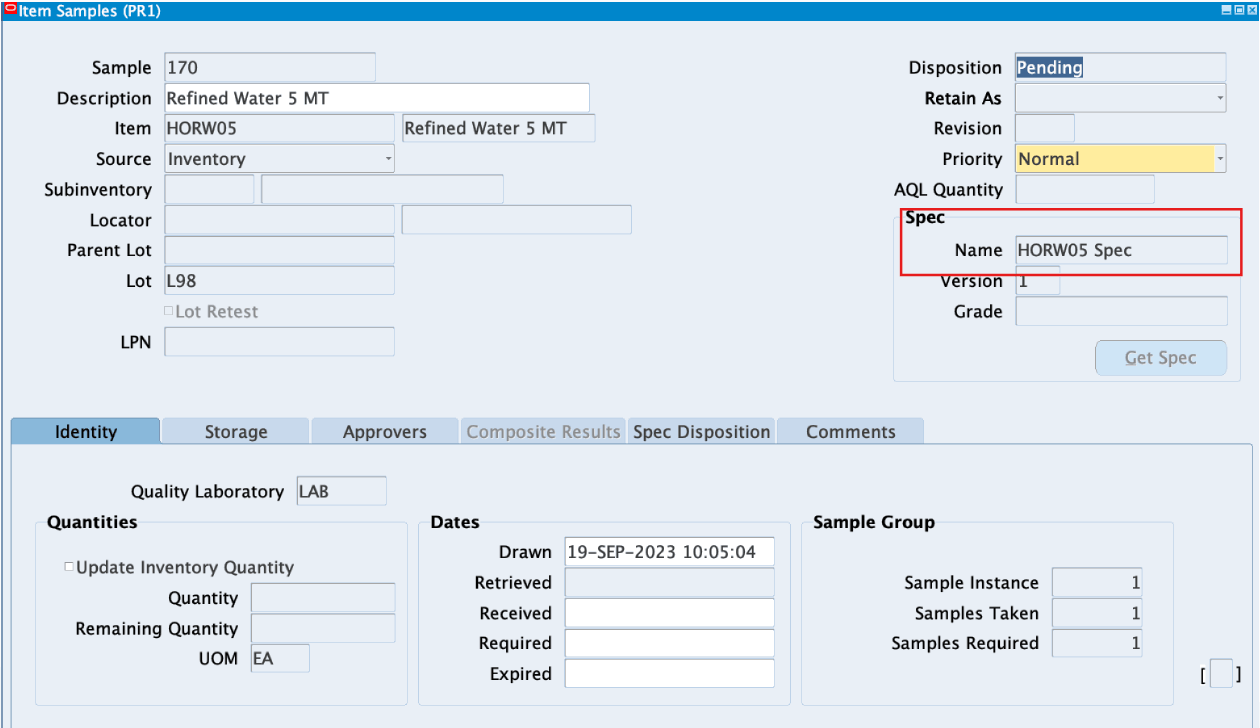
- In the Item Samples window:
- Create a sample.
- Associate the sample to the specification with the test kit information.
- In the Results window enter results for the sample and change the disposition changes to complete. The Results window is enhanced to include the Test Kit UOM and Test Kit Plan Qty field, but you cannot modify these fields if the sample disposition is pending. You can only modify these fields in the Results window when the sample disposition is complete. Enter results for the sample, save your work, and when the disposition is complete, select the Internal tab to view the test kit information.
- Enter the Test Kit Actual Qty. This enables the Test Kit Lot Details button.
- Click Test Kit Lot Details and enter the following information in the Enter Sample Kit Lot Details window:
- Subinventory - Enter subinventory details.
- Locator - Enter the locator if the sample is locator controlled.
- Lot Number - Enter the lot number if the sample is lot controlled.
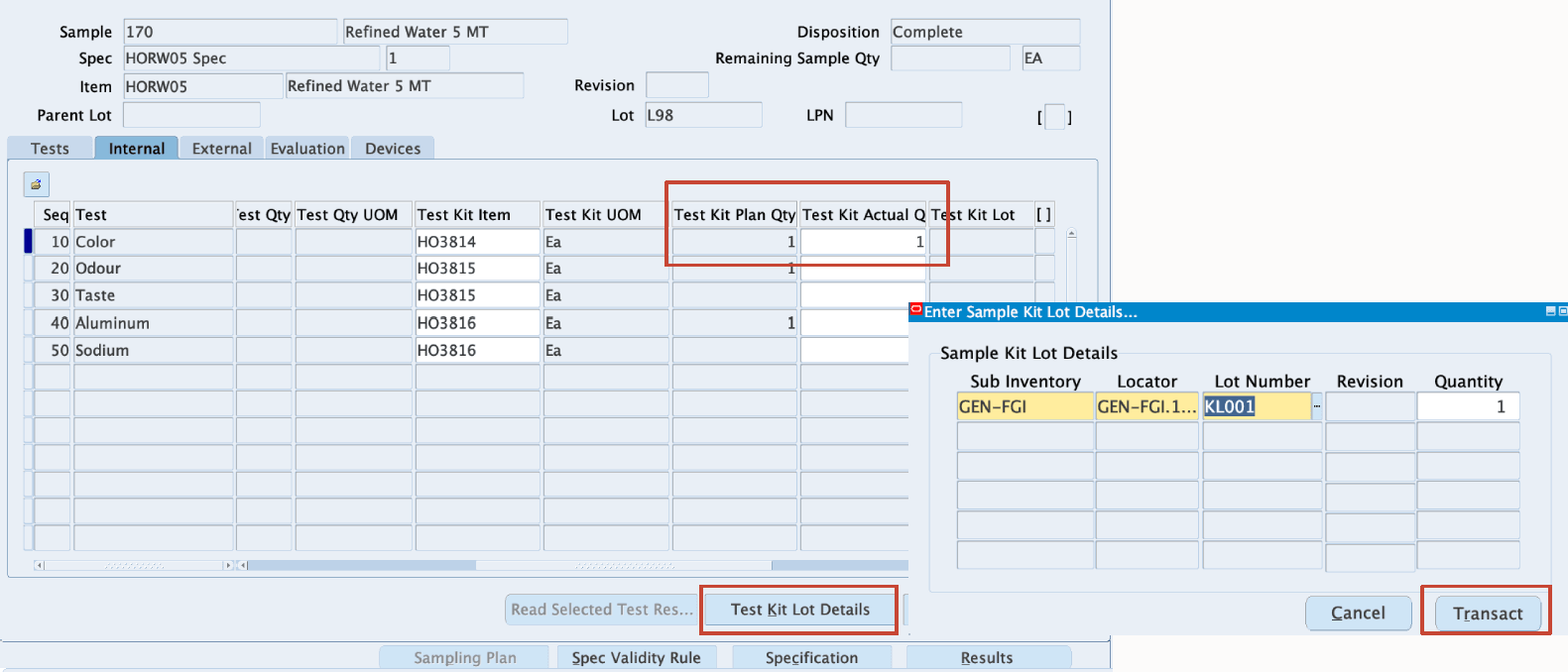
- Click Transact. This saves the Test Kit Actual Qty value. When you click Transact, the inventory for the kit item is depleted based on the actual quantity that is used.
You can now record the actual usage of sample kit when you execute the samples.
Managing inventory of sample kits for testing enables you to:
- Determine optimal stock levels for each type of kit based on usage patterns, lead times, and criticality.
- Identify minimum and maximum stock levels for replenishment
- Record and monitor the consumption of sample kits
Steps to enable and configure
You don't need to do anything to enable this feature.
Tips and considerations
- Enter the sample kit definition when you define the test method.
- Ensure that only laboratory organizations are considered for test kit item.
- Set the sample kit sharing within and across test methods information when you define specifications.
Key resources
- Oracle Process Manufacturing Quality Management User's Guide:
- Chapter: Setting Up
- Topic: Entering Test Methods
- Chapter: Specifications
- Topic: Entering a Specification
- Chapter: Results
- Topic: Entering Results
- Chapter: Setting Up
- R12.2.13 TOI: Implement and Use Process Manufacturing - Process Quality Laboratory Enhancements