Merge Customer Accounts Associated with Different Parties
With this release, you can ensure data integrity by using the ability to merge accounts associated with different parties. This feature enables organizations to consolidate duplicate records across distinct parties, ensuring that accurate and unified account information is maintained within the system.
Prior to this release, Oracle TeleService only supported merging customer accounts within a single party, limiting the ability to resolve duplicates across different parties and potentially leading to fragmented data.
This enhancement improves the accuracy of account data, helping streamline service request management and reduce errors in reporting and customer interactions. It supports common business scenarios such as consolidating accounts after mergers or acquisitions and correcting historical data entry issues, while emphasizing the importance of carefully planning account merges and configuring user permissions appropriately to avoid unintended data loss.
Feature Description
To merge customer accounts associated with different parties, service administrators can run the Account Merge program that is available from the Receivables Manager responsibility.
You can use this feature to:
- Merge and resolve duplicate records to ensure that accurate customer data is available.
- Move transactions that are tied to one account to another account in a different party without losing the history of the transactions.
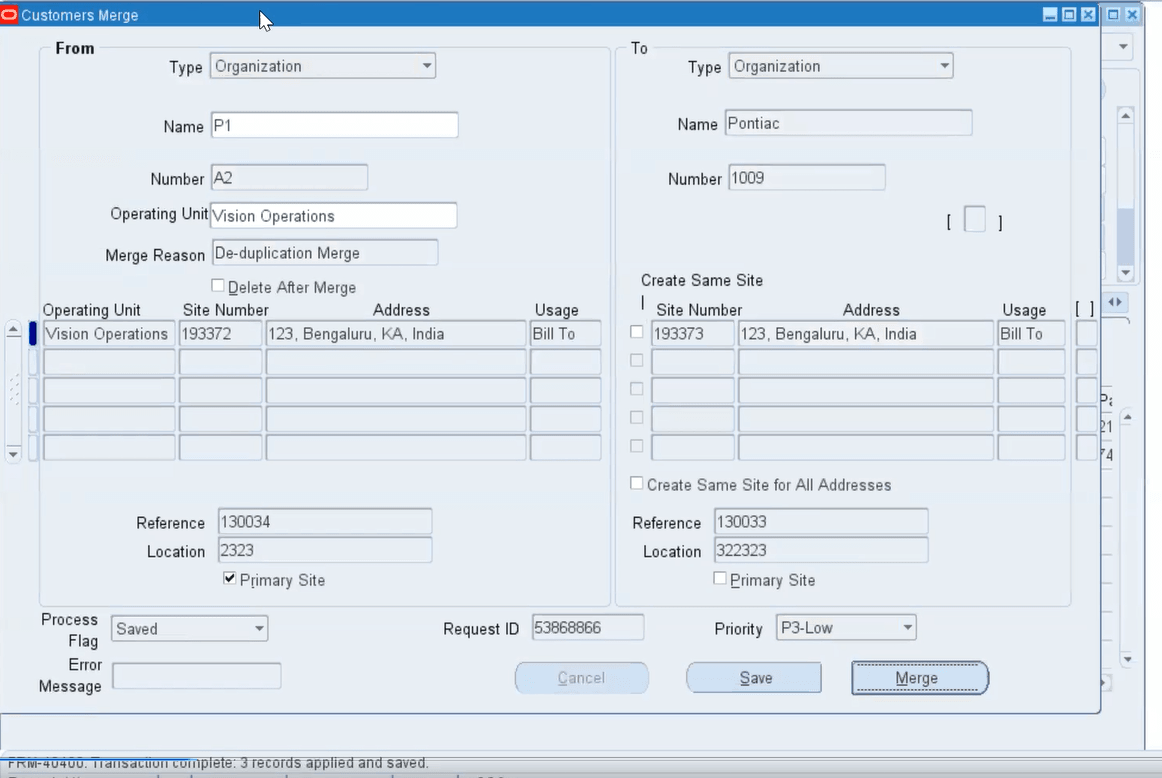
For example, Customer A of Party 1 and Customer B of Party 2, each has one Bill-To site and one Ship-To site. You can transfer activity from customer account A of Party 1 to customer B of Party 2 by merging like site uses, for example, Bill-Tos merged with Bill-Tos.
When the Account Merge program runs, information that is available in the following components will be considered for merge:
- Service Request Party Header
- Service Request Charge Line Account
- Service Request Bill-To Party
- Service Request Ship-To Party
- Service Request Bill-To Account
- Service Request Ship-To Account
- Service Request Bill-To Site
- Service Request Ship-To Site
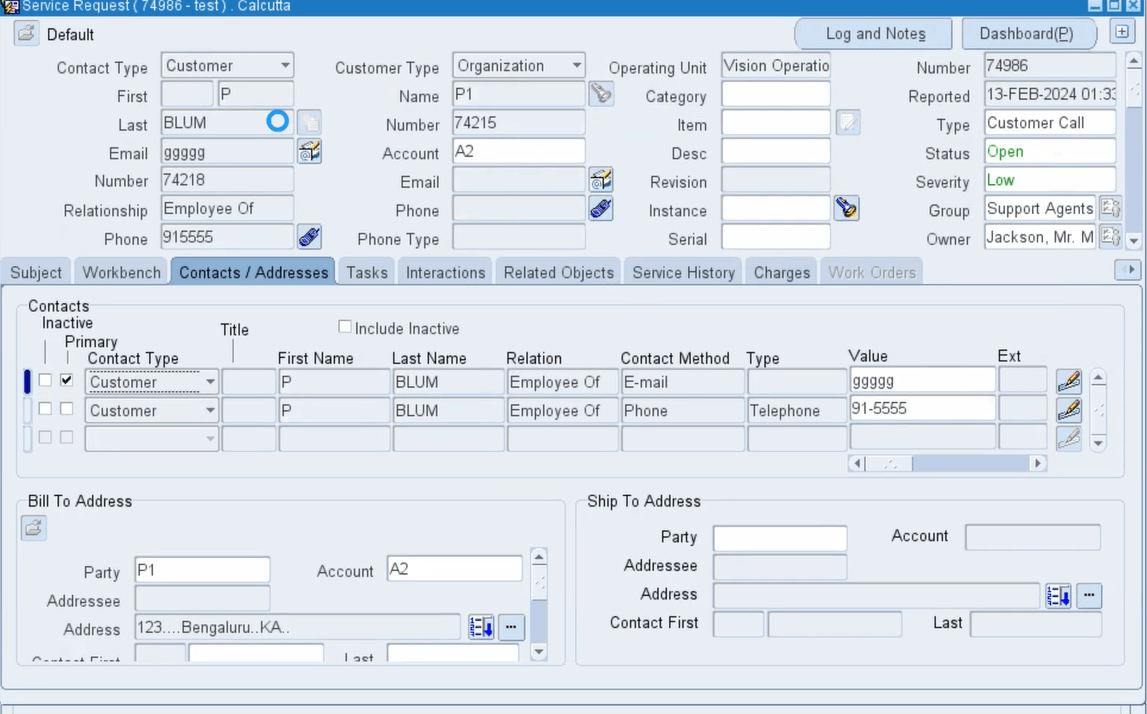
Screenshot of Service Request for Account A2 Before the Merge Run
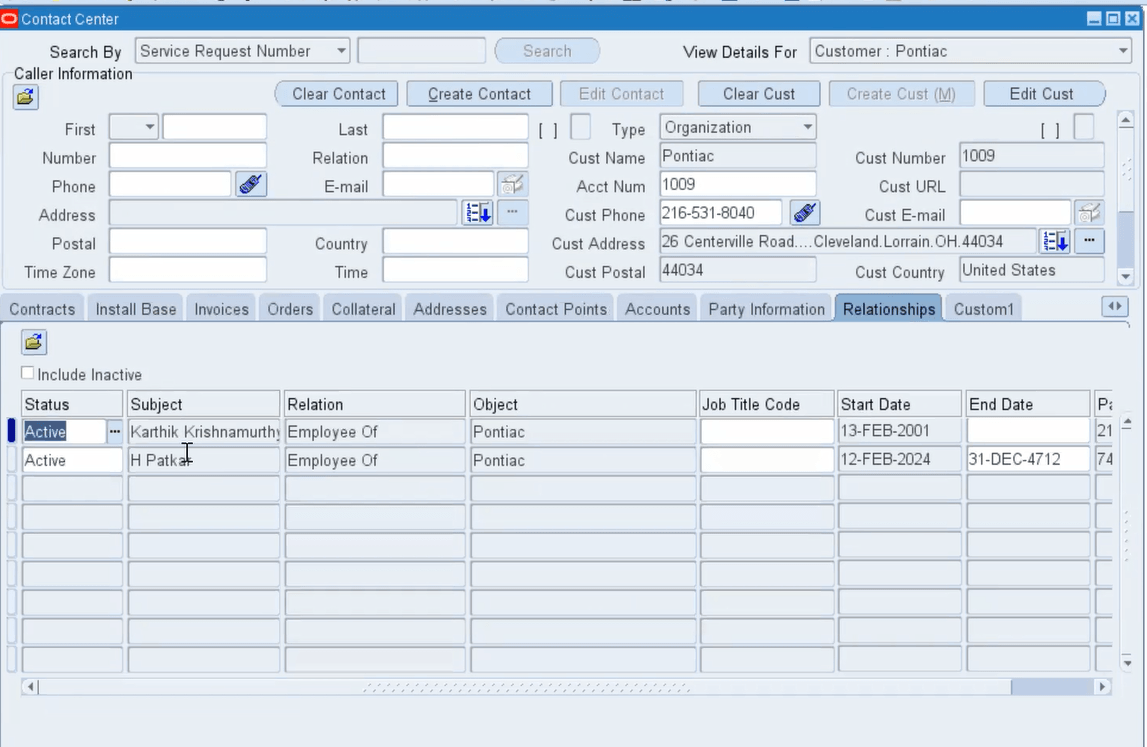
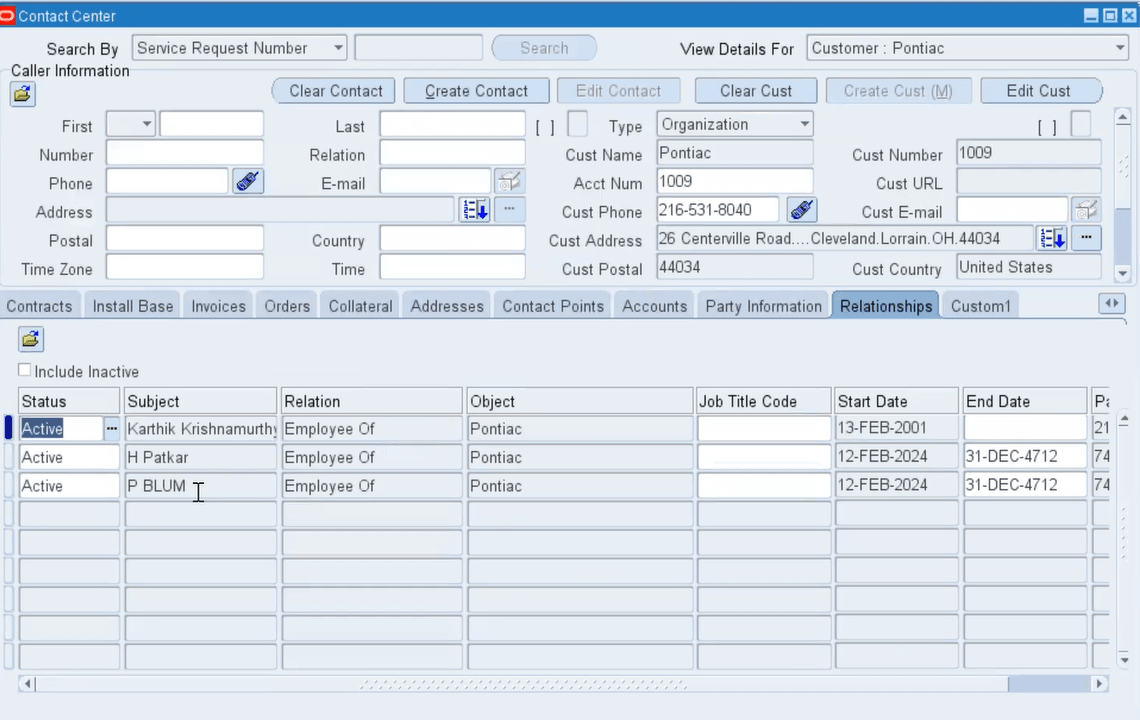
 Screenshot of Relationships Tab of Account 1009 in Contact Center
There are two records in the Relationships tab before Merge Run.
Screenshot of Merge of Customer Account A2 with Customer 1009 in the Customers Merge Window
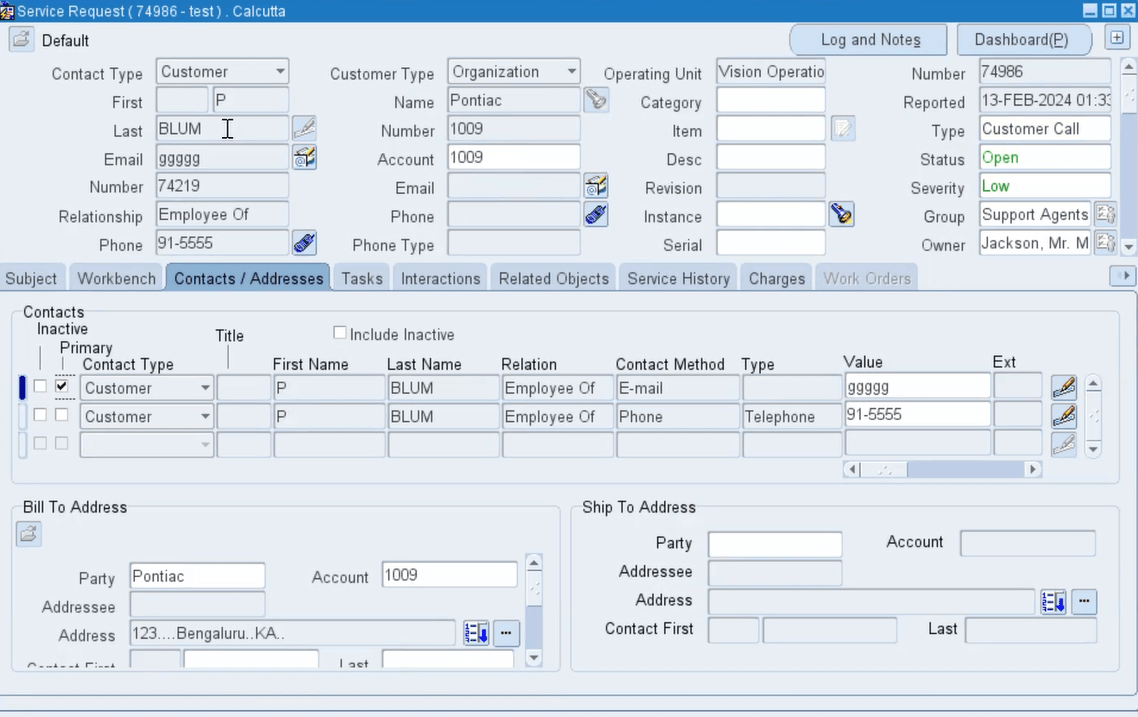
Screenshot of Contact Info of Account A2 Merged with Account 1009
Contacts of Account A2 are visible for Account 1009.
Screenshot of Contact of A2 Added to Account 1009 Post Merge Run - Contact Center Window
There are now three records in the Relationships tab after Merge Run.
Verifying Details of Merged Fields
You can use the Audit Report to verify the details of merged fields. Administrators can query the CS_INCIDENTS_AUDIT_B table to verify the details.
Steps to enable and configure
Run the Account Merge program that is available from the Receivables Manager responsibility to merge customer accounts that are associated with different parties. You can use this feature to merge and resolve duplicate records to ensure that accurate customer data is available.
Tips and considerations
- Conduct a thorough review of accounts to be merged to ensure data accuracy and prevent loss of critical information.
- Establish clear guidelines for which accounts should be merged and assign appropriate roles to manage the process.
- Monitor the impact of merged accounts on related service requests and reporting to identify any discrepancies post-merge.
Key resources
Oracle TeleService Implementation and User Guide
- Chapter: Basic Service Request Setups
- Topic: Merging Customer Accounts Associated with Different Parties
Transfer of Information
R12.2.14 TOI: Implement and Use TeleService