Setting Up and Using Rule Categories for the Evaluation Management System
A Rule Category controls the following:
-
What data can be accessed by rules of this category: each category has an Entity Profile.
-
Which rule groups (a user defined way of organizing and managing rules) are governed by this category.
-
What system roles/users have access to create/update rules of this category.
Defining Rule Categories
Access the Rule Category - Definition page ().
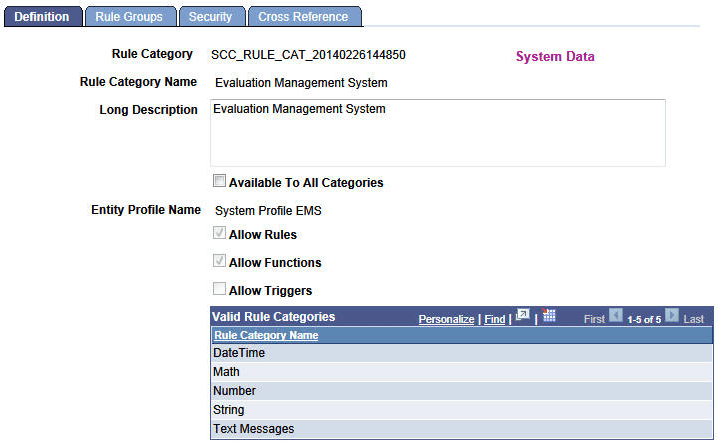
This example illustrates the fields and controls on the Rule Category - Definition page for the Evaluation Management System Rule Category.
| Field or Control | Description |
|---|---|
|
Entity Profile Name |
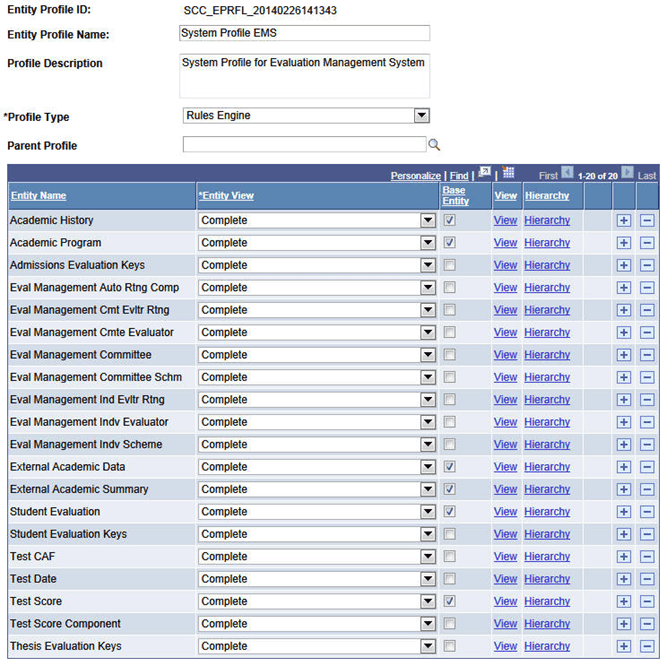
System Profile EMS: This entity profile enables rules with this rule category to use the included system (delivered) entities as its ‘base’ entity. As noted earlier in this topic, this Entity Profile is intended as an example and likely will not meet the wide array of your evaluation business use cases. The image of the Entity Profile page (Set Up SACR, System Administration, Entity, Entity Profile) later in this section is just one illustration of the way that entities may be grouped into an Entity Profile to support the rules used under one Rule Category. |
|
Allow Rules, Allow Functions, Allow Triggers |
Theses check boxes indicate the Rules Engine privileges available to roles (or an individual user) authorized for this rule category. As delivered, this Evaluation Management System Category definition enables users to create Rules and Functions. As noted above, it is likely that you will create your own rule categories and set these check boxes according to your business needs. |
|
Valid Rule Categories |
Valid rule categories allow a user with explicit security access to a rule category (as defined on the Rule Category security page – see later in this documentation), in this case Evaluation Management System, to call rules from these categories without having specific access to those categories. For example user CSUSER-01 has access to Evaluation Management System. When creating a rule of this category, CSUSER-01 can call rules with any of the specified categories here, but cannot create a rule with one of those categories. |
As mentioned in the discussion of the Entity Profile Name field (on the Definition page), this image illustrates just one way that entities may be grouped into an Entity Profile to support the rules used under a rule category.
Defining Rule Category Rule Groups
Access the Rule Category - Rule Groups page ().
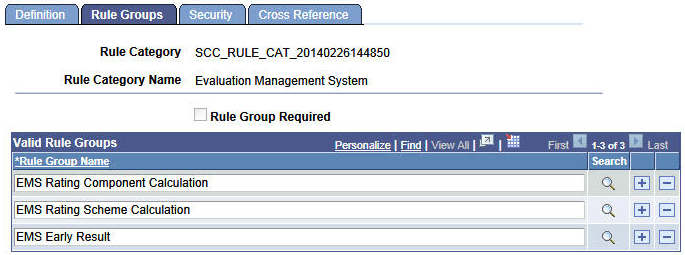
This example illustrates the fields and controls on the Rule Category - Rule Groups page for Evaluation Management System.
| Field or Control | Description |
|---|---|
|
Rule Group Required |
If this check box is selected, users with this rule category must always create a rule from a rule group listed in the Valid Rule Groups grid. |
Defining Rule Category Security
Access the Rule Category - Security page ().
This example illustrates the fields and controls on the Rule Category - Security page for Evaluation Management System.
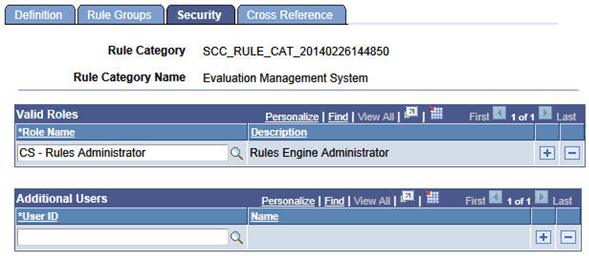
Security can be granted via role or by specific User ID.
Note:
The Evaluation Management System Rule Category has been delivered with a Valid Role value of CS - Rules Administrator. However while this Role Definition is delivered, you must associate it to User Profiles where appropriate.
Viewing Rule Category Information
Access the Rule Category - Cross Reference page ().
This example illustrates the fields and controls on the Rule Category - Cross Reference page for Evaluation Management System.
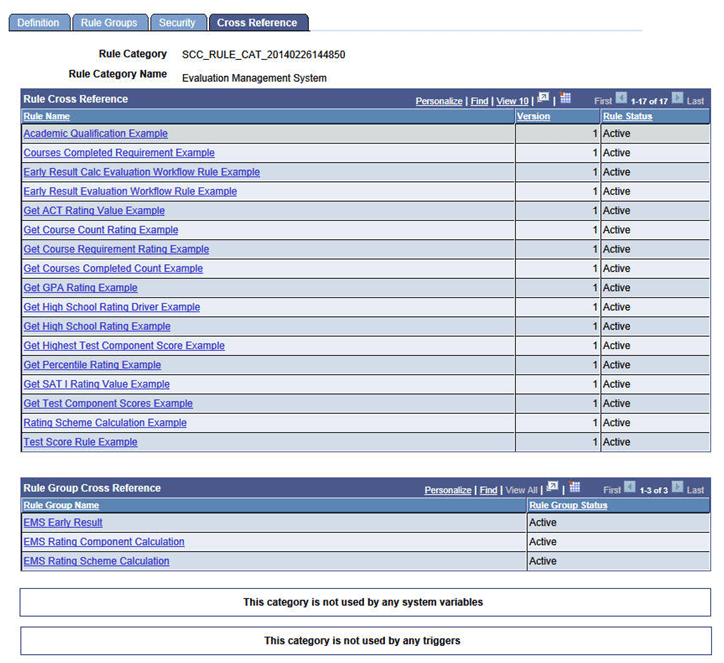
Use the Cross Reference page to view rules, rule groups, system variables and triggers that use this rule category.
Related Topics