Setting Security for Origin IDs
To set up origin ID security, use two Origin ID components (SEC_ORIGIN_CLS and SEC_ORIGIN_OPR).
Depending on the security option that you select for origin on the Security Options page, grant access to an origin ID using permission lists or user IDs. If you select no security for origin IDs on the Security Options page, you do not need to complete the pages listed in this section because all user IDs and permission lists have access to all origin IDs.
This section discusses how to:
-
Grant a permission list access to origin IDs.
-
Grant a user ID access to origin IDs.
Pages Used to Set Security for Origin IDs
| Page Name | Definition Name | Navigation | Usage |
|---|---|---|---|
|
Permission List - Origin |
SEC_ORIGIN_CLS |
|
Grant a permission list access to origin IDs. You must first grant permission lists access to business units on the Permission List - Business Unit page. |
|
User ID - Origin |
SEC_ORIGIN_OPR |
|
Grant a user ID access to origin IDs. You must first grant user IDs access to business units on the User ID - Business Unit page. |
Granting a Permission List Access to Origin IDs
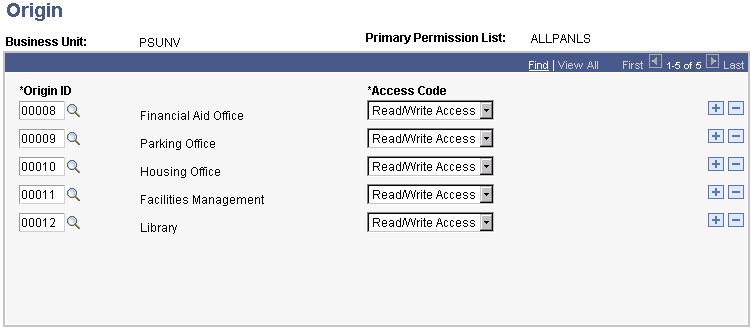
Access the Permission List - Origin page ().
This example illustrates the fields and controls on the Permission List - Origin page. You can find definitions for the fields and controls later on this page.
Enter the origin ID that you want the permission list to access. If you do not want to grant access to an origin ID, do not include the origin ID on this page.