Setting Up Budget Mapping
Access the Budget Mapping page ().
This example illustrates the fields and controls on the Budget Mapping page. You can find definitions for the fields and controls later on this page.
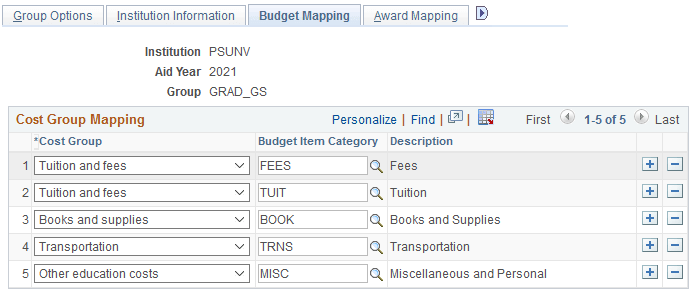
Map your Budget Item Category to the appropriate Cost Group. You can map multiple Budget Item Categories to a single Cost Group, but you can only use a Budget Item Category once.
When a College Financing Plan is generated for a student, the system reviews the student's current budget data for the given Institution, Aid Year, Academic Career, Award Period, and Budget Item Category. Any matching values are used to calculate totals displayed in each cost group.
For AY 2021 and later, you can map the cost group for housing and meals on the Housing Mapping page. See Mapping Housing.
Note:
If your students have access to Cost of Education information in Financial Aid Self Service, you should attempt to map the Cost Groups so they match the Cost of Attendance self-service information.