Viewing Remittance Staging Data
This section discusses how to view Remittance imported data.
Page Used to View Remittance Imported Data
| Page Name | Definition Name | Navigation | Usage |
|---|---|---|---|
|
View Remittance Staging Table |
SFA_SLC_TFRA_DTL |
|
View Remittance imported data. |
Viewing Remittance Imported Data
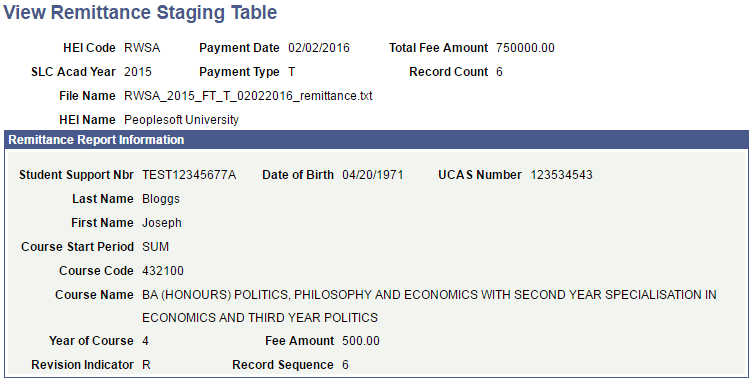
Access the View Remittance Staging Table page ().
This example illustrates the fields and controls on the View Remittance Staging Table page. You can find definitions for the fields and controls later on this page.
| Field or Control | Description |
|---|---|
|
Payment Date |
Displays the date that the funds are transferred to HEI. |
|
Payment Type |
Displays the type of funds being transferred:
This field is blank if the information was not provided in the Remittance Report file. |
|
Total Fee Amount |
Displays the total net amount of fees in this roster. |
|
Record Count |
Displays the total number of records in this roster. |
Remittance Report Information
| Field or Control | Description |
|---|---|
|
Course Start Period |
Displays the period when the course starts, for example AUT (Autumn). |
|
Course Code |
Displays the UCAS code that is assigned to the course. |
|
Revision Indicator |
Indicates a change in entitlement since a previous ACR. |
|
Fee Amount |
Displays the fee amount for the student. |