Editing Existing Application
Steps:
-
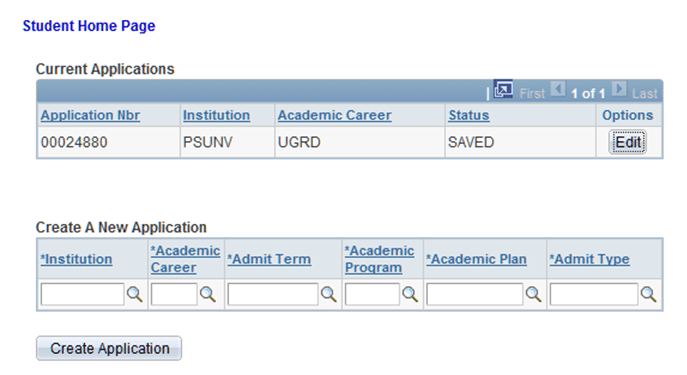
Again through the New User Registration login page (or a custom version of it), the applicant signs in using an existing user ID. The applicant is automatically transferred to the Online Application page and the system invokes the SAD_GETAPPLS service operation. This service operation returns all the applications that pertain to the applicant. To keep this scenario simple, let us assume that there is only one application that the applicant is working on and therefore the home page displays that application.
This is an example of the Application Home page displaying one saved application.
-
When the applicant clicks the Edit button, the system invokes the SAD_GETAPPL service operation.
Note:
The service operation SAD_GETATTCH also gets fired. SAD_GETATTCH will retrieve any attachments that the applicant submitted in an earlier session.
-
When the applicant clicks the Edit button, the system displays the first of six pages that the applicant uses to fill out or correct any previously entered data for the application. At this point, the applicant can fill out the application.
-
The applicant can repeat the above steps as many times as he or she would like until the application is finally submitted.