Step 4: Set Up Integration Broker (IB)
Verify that minimal IB setup and service configuration is performed.
Verifying IB Gateway
Procedure:
-
Access the Gateways component ().
-
Select that Integration Gateway ID for which the Local Gateway is set to Y.
-
Verify that the URL is pointing to the correct gateway.
-
Ensure that the gateway can be pinged by clicking the Ping Gateway button.
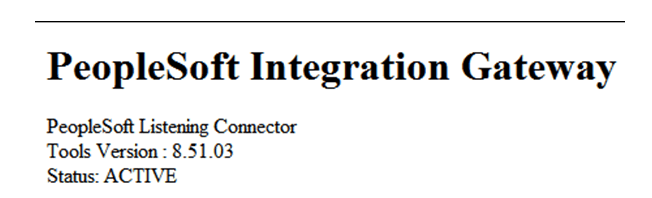
You should see this page if the gateway is pinged successfully.
Verifying IB Nodes
Procedure:
-
Access the Nodes component ().
-
Click the Search button and scroll through the search results list looking for the Node Name where the Default Local Node is Y. There should be only one default local node.
-
On the Connectors page, click the Ping Node button.
-
Verify that the Gateway ID is pointing to the local gateway that you previously just pinged. If it is not, change the Gateway ID so that it is.
-
When you click the Ping Node button, you should see Success in the message text.
Verifying that the Domain Status is Active
Procedure:
-
Access the Domain Status page ().
-
Verify that the domain status is Active.
Verifying Service Configuration
Procedure:
-
Access the Service Configuration page ().
-
Verify that a service configuration exists.
Note
Do not continue if any of the verification steps mentioned in this section “Step 4: Set Up Integration Broker (IB)” fail. Resolve the failed steps before continuing.