Step 6: Set Up Integration Broker – ANONYMOUS Node
Procedure:
-
Access the Nodes component ().
-
Search for the ANONYMOUS node name.
-
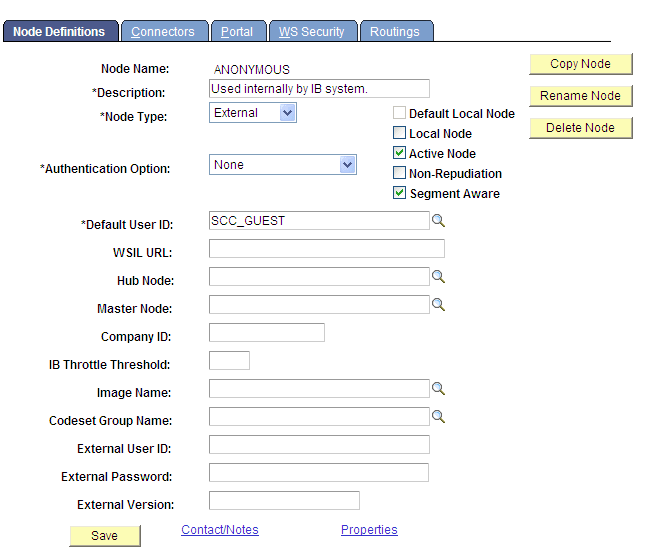
On the Node Definitions page, change the Default User ID to SCC_GUEST.
This example illustrates the fields and controls on the Node Definitions page.
-
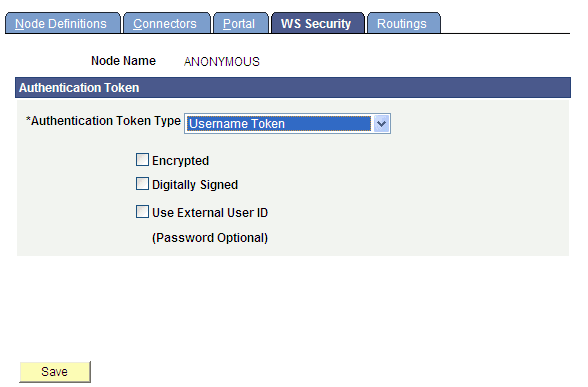
On the WS Security page, change the Authentication Token Type to Username Token.
This example illustrates the fields and controls on the WS Security page.
-
Save your changes.