Step 7: Publish Web Services
Procedure:
-
Access the Provide Web Service Wizard ().
-
Ensure all the operations for the SAD_ADMISSIONS and SCC_USERREG web services are published.
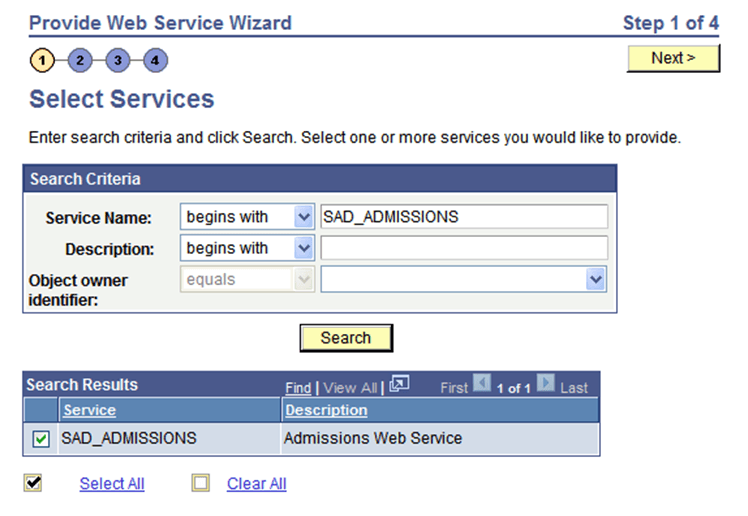
Search for SAD_ADMISSIONS service name:
This example illustrates the fields and controls on the Select Services page.
-
Click the Select All button and click the Next button.
-
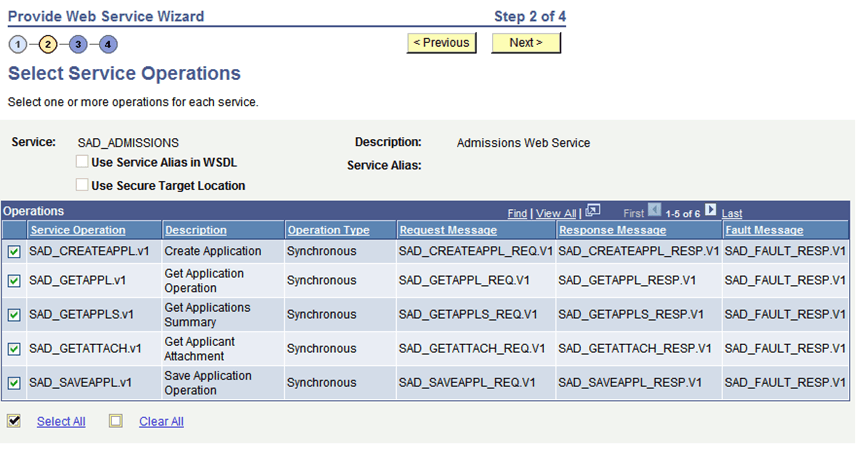
On the Select Service Operations page, click the Select All button and click the Next button.
This example illustrates the fields and controls on the Select Service Operations page.
-
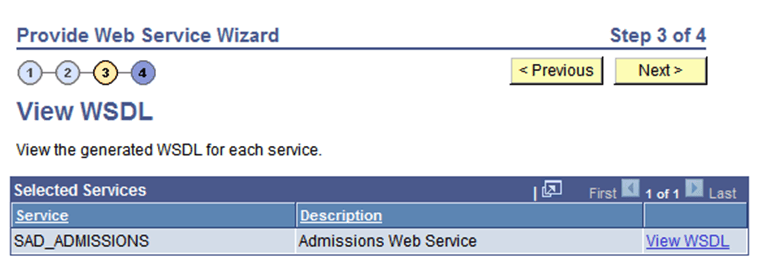
On the View WSDL page, click the Next button.
This example illustrates the fields and controls on the View WSDL page.
-
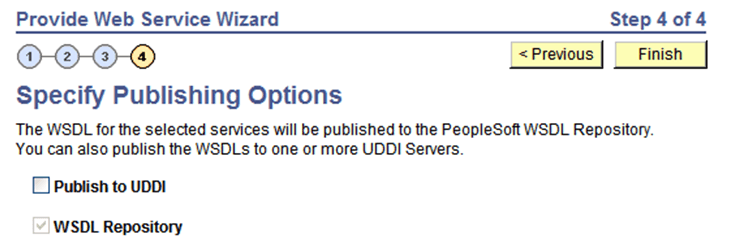
On the Specify Publishing Options page, click the Finish button.
This example illustrates the fields and controls on the Specify Publishing Options page.
-
Repeat the steps for the SCC_USERREG web service.